Hey, everyone. We got another hotfix for ya — keep the feedback and reports coming!
✅ Some players have reported improved performance (particularly with PiP scopes) by verifying their game files. If you're unsure how to do that, follow these instructions.
Patch notes
Hooked up new volume control setting (Settings › Audio) — the Dialogue slider allows controlling the volume for radio calls from NPCs such as Hawk and Forge.
Increased size of target zone for door handle breaching (more generous area for shooting it out).
Updated soft armor (Body Armor and combos) to allow penetration by rifle rounds on first strike.
Following our temporary workaround last patch, light and laser attachments now remain ON when you swap to another item in your inventory. They can still be turned off afterwards.
Fixed reticle on the Docter II red dot sight sitting too high in the glass (just about touching the top of the enclosure).
AI can now hear each other’s gunfire. AI will alert when other AI open fire now and they can be notified of the player’s presence via proximity to each other.
Fixed Turn Rate for AI being overridden at the behavior tree level, preventing the settings per difficulty from being used.
Updated navmesh on Arena map stairs to help with AI getting stuck.
Cleaned up navmesh near the cave and streams on Creek.
Hospital rooms that were not playing the correct tails for gunshots have been updated.
Removed bomb from Rig (Defuse mode) that could not be reached for defusal.
Fixed Team Elimination counting teamkills towards overall score.
Updated how the server web banner renders the banner image.
First pass on the VOIP crash when using in-game voice in online matches.
Fixed numerous Kythera AI-related crashes in this build.
💡 We're already working on a new hotfix that will include tweaks to AI behaviors and settings to offer a more rounded experience for our 4 main difficulties.
We just released a hotfix patch to address some of the more urgent issues in the launch build.
Patch notes
General
We’ve severely reduced the game’s installed disk size from nearly 100 GB to 39.4 GB. Packaging settings were changed and some texture work was done to trim it down.
Temporarily removed the launch prompt where DX12 could be selected.* This was done because DX12 mode was causing the game to crash.
Implemented new controller (gamepad) configuration.
Fixed crash related to Kythera AI plugin.
💡 The texture work may improve performance on some systems.
[*] DX12 can still be used by right-clicking GROUND BRANCH > Properties… and adding the argument -dx12 to the text input box under "Launch Options". Please use DX12 at your own discretion as it can cause the game to crash.
Gameplay
Reduced maximum weapon sway by around 30%.
Fixed issue where lights and lasers could not be turned off if left on before switching items. (Lights and lasers will be turned off automatically during item switching.)
Tweaked damage values for all body parts to generally make shots to non-vital body parts and extremities less lethal (closer to extremity = less damage).
Fixed being unable to turn/look right when prone and unarmed.
Fixed buttons to adjust target distance in shooting ranges (The Farm and Ready Room) staying active if the player holds the button and backs away.
AI
Various adjustments to AI accuracy and reaction times.
Tweaked aiming bone for AI to more reliably hit the torso area, making body armor more likely to be effective.
Reworked how Hostage AI view dead bodies to reduce the chances of them getting stuck when navigating.
Maps and game modes
Fixed missing floor collision on Outpost.
Added missing breaching sockets to doors on Outpost.
Added generator (and hooked up lights and screens on the map to it) on Outpost.
Fixed breaker switch for the 747 aircraft on Airbase to also turn off the fuselage lights.
Removed faulty Defuse (Plane Only) game mode from Airbase.
Added missing blocking volumes on Hospital.
Added new breaker switch for lights on Hospital.
Fixed out-of-bounds insertion point on City (Defuse game mode).
Rotated bomb that could not be defused on City (Defuse).
Fixed missing collision and adjusted door meshlinks for navigation on Border.
Fixed issue with rounds not being properly recorded in PvE quick missions.
Visuals
Replaced texture for hanging US flag in Ready Room / The Farm’s HQ with an accurate version.
First pass on cutscene clean up for Outpost: should now clear up bodies remaining on helipad and appropriately hide the Armor UI if enabled.
Fixed skin weighting issues for the captain and other civilian clothing to reduce character clipping.
Fixed arm clipping in Combat Shirt (males).
Fixed handle rotating into the light boxes of Border.
Fixed VFX trash particles blowing up on Border and Airbase.
Improved draw distance for decals.
Fixed Docter II red dot sight being offset and appearing to float above accessory rails.
Fixed wrong ammo mesh in Wz.88 assault rifle magazine.
F88A2 assault rifle now uses the correct reload animations.
Audio
Fixed sounds passing through walls on Hospital and Border.
In addition to the campaign’s Prologue chapter — featuring 2 new Operations — this release includes a substantial enemy AI rework, the new armor system, a door overhaul, an updated map selection (2 brand-new maps, 2 ground-up remakes, a map overhaul and a few other map upgrades), the Extraction game mode, an update to character locomotion and other animations, a range of new weapons and gear, selectable moon phases, various upgrades to visuals and audio, a whole lot of bug and crash fixes, and more. All of which was built on a refactored foundation for increased stability and expandability.
💡 MAKE SURE TO CHECK OUT INTEL REPORT #032 IF YOU HAVEN'T ALREADY!
As detailed in our last dev blog, this is the beginning of the post-launch road. Each subsequent release on the roadmap will keep building on this foundation with new campaign missions, features, upgrades and fixes.
💡 In addition to the planned releases, hotfixes and smaller patches between major releases are also possible. Keep the feedback coming!
Launch Sale: GROUND BRANCH is 20% OFF!
As a little gift to celebrate V1.0, GROUND BRANCH will be 20% off for a week. Grab a key or two while it’s cheap!
🔥 If you're reading this that probably means you already own the game — time to make sure your non-GB-having friends hear about it so you have more people to team up with.
Without further ado, let’s move on to the release notes. There’s a lot of ground to cover.
V1.0 release notes
General
Some of the changes both big and small that you’re likely to spot within the first minutes of launching V1.0:
We’ve updated the main menu with a new cinematic to set the mood for the campaign.
Various bits of music have been added or updated, including the main menu tracks, stingers for screen transitions, and briefing music for the new Northwest Pakistan hotspot.
An entirely new Ready Room has been created — it is now part of The Farm (aka Camp Peary, aka the training map). This new HQ is where you will be launching quick missions, online matches and the Prologue operations from.
Other than making your operator look much cooler, the new character pose in the Customize Operator screen ensures your primary weapon is fully visible.
Loading screens now have background images and a few other minor visual changes.
Operations mode
The highlight of this release and the very beginning of our campaign, Operations is once again available:
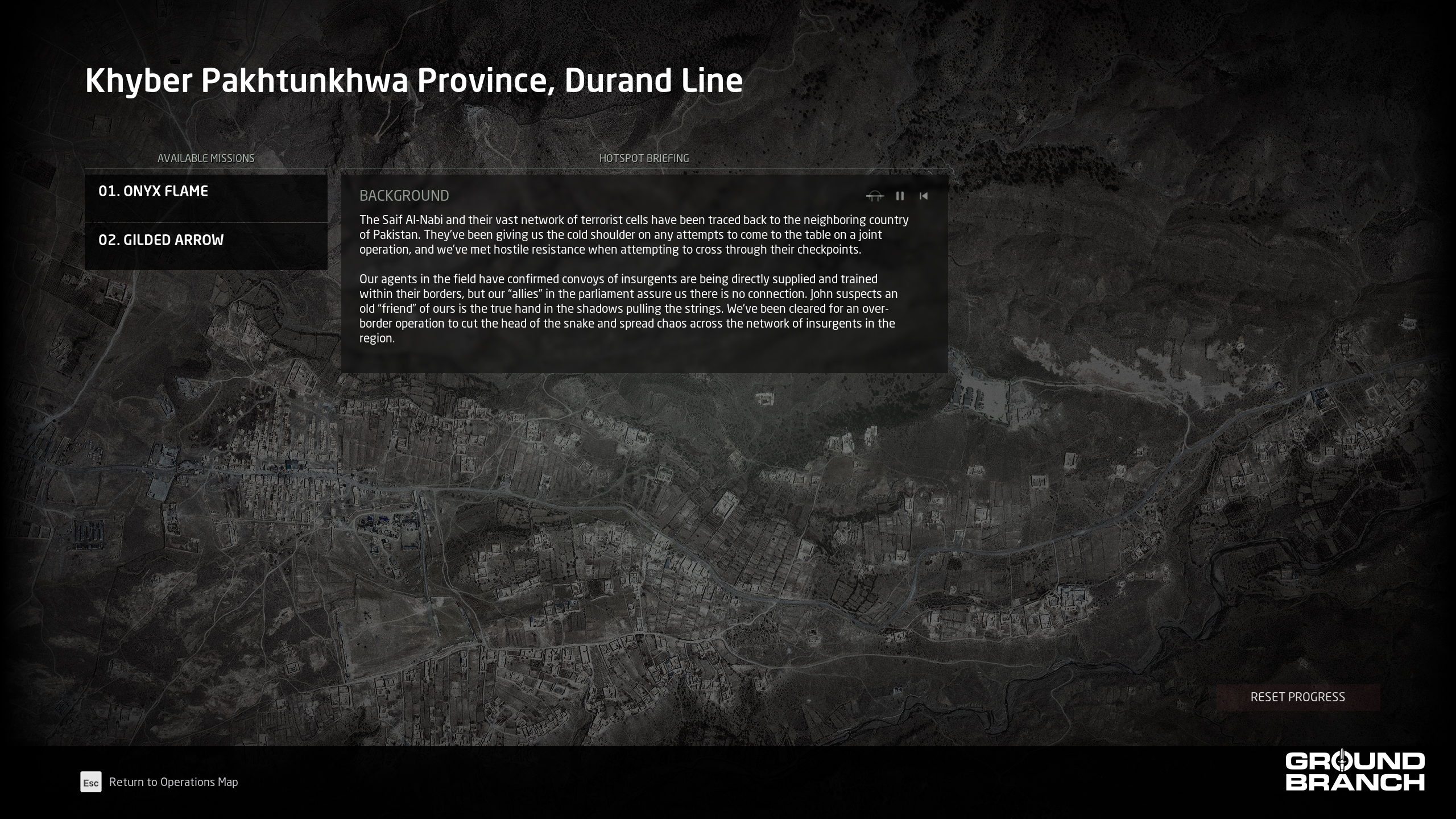
Access it from the main menu to enter the Operations Menu, where you can browse available hotspots (CIA areas of interest) directly on the map or via the bottom-left list. Once a hotspot is hovered, a news feed will pop up in the top-right with recent events.
New hotspot: Northwest Pakistan (Kill or Capture). This hotspot is home to our campaign’s Prologue.
New operations: 01. Onyx Flame and 02. Gilded Arrow are playable in succession — complete the first to unlock the other in either offline (solo) or online (solo or online co-op) mode.
The briefings for both the hotspot and the individual missions are now fully voiced by characters John Hawk and team handler “Forge“. Use the playback controls at the top of the text box to play/pause/rewind the audio.
We don’t want to spoil too much, but a lot of care was put into certain special scripted events for the new operations. Be on the lookout!
Hotspot briefing menu: note the audio playback controls in the top-right of the text box for playing/pausing/restarting the voice-over.
💡 Friendly AI will be reintroduced in Chapter 1 (V1.1.0 release), along with a set of new operations.
Quick Missions and PvP
Lone Wolf and online games — whether co-op or PvP — have received some welcome upgrades for further immersion and replayability:
Several game modes have team handler “Forge” reaching out via comms during key events (e.g. to recap mission objectives at mission start).
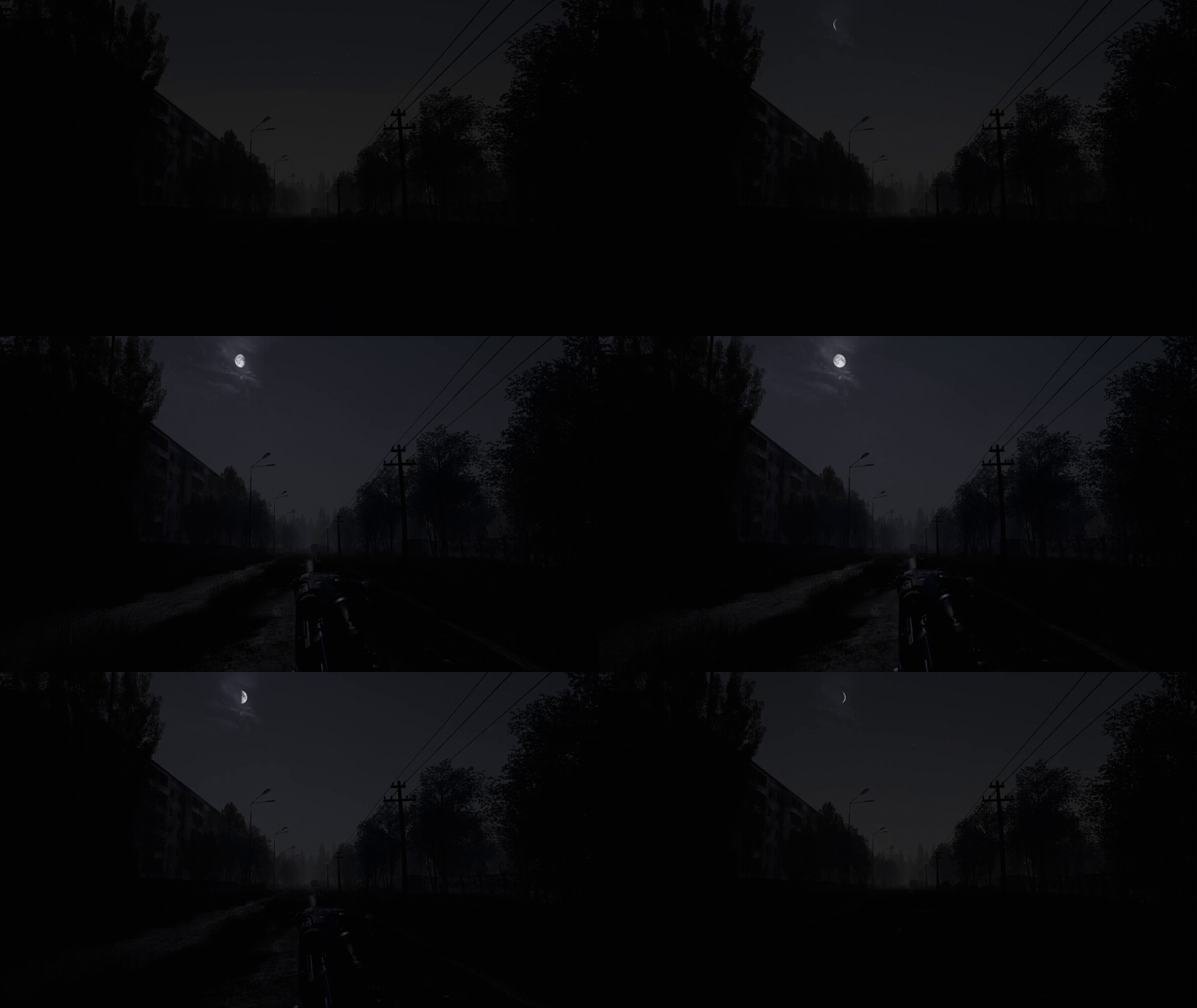
The new Moon Phase mission parameter allows players to once again select their preferred level of darkness for night deployments, from a new moon all the way to a full moon. This can selected prior to launching the mission, or directly on the Ops Board right before deploying.
Moonlight now casts shadows, creating near-perfect concealment — just make sure enemy patrols can’t hear you moving around.
Enemy AI
The enemy AI has received substantial updates to iron out frequent issues and ensure more reliable behavior and responsiveness:
Targeting — Default aim point is now the pelvis. If only the head is visible, AI will now target it instead of losing the target. Higher-skilled AI default to chest or head shots.
Perception and reaction — Maximum view distance increased from 100 m to 200 m. Alertness buildup rate adjusted to prevent AI from staring at players without reacting.
Suppression and damage response — AI now react to being shot while unaware. Hits apply suppression and location data, triggering flee behavior even without line of sight to the attacker. This makes missed lethal shots more punishing, as wounded AI will seek cover before you can finish them.
Defender AI — Enemies in guard mode are now tethered to their assigned guard points. They cannot leave a set radius but will turn toward sounds, allowing them to hear approaching players. On maps like Hospital (formerly RunDown), this keeps enemies holding rooms rather than funneling into fatal choke points.
Guard point logic — AI now claim only one guard point at a time. Unclaimed points leave remaining AI idle. Guard points are released upon state changes.
Morale and death awareness — AI now suffer suppression and morale loss when witnessing ally deaths. Combat actions now have a tangible impact on enemy decision-making.
Retreat behavior — Retreat and flee duration now scale with skill level. Higher-skilled AI hold cover longer before breaking contact, making them feel more resilient overall.
Performance — Behavior tree nodes migrated from Blueprint to C++ for improved performance and reliability.
Armor system and hit reactions
New to V1.0 is the armor system. Helmets, plate carriers and bulletproof vests can now withstand various levels of damage by firearms, with some important caveats.
Hard armor
Hard armor refers to armor inserts (made of ballistic ceramics and commonly referred to as plates) that can stop up to a few round of full-sized caliber rounds such as 7.62 NATO (fired by many of the battle and precision rifles in the game) before being depleted. How it works in GROUND BRANCH is fairly simple:
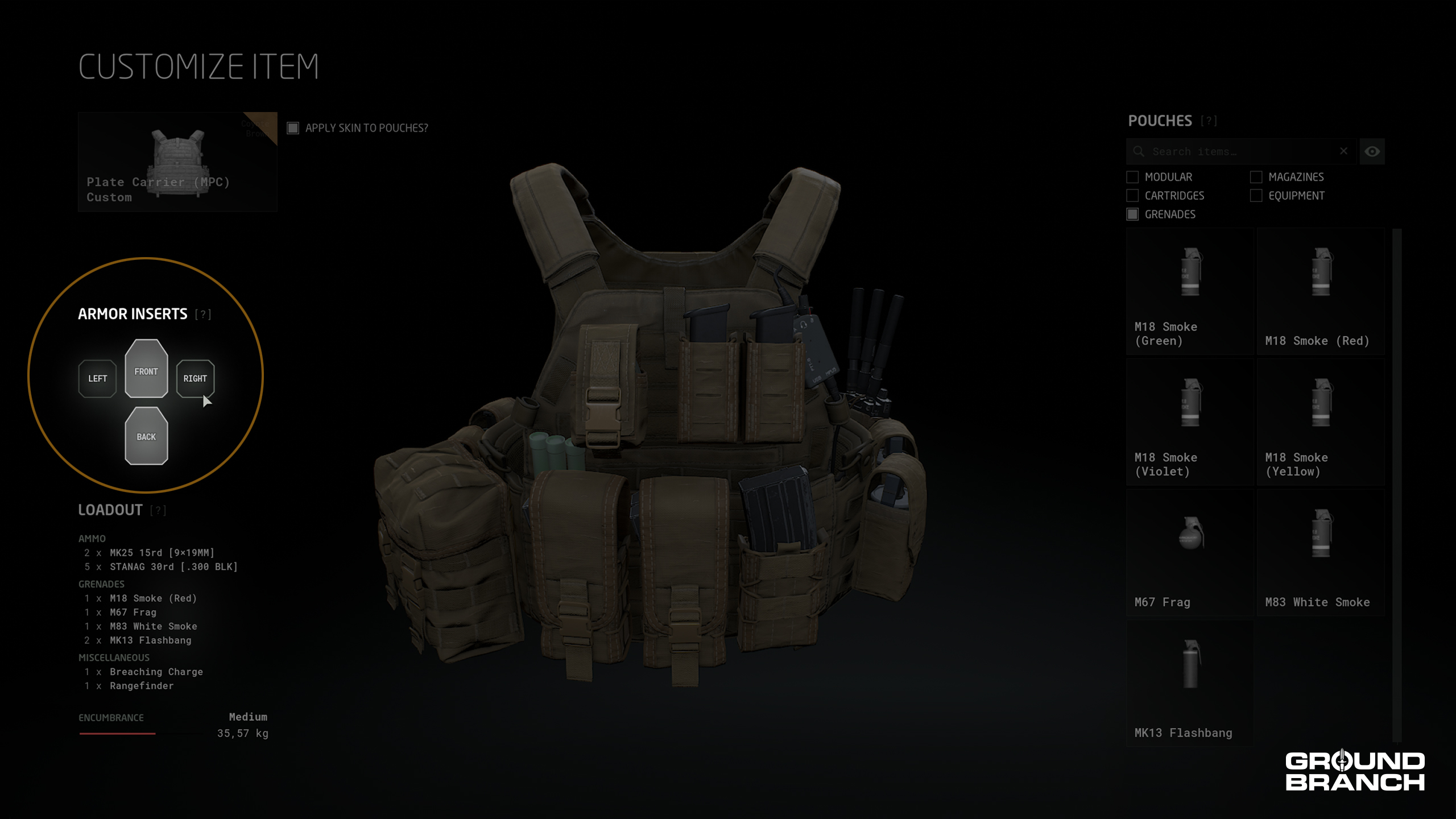
Armor inserts can now be carried in plate carrier-type Platforms such as the Plate Carrier (JPC) and Plate Carrier (MPC), which are now fitted with plates by default (note that if you have an old loadout for these items, it will not have plates).
If you wish to add or remove individual plates to/from a plate carrier, click the gear icon (⚙️) and check the left side of the screen for the Armor Inserts section.
Simply click the respective icon on the diagram to add or remove a specific plate.
Plate Carrier (MPC) equipped with front and back plates only (right and left side slots are empty).
Ballistic protection with hard armor is limited to the area equivalent to the plates only — all other areas on the upper body will remain fully vulnerable.
🛡️ The Plate Carrier (MPC) can carry 4 plates: one in the front, one in the back, and one on either side.
🛡️ The Plate Carrier (JPC) can carry 2 plates: one in the front, and one in the back.
⚖️ Each front/chest or back plate adds 2.85 kg to your loadout. Side plates add 1 kg each.
Soft armor
Soft armor refers to Kevlar-like materials, used in bulletproof vests and helmets. This type of armor is mostly effective only against pistol rounds (whether fired from a handgun or submachine gun), but unlike hard armor it offers protection on almost all of the item’s area.
All helmets now offer limited protection against pistol rounds. Protection is relative to the coverage of each helmet’s shell, meaning fuller helmets like the MICH offer a greater area of protection than high-cut helmets.
The Body Armor platform (formerly “Bulletproof Vest”) can also absorb a limited number of pistol round impacts in all of its area of coverage, which is most of the torso. The Body Armor can now also be worn under either chest carrier model (see the Inventory section for more details).
Once any of the items above is equipped, soft armor is automatically “active” — there’s no need to add or remove anything.
Armor HUD
The Armor HUD is shown next to the Stance Indicator (if enabled), which defaults to the bottom-right corner of the screen:

Hard armor shows status of individual plates; soft armor shows icon only (helmet and/or vest).
💡 You can hide the Armor HUD in Setting › HUD › Character Status › Show Armor.
Here’s what the armor status icons on the HUD mean:
White means the piece of armor is intact.
Yellow + crack means the armor is damaged, but still functional.
Red + diagonal line means the armor has been depleted.
For hard armor, each icon has a letter corresponding to a plate: F (front/chest), B (back), L (left side) and R (right side).
Hit reactions
A related feature introduced in V1.0 is hit reactions. Being shot will now cause your character to flinch, possibly throwing off your aim — an extra reason to make sure you see the enemy first.
Door mechanics
The following door system updates have been implemented for V1.0, focusing on responsiveness, realism, and new breach mechanics:
Added locked-door support with breach options: explosive charges or shooting the handle.
Set up improved simulated physics for doors, allowing them to react when pushed by characters.
Added reach-out animation when interacting with doors.
Improved online reliability (responsiveness and replication across clients).
Frag grenades
The M67 Frag grenade has had its damage zone adjusted:
Characters caught within a radius of 5 meters from the explosion (with no obstruction) will be instantly killed.
Beyond 5 meters, lethality drops progressively.
The maximum effective radius is 15 m.
💥 Related: the M84 Flashbang no longer affects players/characters through walls.
Player locomotion and other animations
This build introduces a full overhaul of player movement and weapon handling, as detailed below:
Completely overhauled player movement set using new motion capture data. Replaced all standing and crouched movement animations, including walking, jogging, sprinting, and strafing.
Running (default Shift) now features a more stable stride animation for improved room clearing feel and visual quality.
Retuned movement speeds across all stances.
Reworked weapon handling with more natural movement wobble and aiming sway patterns, replacing the stiffer system present in V1035.
Countless animations for player interactions, cutscenes and menus were created or updated.
Extraction (PvE)
Extraction is a new PvE hostage rescue-esque game mode now available for solo and co-op play. Here are the rules:
Players assume the role of a rescue team (or solo rescuer), with enemy AI holding a friendly hostage.
Hostage is guarded by 2 captor AI units whose sole purpose is to monitor the prisoner.
Captors become agitated when witnessing or hearing combat, causing their morale meter to deplete (does not refill). Full depletion triggers execution!
Hostage interaction is handled via the Command Menu (default K): free and lead with “Follow Me” prompt. The hostage will mirror player speed and stance while following.
“Move To” commands cause the hostage to run to the designated position; “Take Cover” sends them to the nearest viable cover to crouch and hold.
In co-op, the hostage responds to the last player who interacted with them, allowing for quick handoffs during contact.
Enemy count per map is set to a minimum of 10 and a maximum of 30 for balancing and to allow headroom for future civilian and hostage AI expansions.
Future expansion planned: maximum number of hostages per map will be increased.
💡 Extraction is currently playable on Airbase, Compound, Hospital, Small Town and Tanker.
Audio
Sound updates focus on foley, dialogue, and footstep volume increases, plus general bug fixes and a new finalized audio mix:
New Audio Mix setting: Headphones (calmer mix, optimized for headphone users). This replaces the “Experimental” setting. Change it in Settings › Audio.
Set footsteps and foley higher in the mix to address player feedback regarding difficulty hearing enemy movements. Also increased attenuation for these sounds.
Adjusted weapon and character foley based on character gear weight.
Added quick mission-specific dialogue from team handler “Forge” (e.g. mission-start dialogue when playing Intel Retrieval, Defuse etc.).
Various general bug fixes across audio systems (majority of remaining work outside mission-specific dialogue).
Character customization
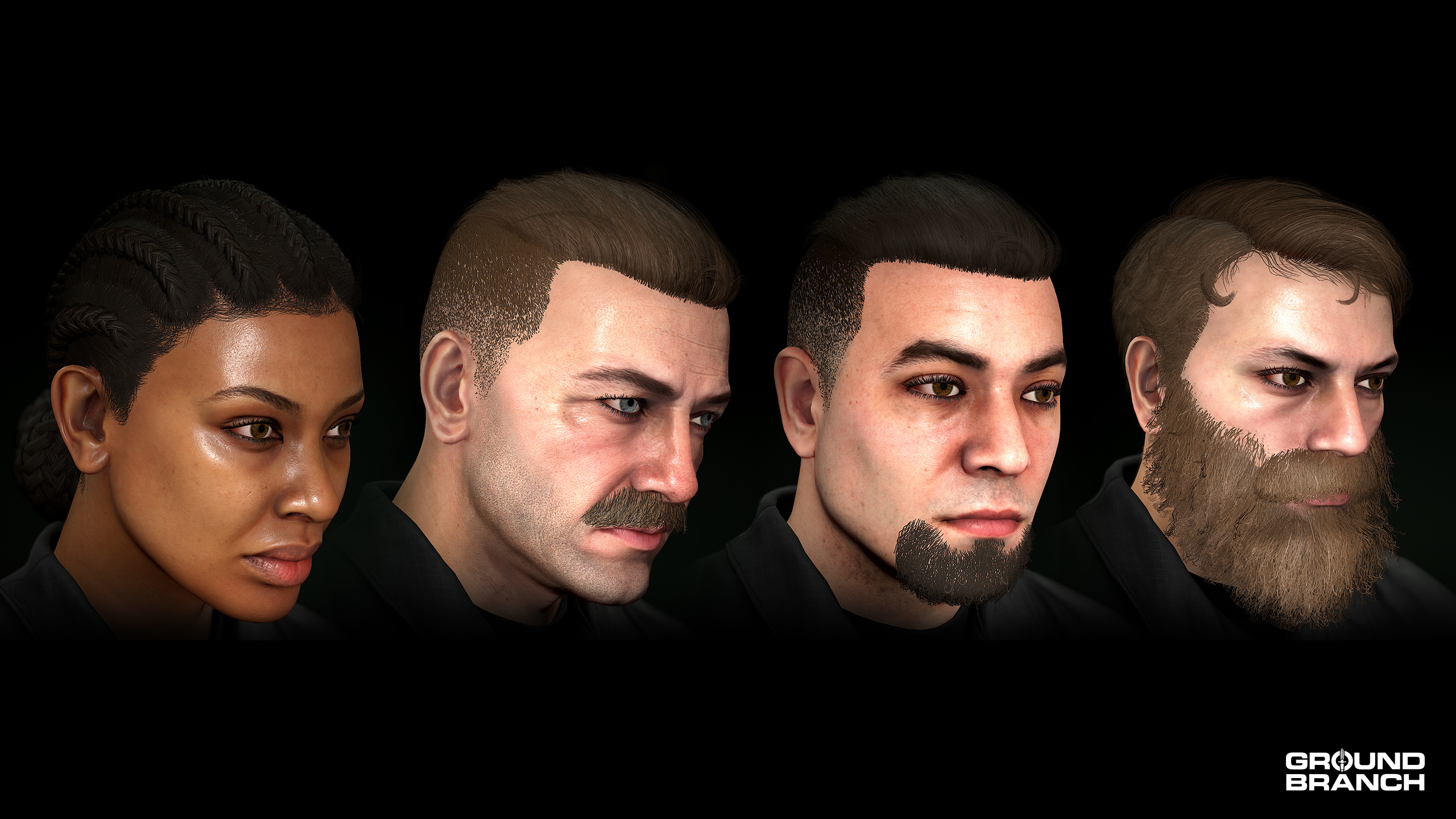
New customization options for your character’s appearance are now available. Here are all the additions and changes:
New hairstyles (all female characters)
NEWCornrows Tight parallel braids along the scalp, tied up in a back bun.
New hairstyles (Male 01, 02, 04, 05 and 06)
NEWLong B A mid-length cut with wavy texture.
NEWSide Part A classic side-part cut with trim sides.
NEWSlick Back Long hair slicked back at the top with skin-faded sides.
💡 Hairstyle "Long Cut" (Male 01, 02, 04, 05 and 06) was renamed to Long A.
💡 Hairstyle "Long Cut" (Male 03) was reassigned as Caesar Cut.
New facial hair
NEWCircle Beard A trimmed beard where the mustache connects with the chin hair.
NEWFull Beard A full, long beard the likes of which would make various fantasy characters jealous.
NEWGoatee Hair on the chin only.
NEWMustache Just a ‘stache. Is it classy? Is it creepy? Nobody knows.
💡 "Short Beard" was renamed to Stubble.
Inventory
The inventory has been updated with plenty of new firearms, weapon attachments, gear and outfit items. Man, customizing feels good.
New weapons
Primary weapons
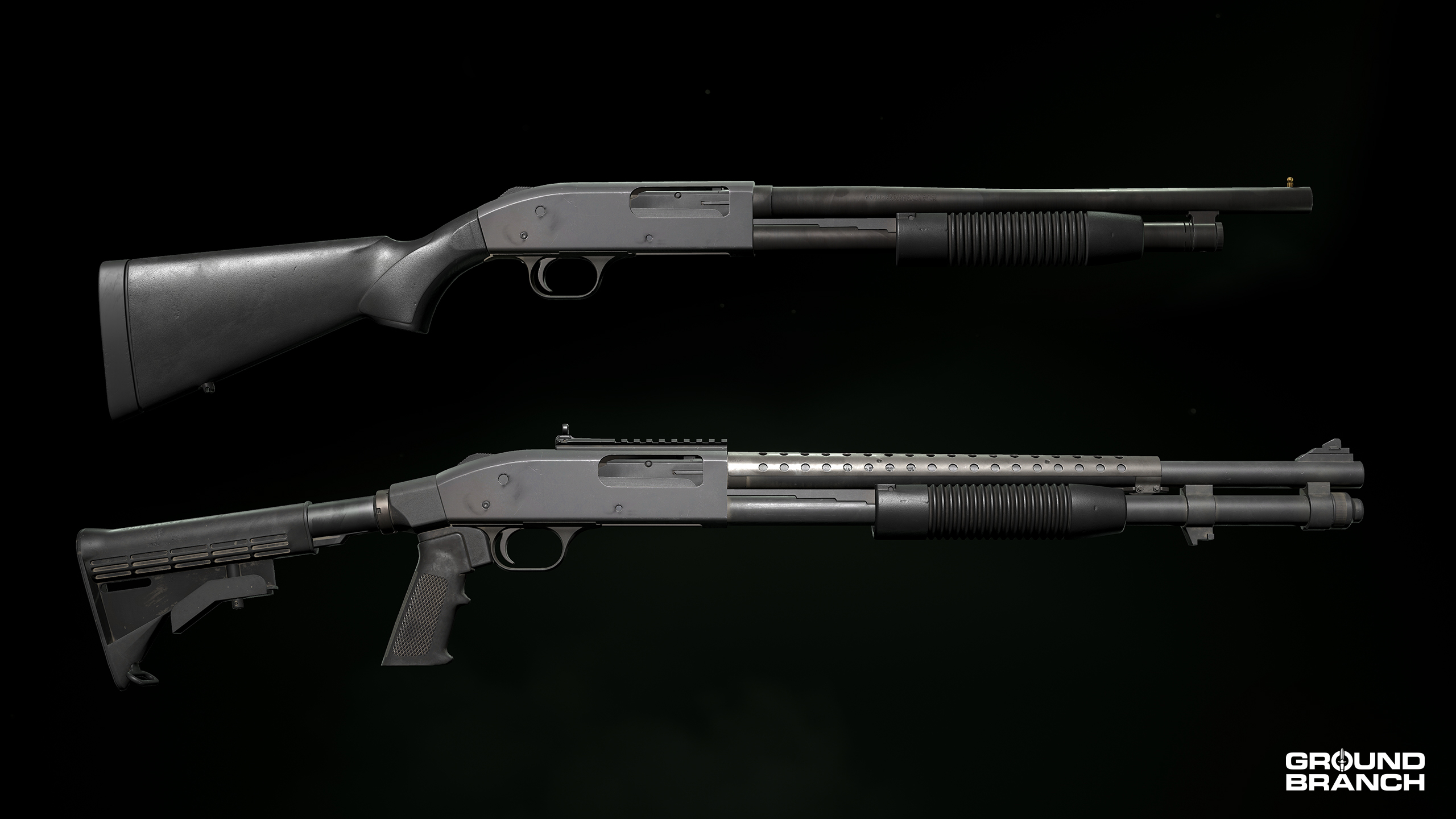
NEW ShotgunsM500M500 Tactical Two configurations of the classic M500 pump-action shotgun. The “factory” M500 holds 5+1 rounds. The Tactical variant holds 7+1 rounds and is fitted with a top accessory rail for mounting optics, combat sights, and tactical furniture.
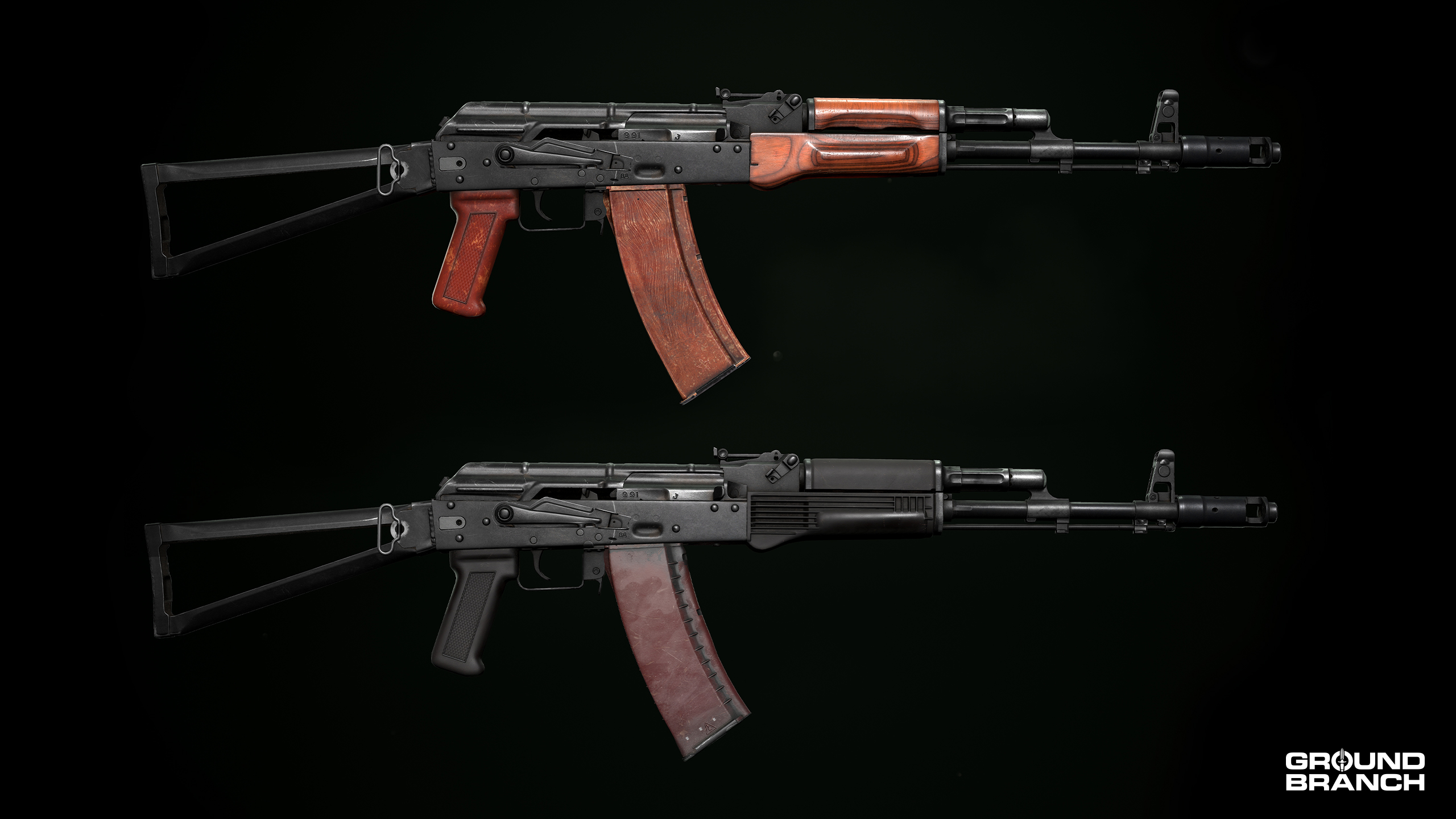
NEW Assault RifleAK-74 Very similar to (and an earlier version of) the AK-74M already in the game, but with “plum” polymer furniture and other small design differences.
NEW Assault RiflesAKS-74AKS-74 (Poly) These AK-74 variants use a side-folding metal stock. The (Poly) variant is fitted with polymer furniture instead of wood.
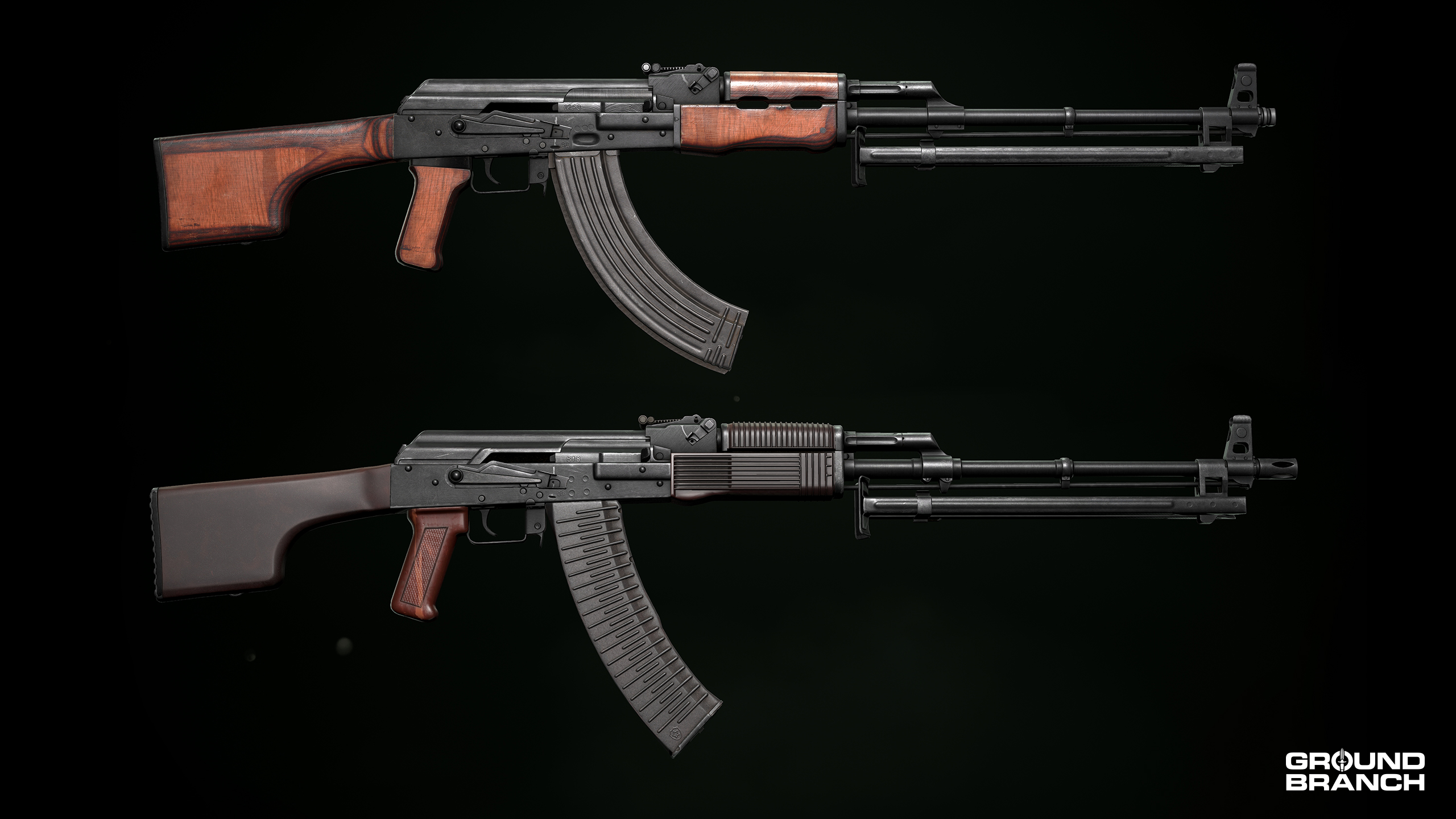
NEW Machine GunsRPKRPK-74 These Soviet automatic rifles are essentially heavier, longer, and higher-capacity AK rifles chambered in 7.62×39 mm and 5.45×39 mm, respectively. They have slightly higher muzzle velocities than regular AK rifles. Magazine capacity is 40 (RPK) and 45 (RPK-74) rounds.
Secondary weapons
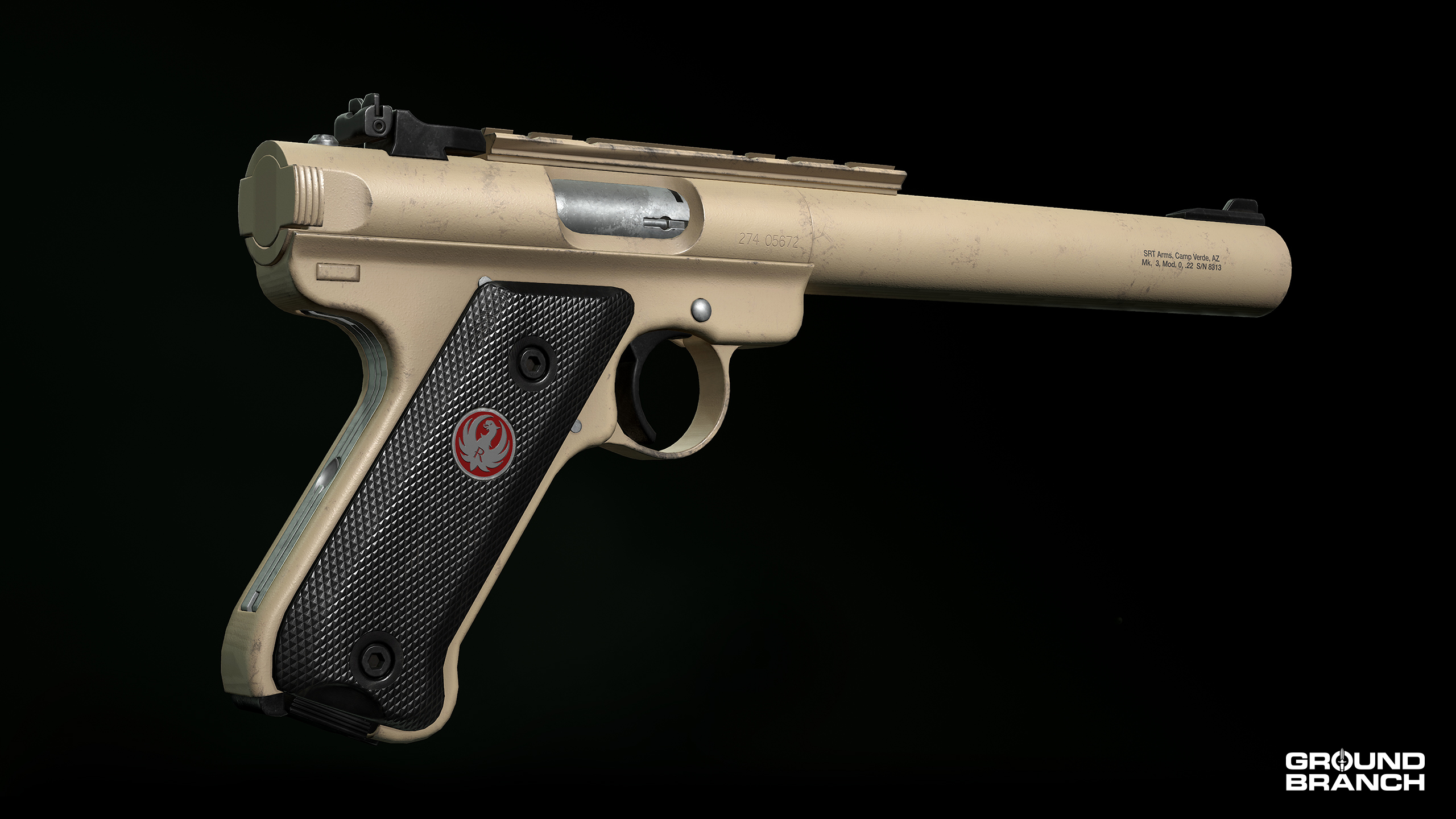
NEW PistolMK3 This integrally suppressed handgun fires .22 LR rounds from a 10-round magazine. Though underpowered, it is the quietest weapon in the arsenal and a very efficient weapon for taking out sentries in controlled situations.
New attachments
NEW Sight › ScopeAN/PVS-17C MNS A standalone night vision scope that offers 4.5X magnification and a red dot aim point for quick target acquisition. MNS stands for Miniature Night Sight.
NEW Magazine/PouchRPK 40rd [7.62×39MM] The default RPK magazine holds 40 rounds and is also compatible with all 7.62 mm AK variants.
NEW Magazine/PouchRPK-74 45rd [5.45×39MM] The default RPK-74 magazine holds 45 rounds and is also compatible with all 5.45 mm AK variants.
NEW Magazine/PouchAK-74 30rd [5.45×39MM] (Plum) Similar to the AK-74 30rd [5.45×39MM] (Poly) in shape and material, this one is painted in a plum color and equipped by default on the AK-74. It is available for all 5.45×39 mm weapons.
NEW Magazine/PouchMK3 10rd [.22 LR] The default magazine for the new MK3 pistol. Hold 10 rounds of .22 LR ammunition.
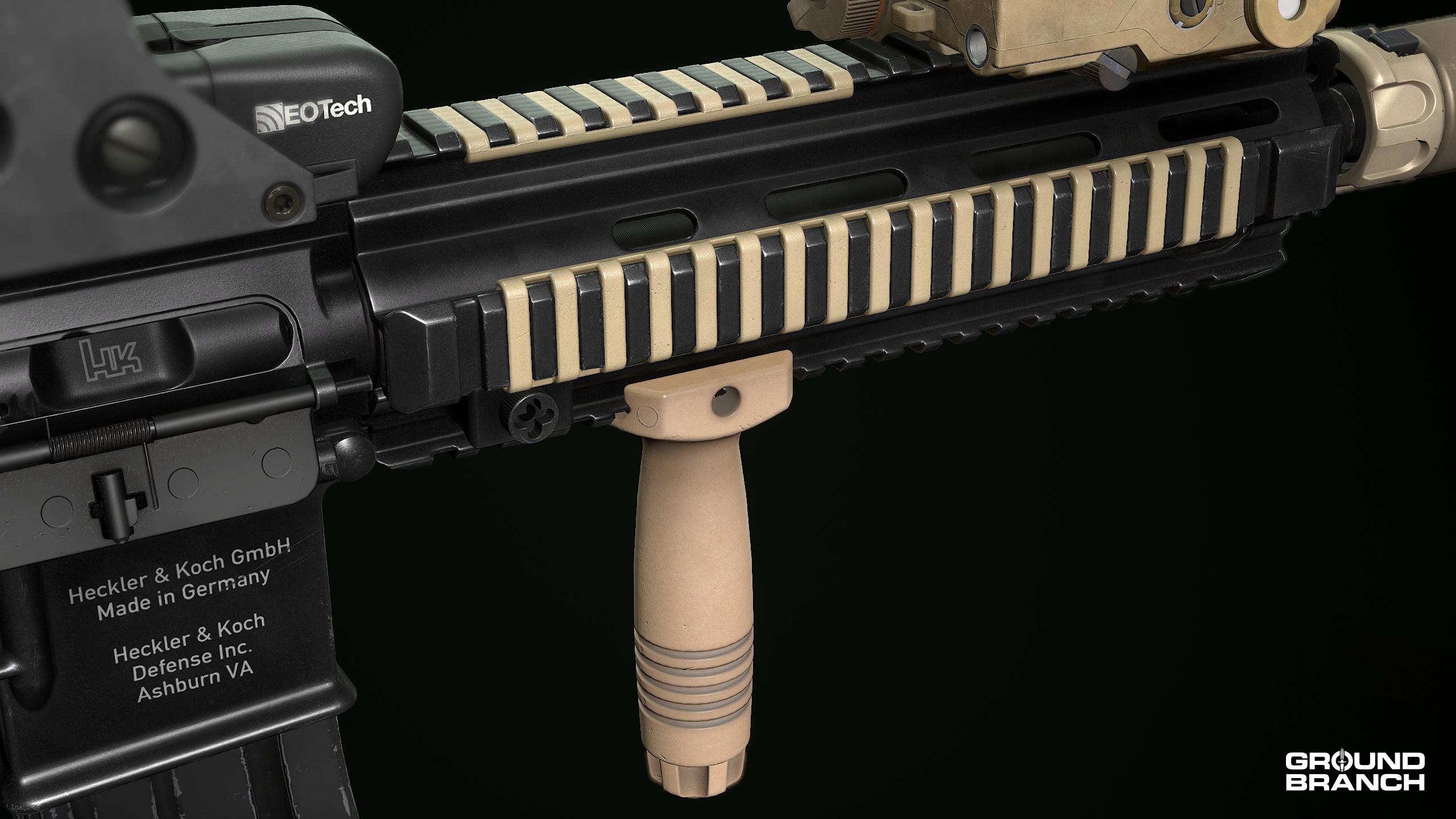
NEW Rails & MountsRail Panel B This panel comes in 3 sizes (Long/Medium/Short) and will cover accessory rails in a similar fashion as the old Rail Panel (now renamed “Rail Panel A”). Comes in Black and FDE skins.
NEW Grips & SupportVertical Grip A The most ubiquitous vertical foregrips in US service is finally in GB and available in Black, FDE, Olive Drab and Tan. Its place of honor under the Vertical Grip A tag means we had to rearrange the names of the other two Vertical Grip (now B and C) attachments.
Rail Panel B and Vertical Grip A on the HK416 CQB.
Gear
You can now equip the chest rigs with soft armor underneath. These combos go by Chest Rig (JAC/Armor) and Chest Rig (MCR/Armor).
NEW HolsterLeg Shroud A single-strap + shroud solution for your holster, this “drop-leg” setup allows the sidearm to be worn lower on the hip.
💡 Platform "Bulletproof Vest" was renamed to Body Armor.
💡 The old "Holster" item was renamed to Belt Mount.
New outfit items
NEW MaskNeck Gaiter This item covers the operator from the neck to the nose. It is available in the same skins as the one-hole balaclavas.
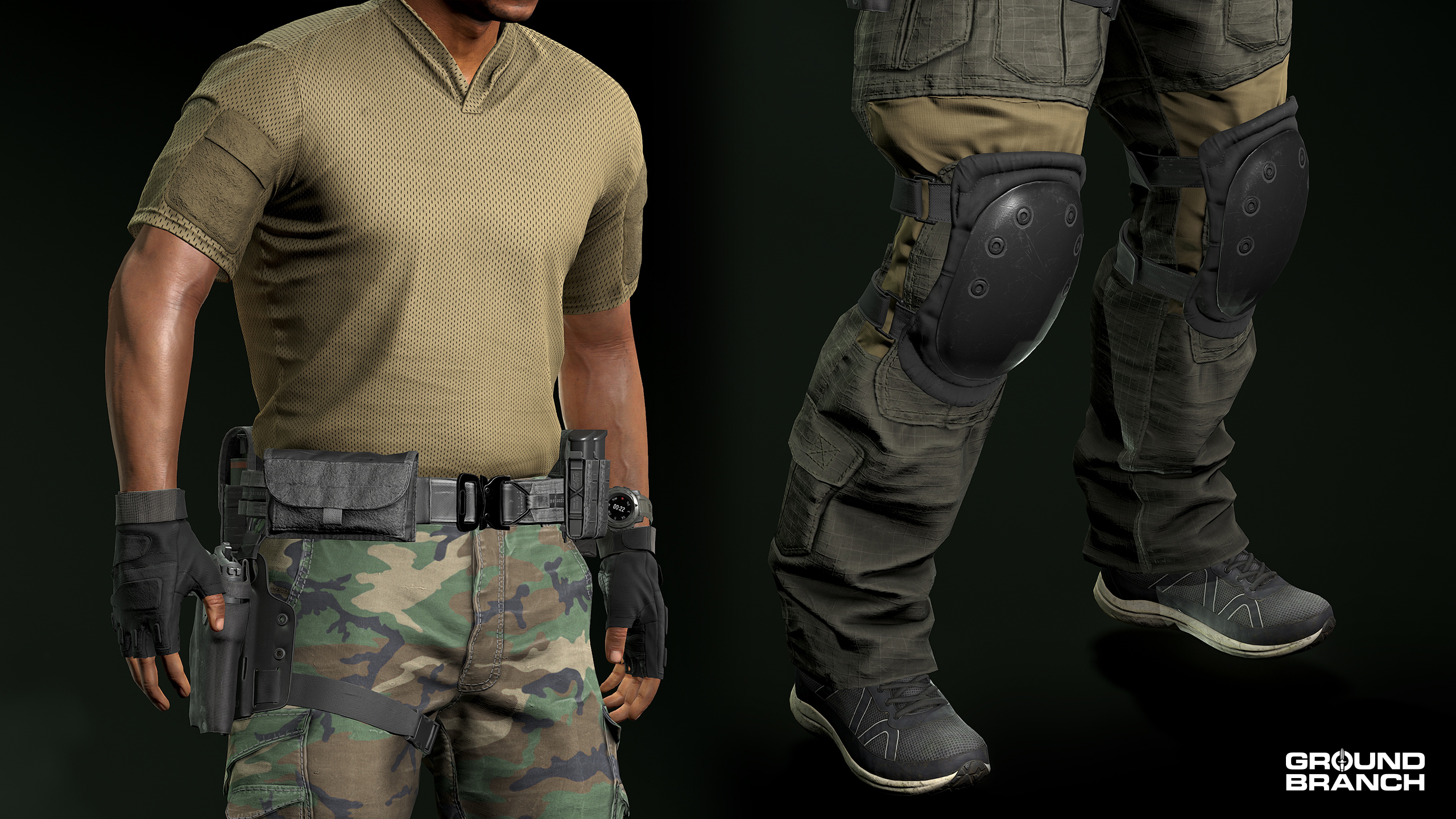
NEW GlovesFingerless Gloves Just some cool-looking military gloves that only go up to the first knuckle of each finger. Available in Black, Coyote Brown, Olive Drab and OCP skins.
NEW TopsRugby ShirtRugby Shirt (Tucked) These breathable shirts were inspired by sportwears and adapted for military use; these have velcro on the shoulders to equip Patches. Available in OCP as well as various solid color skins including Navy and Red for the PvP-oriented.
NEW FootwearRunning Shoes These civilian sneakers are available in Blue and Gray skins.
All pants models have received a variant with external kneepads — look for Jeans (Pads), Tactical Pants (Pads) etc.
Rugby Shirt (Tucked), Fingerless Gloves, Leg Shroud, Combat Pants (Pads) and Running Shoes all displayed.
💡 The mesh (model geometry) for the female Jeans has been updated with a better fit.
Maps and environmental art
Several maps have been added, remade from scratch, overhauled and otherwise updated for both visuals (art) and gameplay (level design).
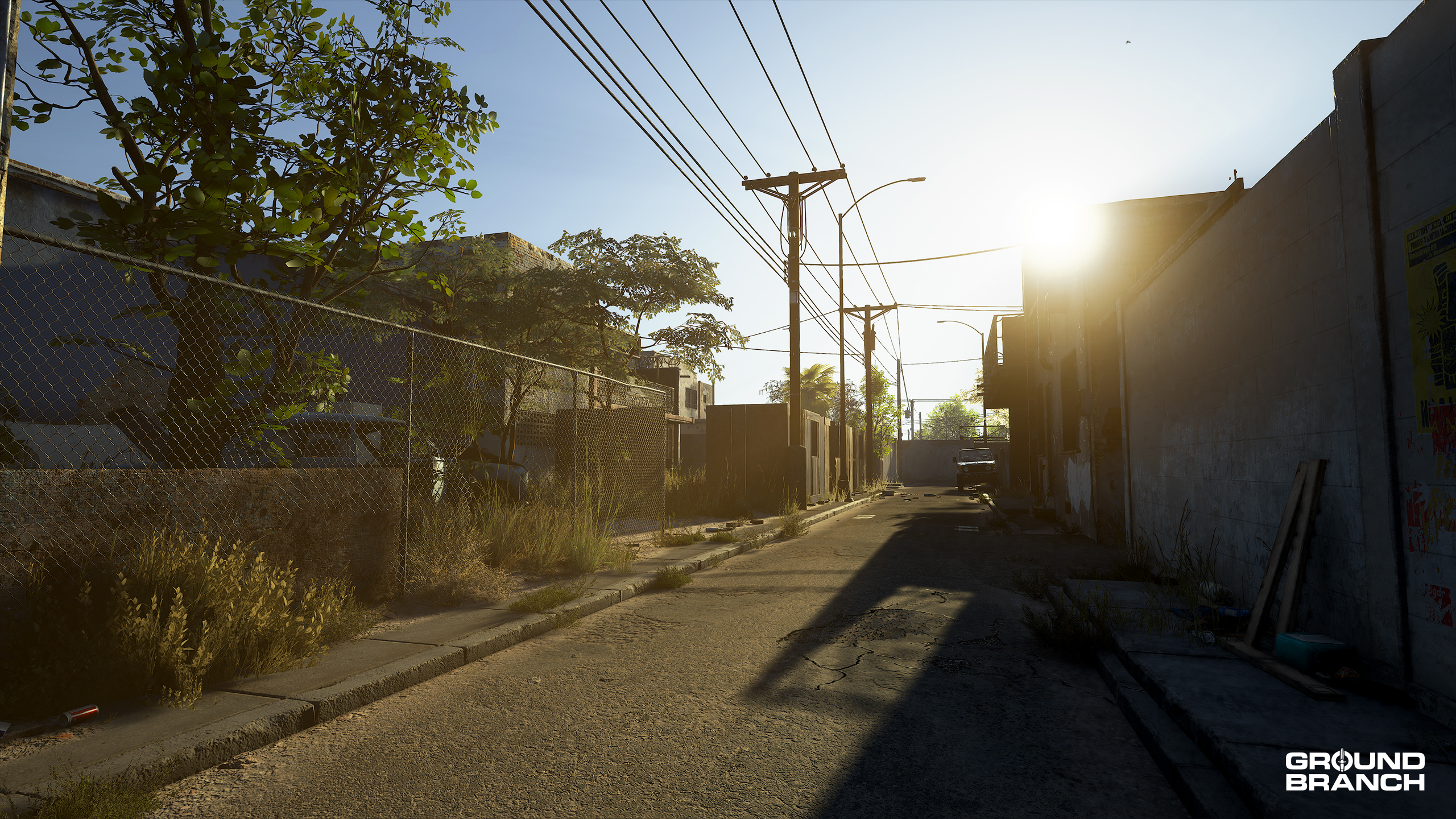
NEWBorder Set at (and around) a bridge checkpoint on the US–Mexico border, Border is a pure urban hellscape filled with alleys, derelict homes and commerce, a dirty canal, a small junkyard, a partially demolished road bridge, a deactivated multi-story public telecom building — which now serves as an outpost for the cartel that controls the severely impoverished Mexican town — and a lot of abandoned vehicles. As you might expect, Border will share a future hotspot with Ranch.
› Includes playable sub-map variants Bridge, Checkpoint, Construction and Telecom.
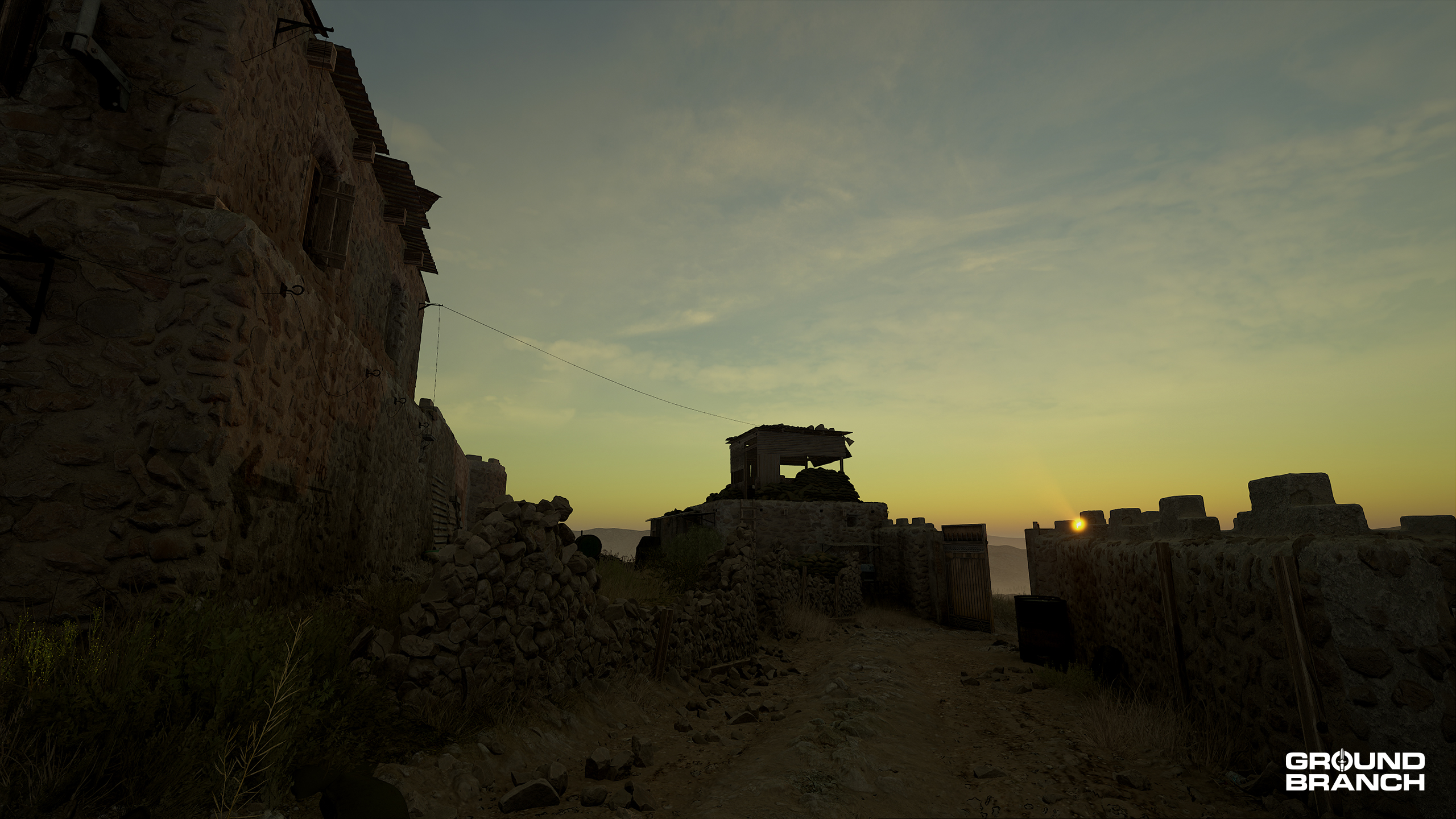
NEWOutpost Set in the mountains of northwest Pakistan, Outpost is built around an old fort perched on a ridge right along the Afghan border. Inside the stone walls you’ll find interconnected buildings, plenty of vantage points and tight passageways. Outside them, rugged terrain and sparse shrubs are about all the cover you’ll get crossing a large, exposed perimeter. For now, Outpost is only playable in Operation Gilded Arrow (available in Operations mode after finishing Operation Onyx Flame).
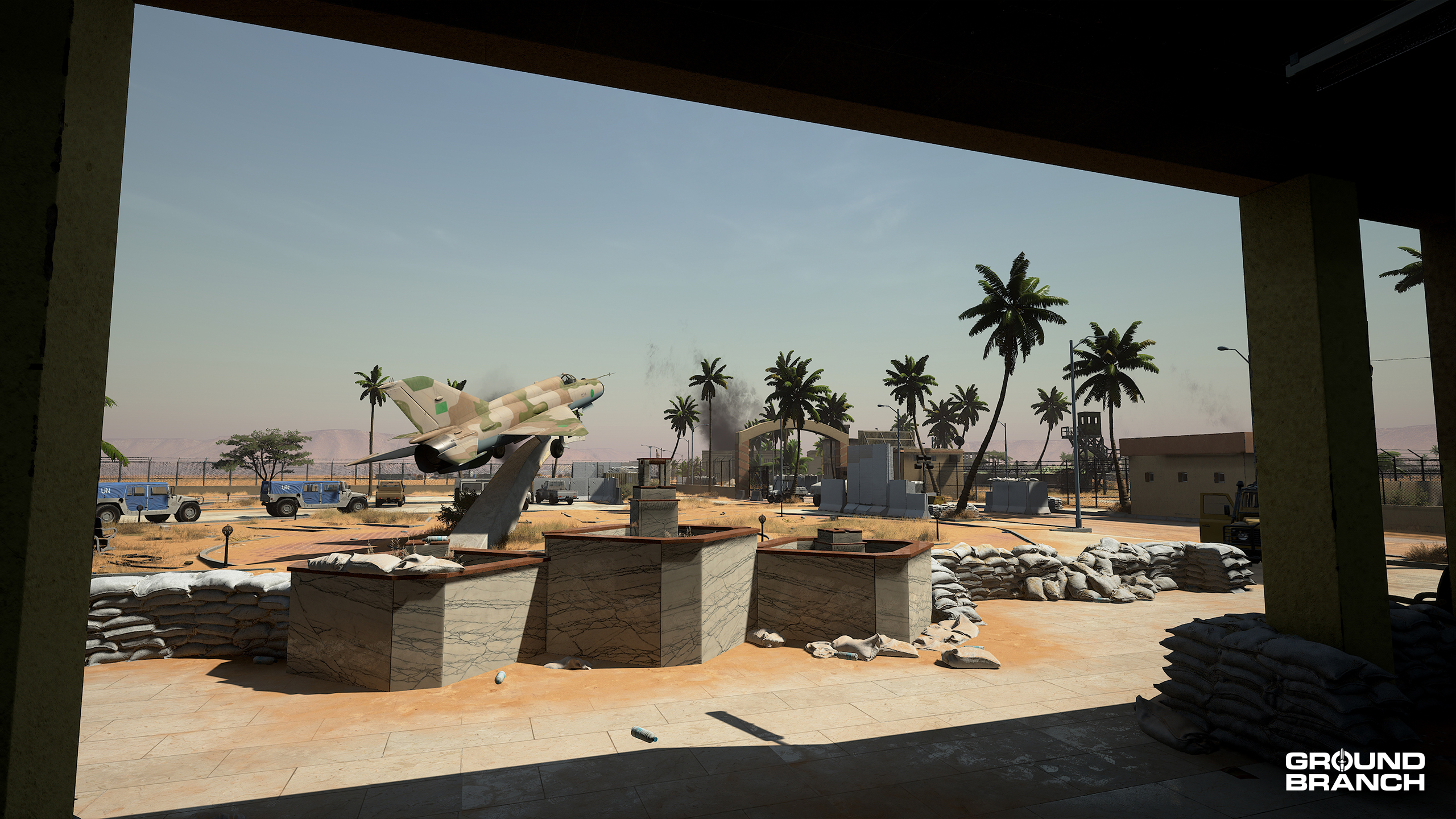
NEW/REMAKEAirbase Set in Libya and sharing a future hotspot with Power Station, Airbase is a full remake of John’s classic 747 map. It still portrays a small airport in the desert, but has had its boundaries slightly expanded and a considerable amount of infrastructure added to fit with our campaign mission’s story. These include a control tower, hangars, hardened aircraft shelters (HAS) and several other points of interest.
NEW/REMAKEHospital A complete remake of Run Down, this update was all about improving the close-quarters battle experience while giving players a more organic and intuitive structure to fight through. Among many other changes, the exterior areas have been opened up a bit to create more space and angles from which players can approach the central building — which has itself been transformed from an abandoned school into a deactivated hospital.
› Includes playable sub-map variants Barracks, Clinic and Garage.
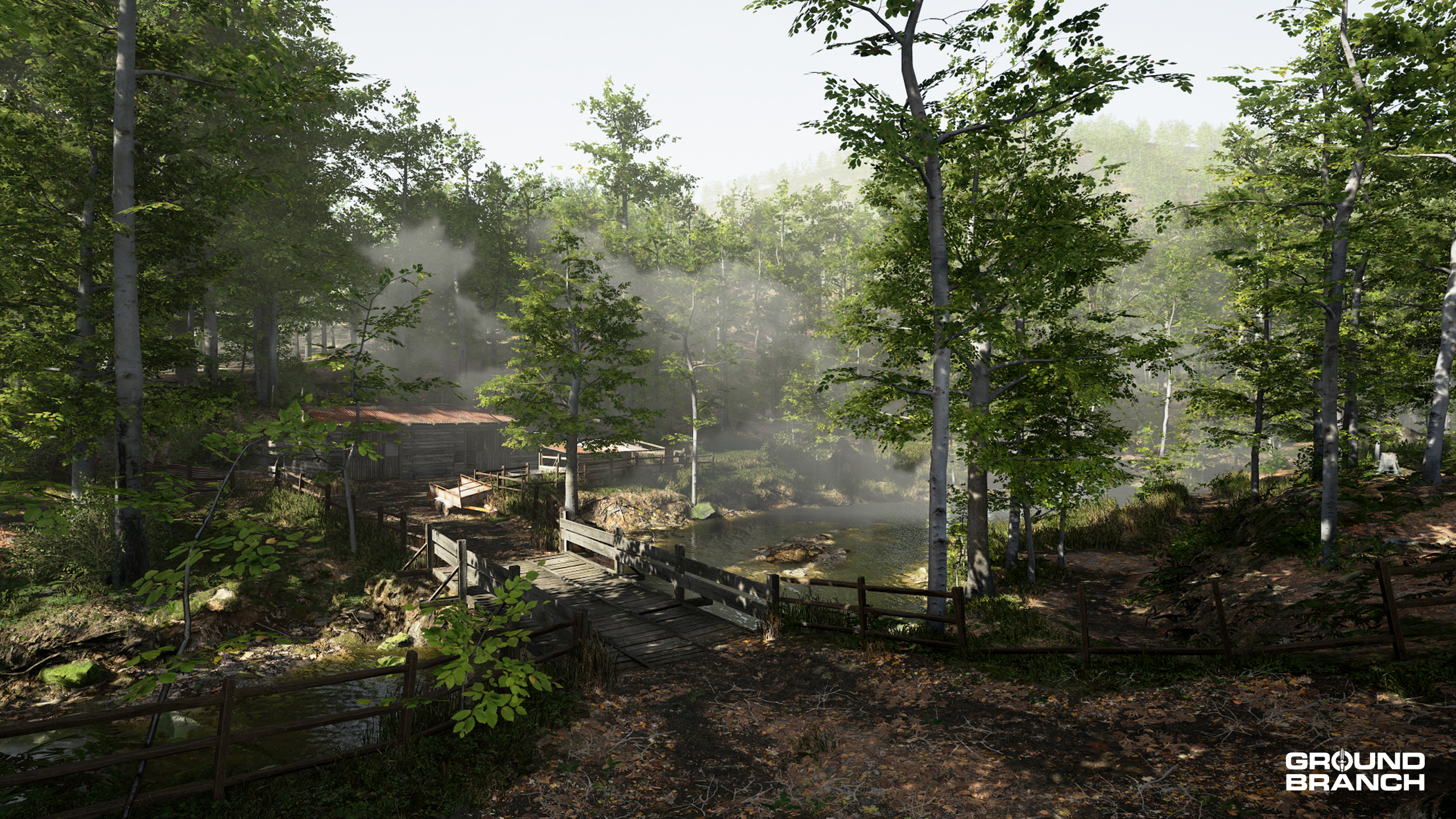
OVERHAULCreekSet in the American south, Creek is a fortified militia camp rebuilt for both PvP and quick PvE missions only. The rework raises the mine entrance to a level plateau, rearranges buildings for clearer footprints, improves pathways for navigation, and replaces the large ruins with European-style structures that better fit the abandoned-settlement aesthetic. Now located west of a road with patrol cars blocking the north and south ends, players will be free to come up with their own lore.
LEVEL DESIGNTanker A helipad is now located in the middle of the compressors area (popularly known as the “valley”).
LEVEL DESIGNSmall Town Added cover on approach routes from spawn points and reworked some of the buildings’ structures (particularly rooftops and canopies).
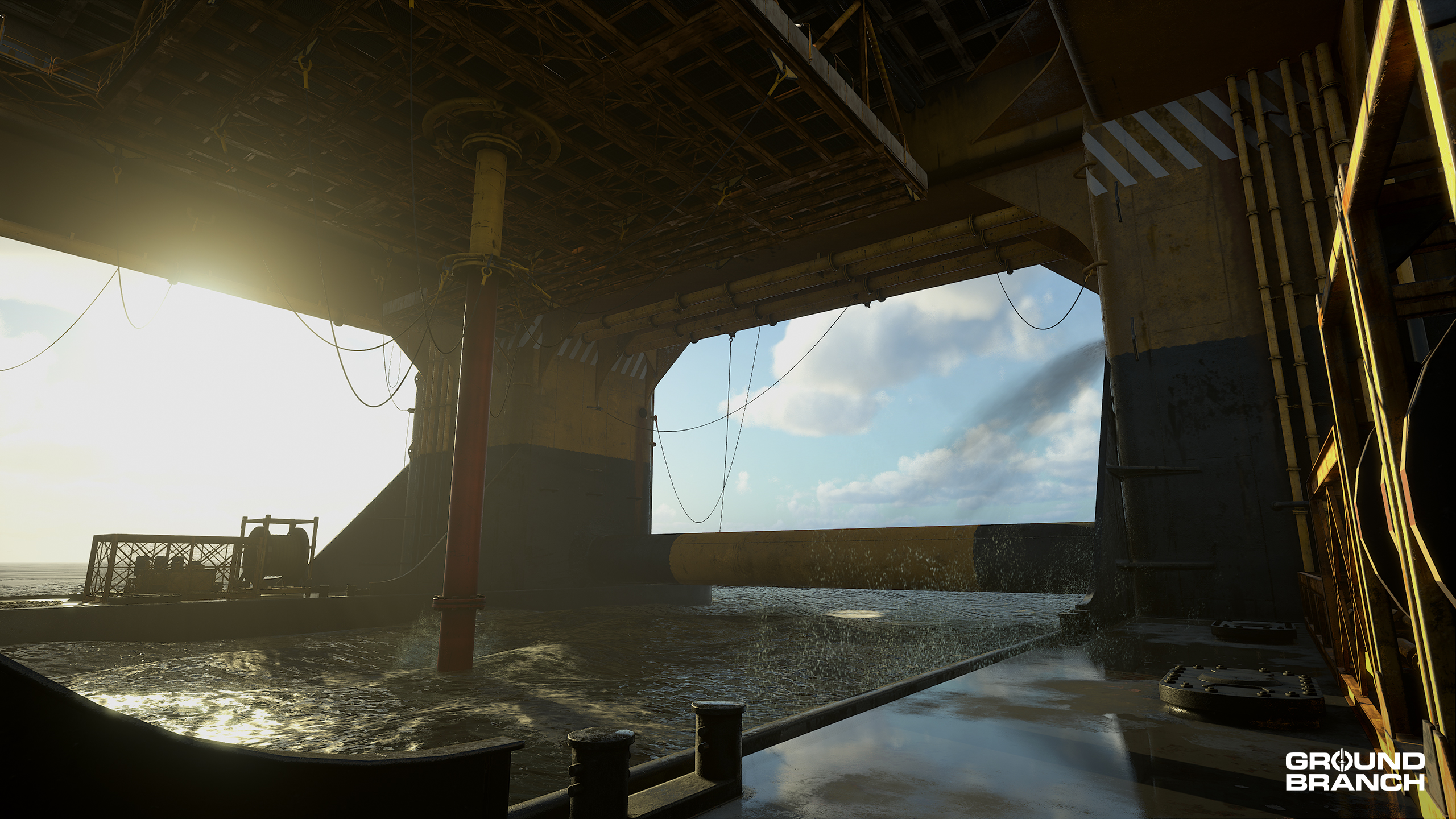
LEVEL DESIGNRig Reworked the ballast interiors and added signage of various types to aid navigation.
LEVEL DESIGNThe Farm Now home to the new Ready Room and a living quarters area above it. These are located inside the large hangar east of the Shoothouse hangar. Exteriors have also been expanded slightly.
General environment art updates (visuals)
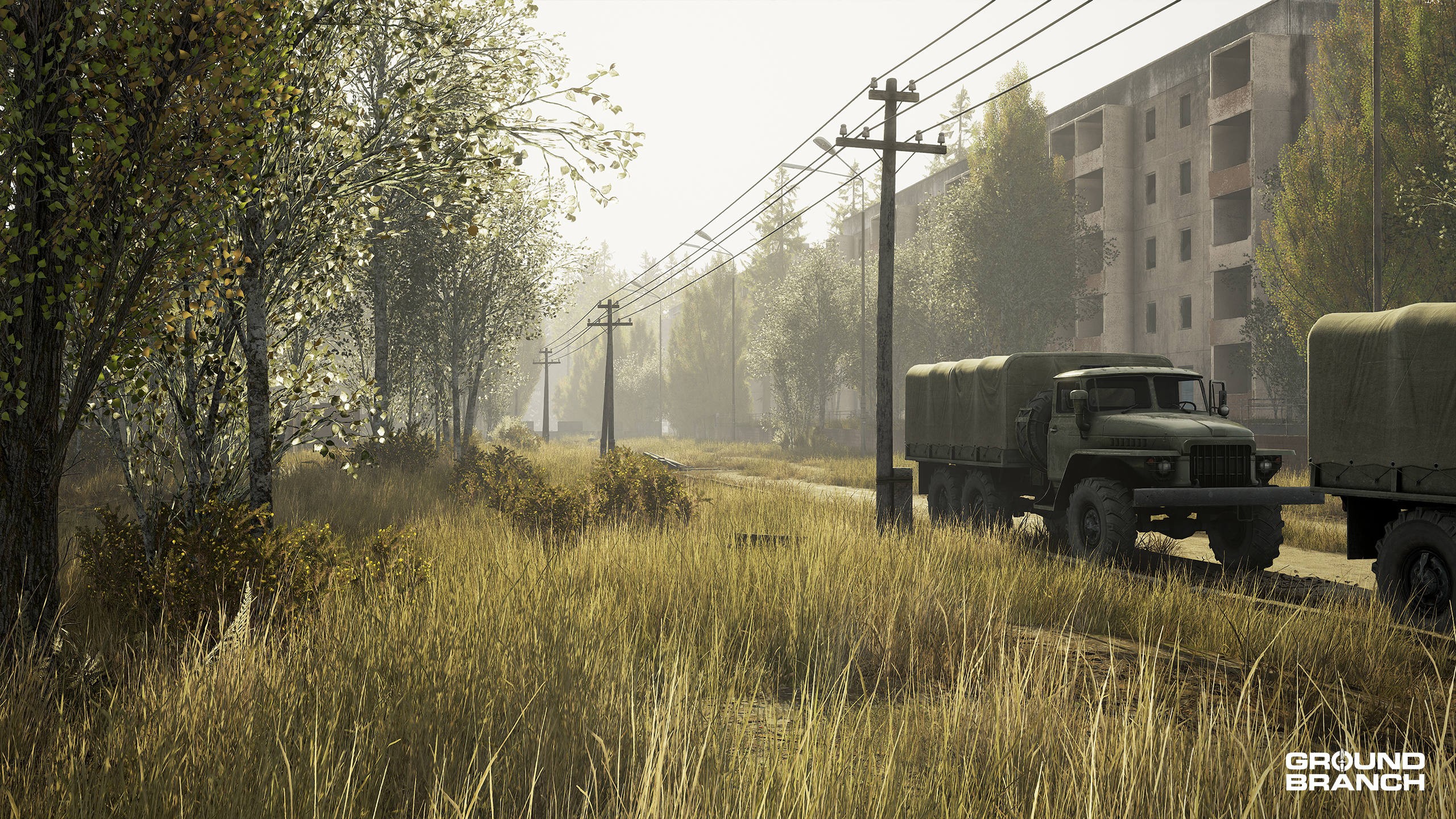
ARTCompoundImproved lighting and vista visuals.
ARTStorage FacilityAdded foliage improvements, plus lighting and atmospherics updates.
ARTDepotAdded foliage improvements, plus lighting and atmospherics updates.
ARTTankerExterior received a lighting pass.
ARTSmall TownUpdated lighting and atmospherics.
ARTDocksEnhanced lighting, atmospherics, and vista visuals; improved ocean rendering and particle effects.
Character art
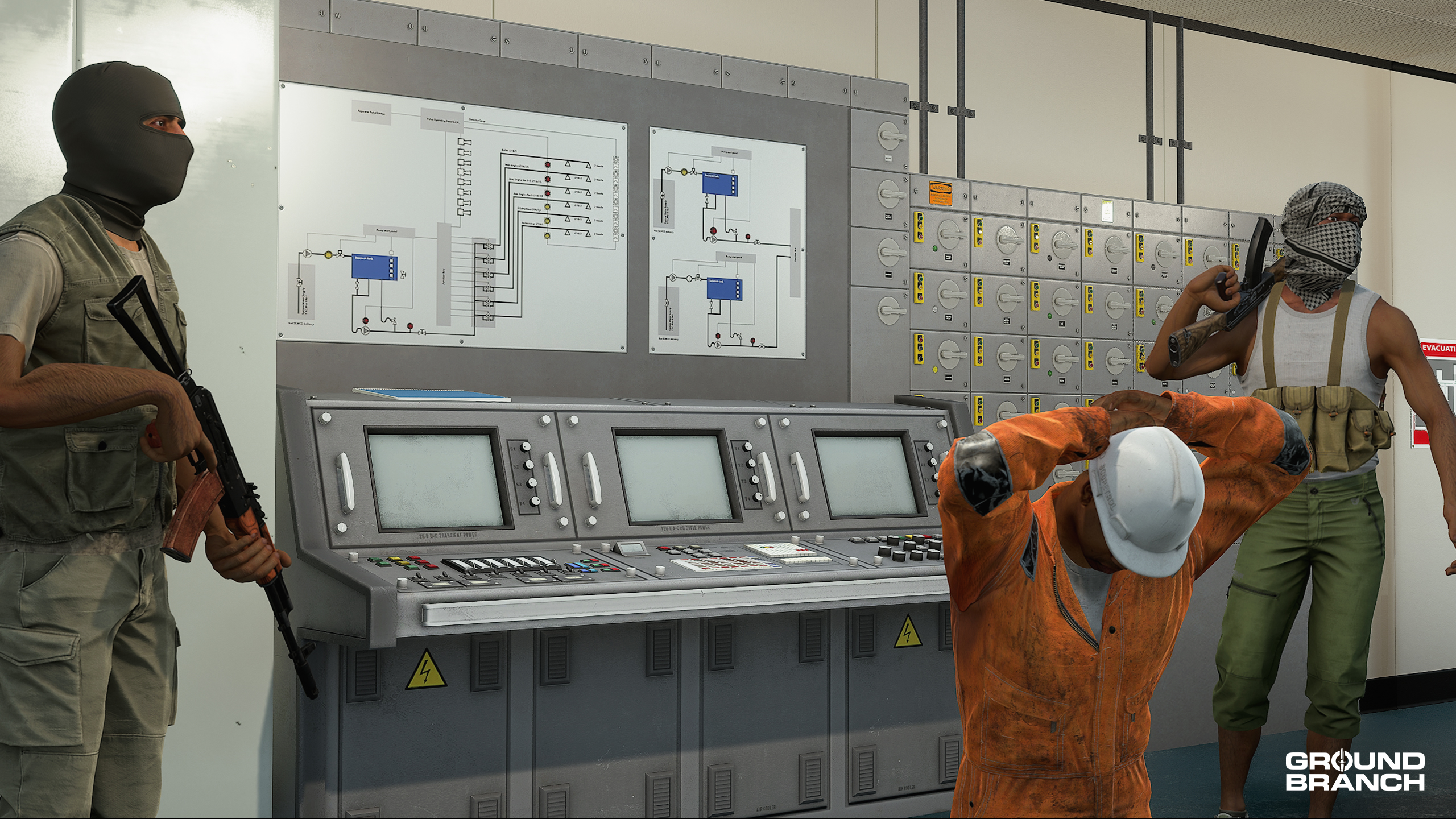
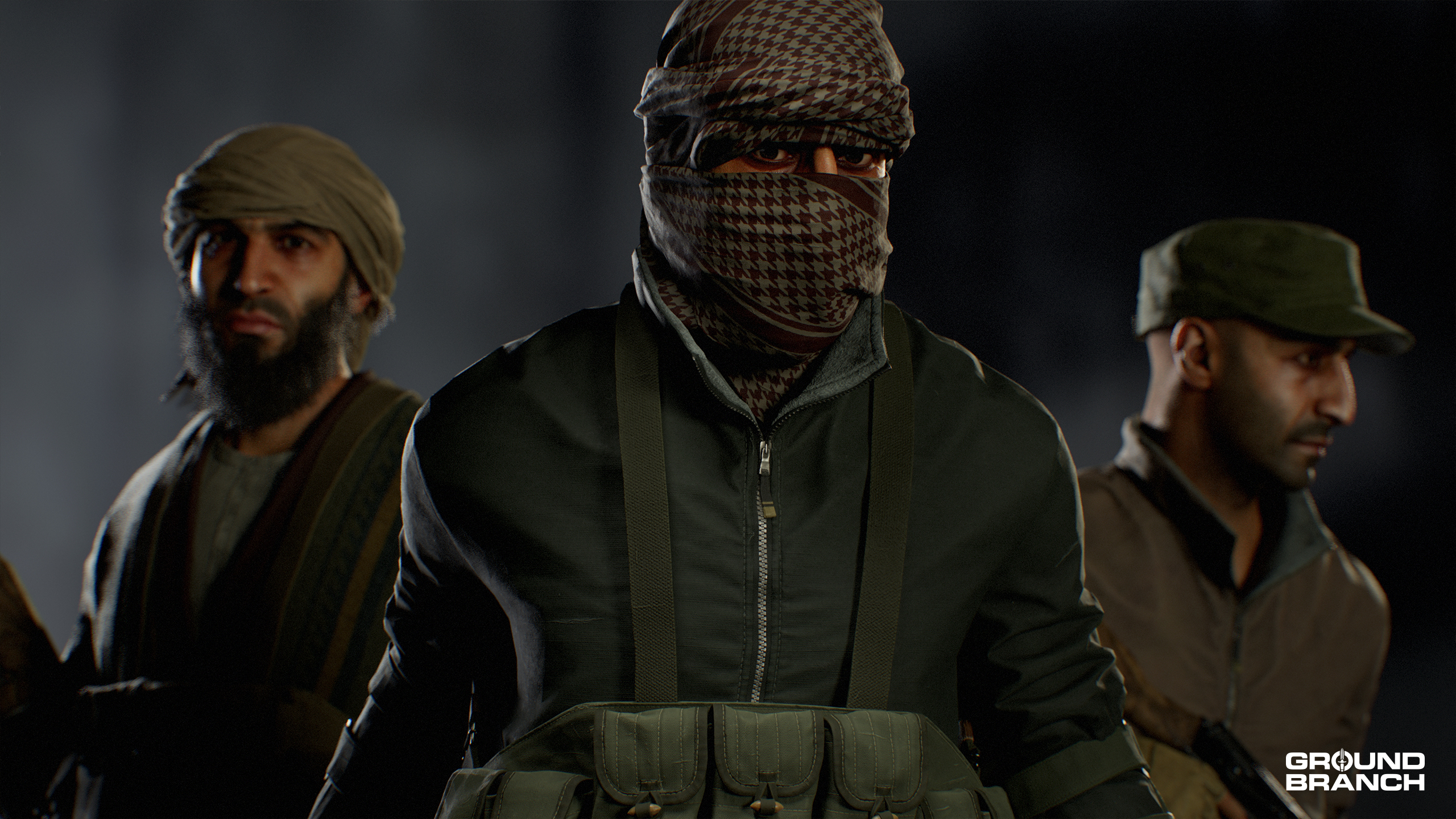
The MENA and Western PMC enemy factions have received entirely new art assets to better match the visual quality of rest of the game, as well as to tie the factions together with the storylines.
💡 The names, motives and goals of each faction will be fully revealed in the campaign over the next few releases!
All playable characters have received tweaks to their gaze (to tone down the wide-eyed effect) and an upgrade to the rendering of skin and hair, with unique hair colors being attributed to each operator.
Player gear and outfit assets have all had their brightness levels adjusted (generally towards darker) to better match the environment and other assets. (Various weapons and attachments have received a similar treatment.)
General fixes
The following general bug fixes and stability improvements have been implemented:
We’ve updated the character collision capsule to prevent the camera from clipping into things.
Fixed flying ragdoll behavior when characters are killed. We do realize the John Woo enthusiasts among the community might consider this a downgrade.
Corrected replication scaling for VFX (gun smoke, spent casings) in PiP scopes, also resolving oversized 2D textures appearing in the sky.
Resolved VOIP crash that previously caused complete audio loss for players.
Cleaned up all invalid spawns — for both players and enemy units — across all missions following the migration to C++.
Fixed issues with rounds not successfully starting in online sessions.
Flashbangs no longer blind or deafen through walls.
The infamous weapon shake that would sometimes kick off after sprinting or crouching for extended periods has been addressed.
Credits
We’ve updated the game’s credits to account for all current and past collaborators and their contributions to GROUND BRANCH. Thank you all!
Known bugs & issues
These are some issues that weren’t identified in time for a fix. We’ll be addressing them ASAP.
Players may hear the wrong voice line play for success/defeat per team.
The hostage on Extraction may have difficulty traveling in a few places on Tanker. We’re working to address these nav path issues, but for now, if they ever get stuck you can re-route to a new pathway.
The hostage on Extraction may slow down when following the player. This is most prevalent when multiple players have interacted with the hostage. We’re working on splitting out their behavior logic to account for every interaction.
There are some animation issues we’re working on with the player weapon handling and locomotion.
We’re working on fixing issues with the head collision capsule to prevent players from still being able to see through walls in some edge-case scenarios.
We are aware of an extremely rare bug where a player joins an Operation that is in progress through a friend’s Steam list and it can cause an invalid player count status during the death sequence.
This has been Build Update #064!
… And that’s a wrap on today’s release notes!
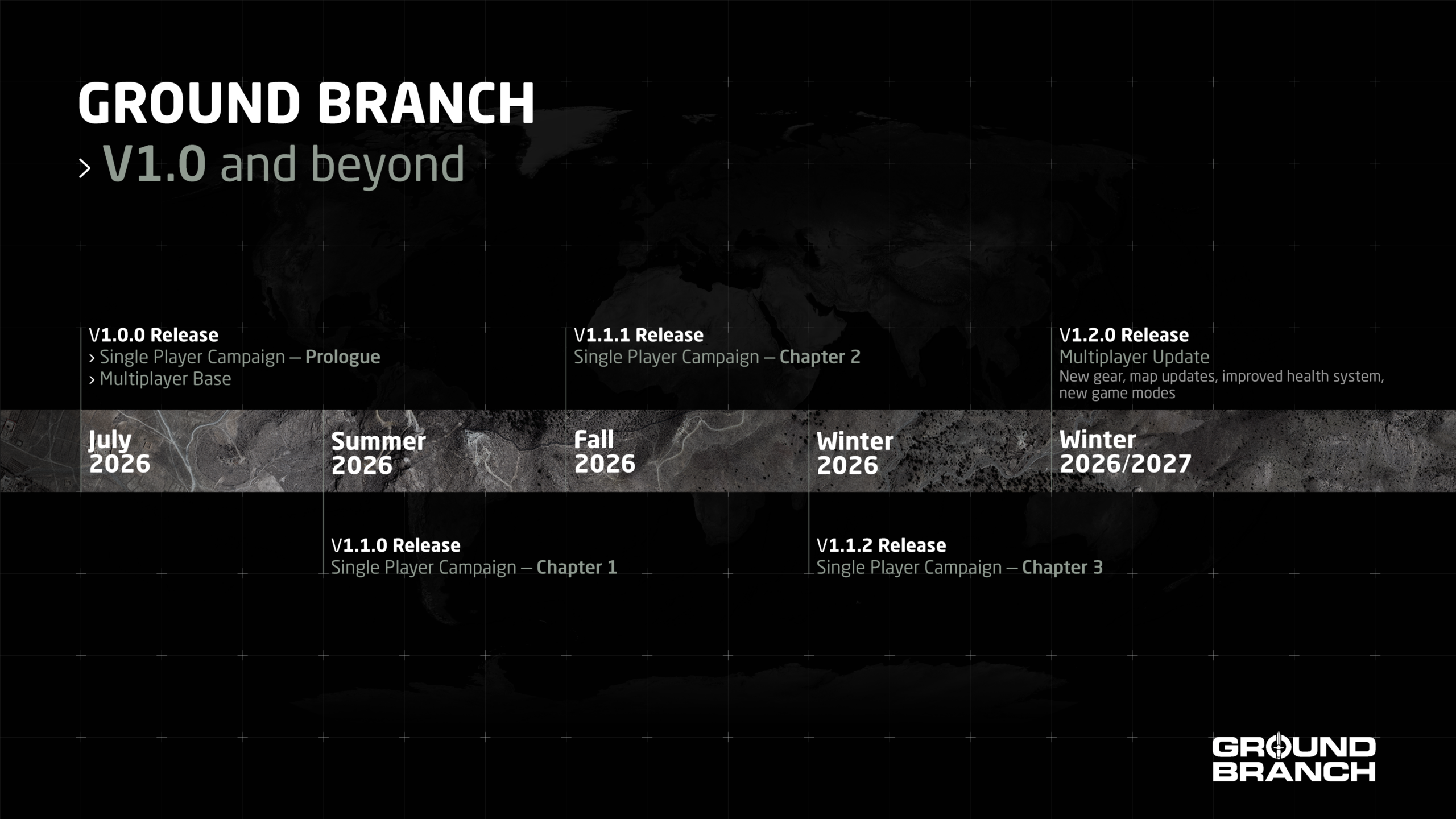
Don’t forget to check out Intel Report #032 (our most recent dev blog from a couple weeks ago) if you missed it or need a refresh — it details our currently planned releases and their tentative release date ranges, which are summarized here:
Dates are tentative, but we’re on it.
We hope you enjoy V1.0 and are as excited about GROUND BRANCH’s future as we are!
As always, we’d like to thank everyone in the GB community for their support and encouragement over the years — we wouldn’t have made it this far without you.
Alright, we’re off to play a little GROUND BRANCH now. See you in there!
This is a small patch to address various issues introduced in V1035.
Fixed T-posing after picking up a shotgun shell from the ground
Fixes for AI hearing, smoke, and flee logic
Their hearing has been restored, which fixes an issue with them not reacting to gunshots in some scenarios
AI will no longer freeze on the smoke logic tree which can cause an issue where they get stuck with a grenade out
Their morale meter has been tweaked to properly flee again when the morale is depleted
Updated navmesh for Creek and Tanker maps
Updated AI grenade cooldown period to be longer between grenades
Updated AI grenade logic to improve visibility trace prior to throw
Added DedicatedServer.bat back in, so new dedicated server installs should work
Skylight override has had a first pass to help restore the darkness underground in Storage Facility (further revisions will take place in the next major update)
Updated interaction radius of dropped firearms
Dropped sidearms (pistols) are no longer extremely difficult to pick up
Also fixes the extremely generous pick-up prompts for most primary weapons
Fixed issue with replication of doors on The Farm‘s shoothouse (online)
Fixed logic with Vote Kick command failing
Updated UI color widgets for teams to be more readable





Join our
Receive our updates
Connect