This is a small patch to address various issues introduced in V1035.
Fixed T-posing after picking up a shotgun shell from the ground
Fixes for AI hearing, smoke, and flee logic
Their hearing has been restored, which fixes an issue with them not reacting to gunshots in some scenarios
AI will no longer freeze on the smoke logic tree which can cause an issue where they get stuck with a grenade out
Their morale meter has been tweaked to properly flee again when the morale is depleted
Updated navmesh for Creek and Tanker maps
Updated AI grenade cooldown period to be longer between grenades
Updated AI grenade logic to improve visibility trace prior to throw
Added DedicatedServer.bat back in, so new dedicated server installs should work
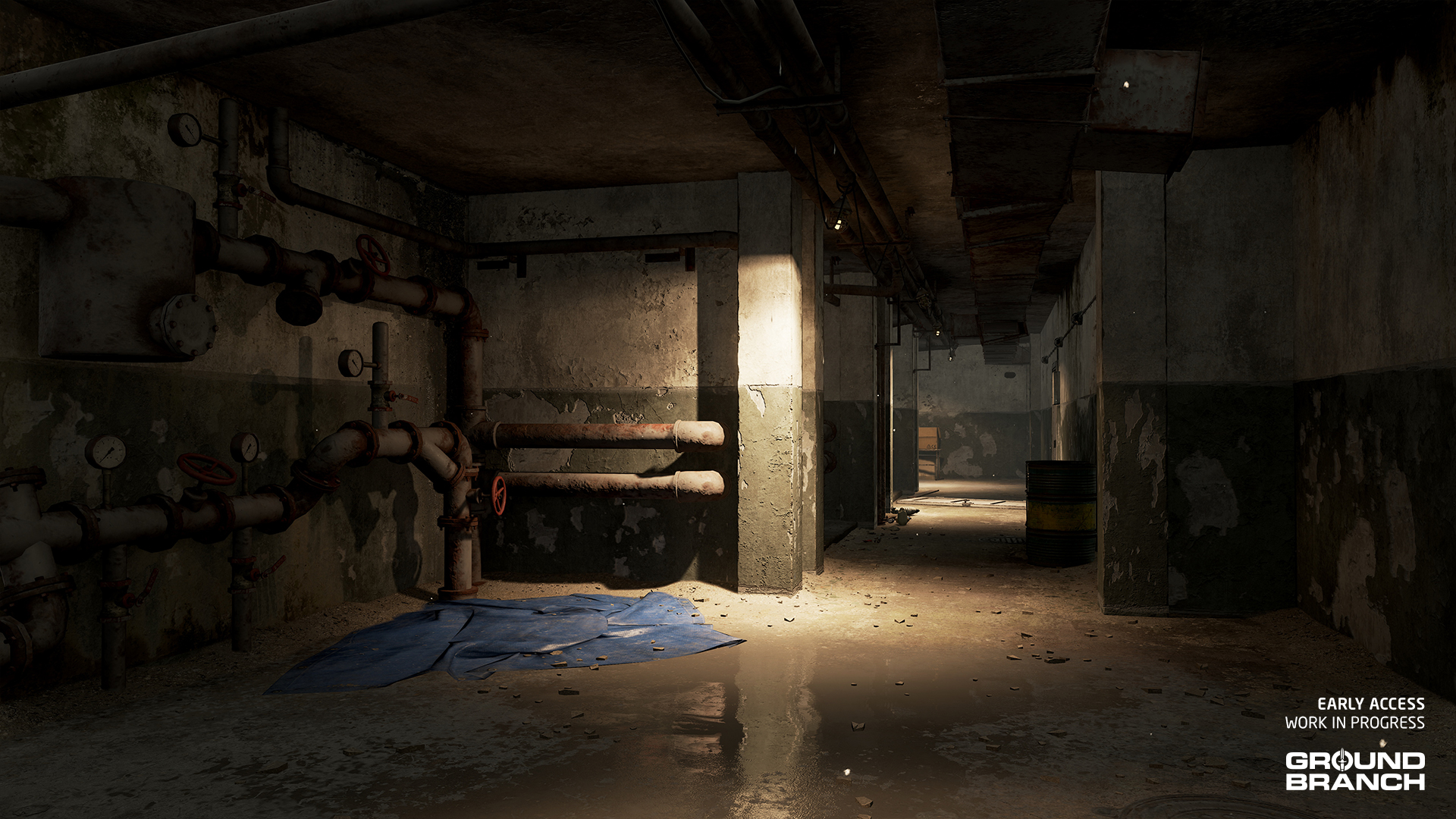
Skylight override has had a first pass to help restore the darkness underground in Storage Facility (further revisions will take place in the next major update)
Updated interaction radius of dropped firearms
Dropped sidearms (pistols) are no longer extremely difficult to pick up
Also fixes the extremely generous pick-up prompts for most primary weapons
Fixed issue with replication of doors on The Farm‘s shoothouse (online)
Fixed logic with Vote Kick command failing
Updated UI color widgets for teams to be more readable
We’re back with another Intel Report filled with dev news and sneak peeks for our upcoming release GROUND BRANCH V1036.
Today we’ll go over some details on new game systems and mechanics — including AI — as well as another map reveal, some brand-new character art for a new enemy faction, and finally some more player customization options. Let’s get to it.
Upcoming systems and mechanics
Though we aren’t able to do a proper visual showcase of these updates just yet, we thought it would be nice to take the time to talk about some of the changes and additions currently being worked on by our programmers for game systems and mechanics.
Here are some recent developments on the coding front:
AI
In V1036, we’ll be bringing significant improvements to enemy AI beyond new art assets.
💡 New dev team member Zachary Ledbetter is working on our enemy AI while Chris pivots over to focus on the friendly AI and Extraction (aka PvE Hostage Rescue — more on that soon!).
Grenades
In addition to AI grenade usage being reined in — no more spam, with better judgment on when and where to throw — enemies will also have a dedicated “flee” state when overwhelmed or suppressed, taking cover intelligently both indoors and outdoors. Smoke grenades are being more fluidly integrated into AI behavior, ensuring they’re thrown as enemies move into cover rather than awkwardly interrupting fleeing or other actions.
Awareness
The enemy AI is also being programmed to more contextually and accurately react to player presence, refraining from all rushing to the source of shots and instead holding position more often. This will allow their hearing detection range to be increased considerably, mitigating the now-common situation where enemies remain oblivious to firefights that are happening at pistol-shooting ranges.
Enemies will also react to being shot by suppressed weapons when far enough away for the shot itself to not be heard. Even if they don’t hear the shot, they will still run to cover and begin their cautious-and-alert logic trees, further improving our stealth gameplay to be more rewarding and less fish-in-the-barrel hunting.
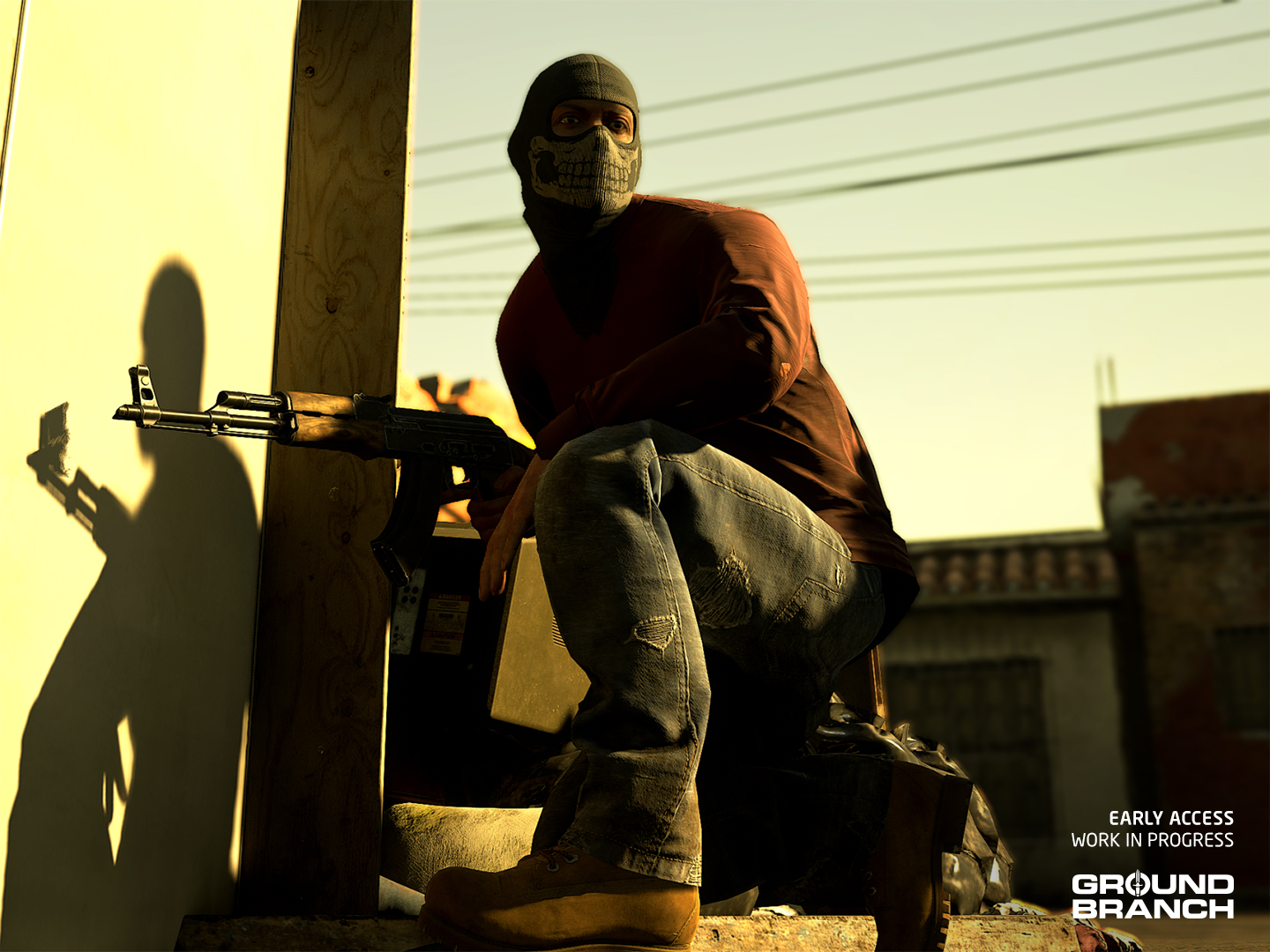
A cartel member on upcoming map Border — new faction assets to be revealed in the future!
Coordination
Coordination between bots is also being improved in a few ways.
Dead bodies will no longer be repeatedly searched when discovered — once a fallen AI’s body is inspected, it is marked as “discovered” to all enemies. No more conga lines of first responders.
New to V1036 AI is also the ability to detect when lights have been disabled or shot out. An AI patrol will come out to inspect the breaker and turn it back on. If it’s been shot out, the patrol will alert and notify their allies as well.
Hit reactions
We’ll also be introducing hit reactions, i.e. flinching animations for when characters are shot but not killed — during which most actions (such as returning fire) will be interrupted.
In this first implementation, hit reactions will be 4-directional for upper body hits, with an additional animation for lower body hits. They will also be contextual, not necessarily happening with every shot, and depending on ballistics aspects such as caliber (larger rounds will be more likely to generate hit reactions than smaller ones).
Door locks and types
The long-awaited door lock system is finally making an appearance in our next release. How they work is simple: when a player goes to interact with the door, they will be given feedback if the door is locked. Regular doors will be breachable by destroying the door handle, while reinforced doors will require a larger breaching charge.
A key consideration in the design of our locked doors was to avoid players getting completely stuck on a map. Even if a player runs out of breaching tools, they can still shoot at the handle of regular doors with a regular firearm to break through, and buildings with reinforced doors will always allow at least one unlocked door to enter/exit from if no breaching charges or other explosives are available.
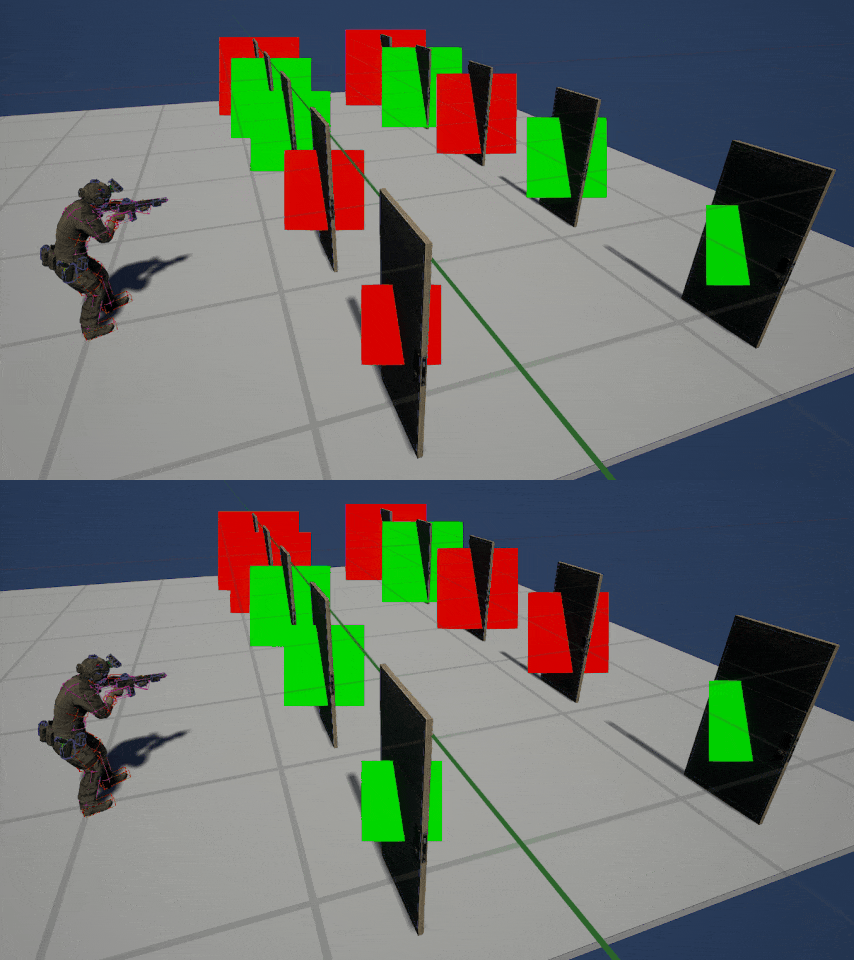
Our door system will allow mission designers to either set locked doors manually, or use a system to randomly lock a specified number of doors. Here’s a quick visualization in which the system is being told to lock 5 doors of a total of 10:
💡 We will continue to test and prototype the door system with our AI and tester feedback to the find the optimal amount of doors locked for our missions.
Remaking Rundown
Those of you following GROUND BRANCH for a while know that we’ve been overhauling John’s original maps over the years to update visuals, improve or expand layouts, and thematically integrate them with the campaign stories that are being worked on behind the scenes.
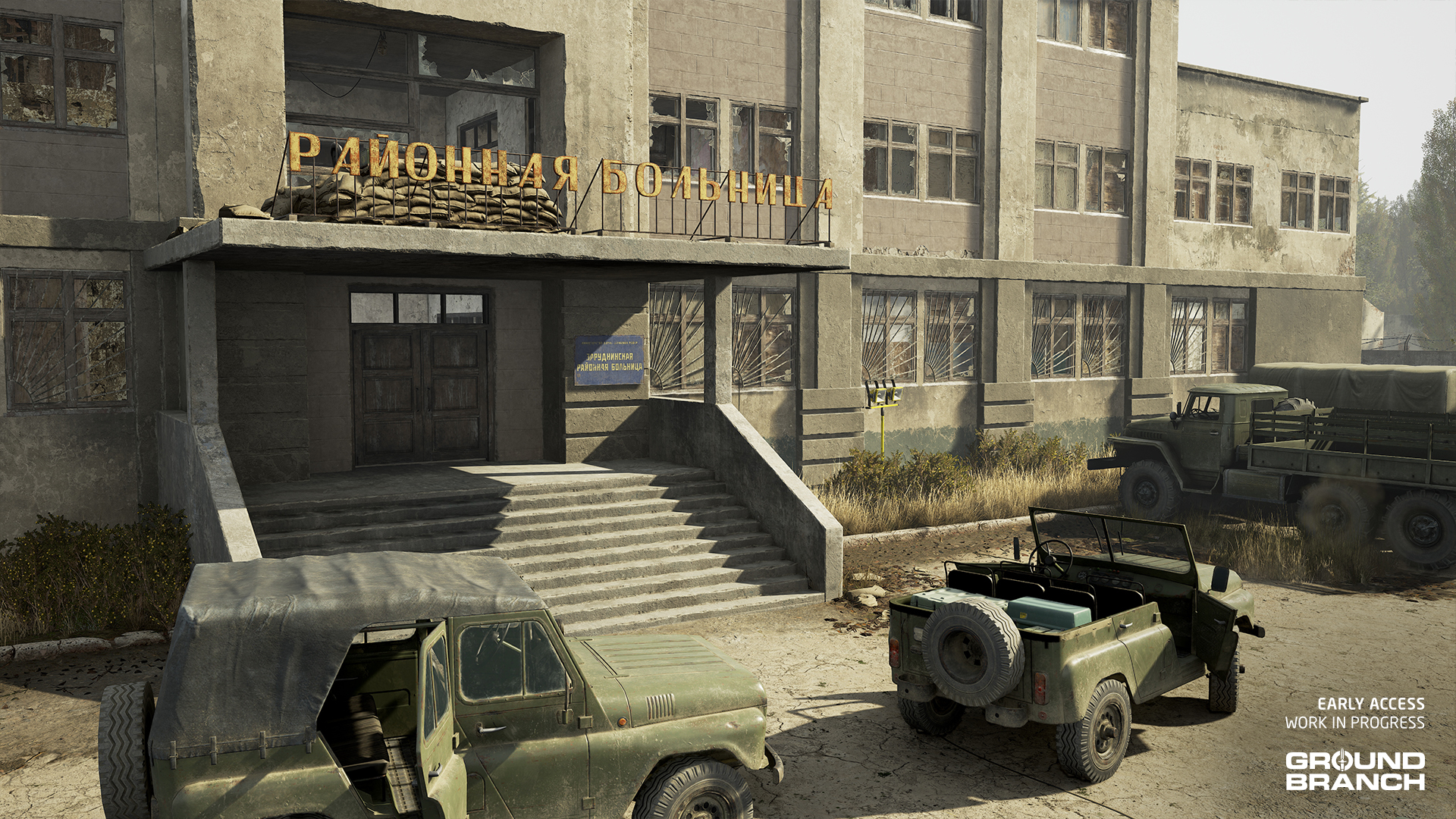
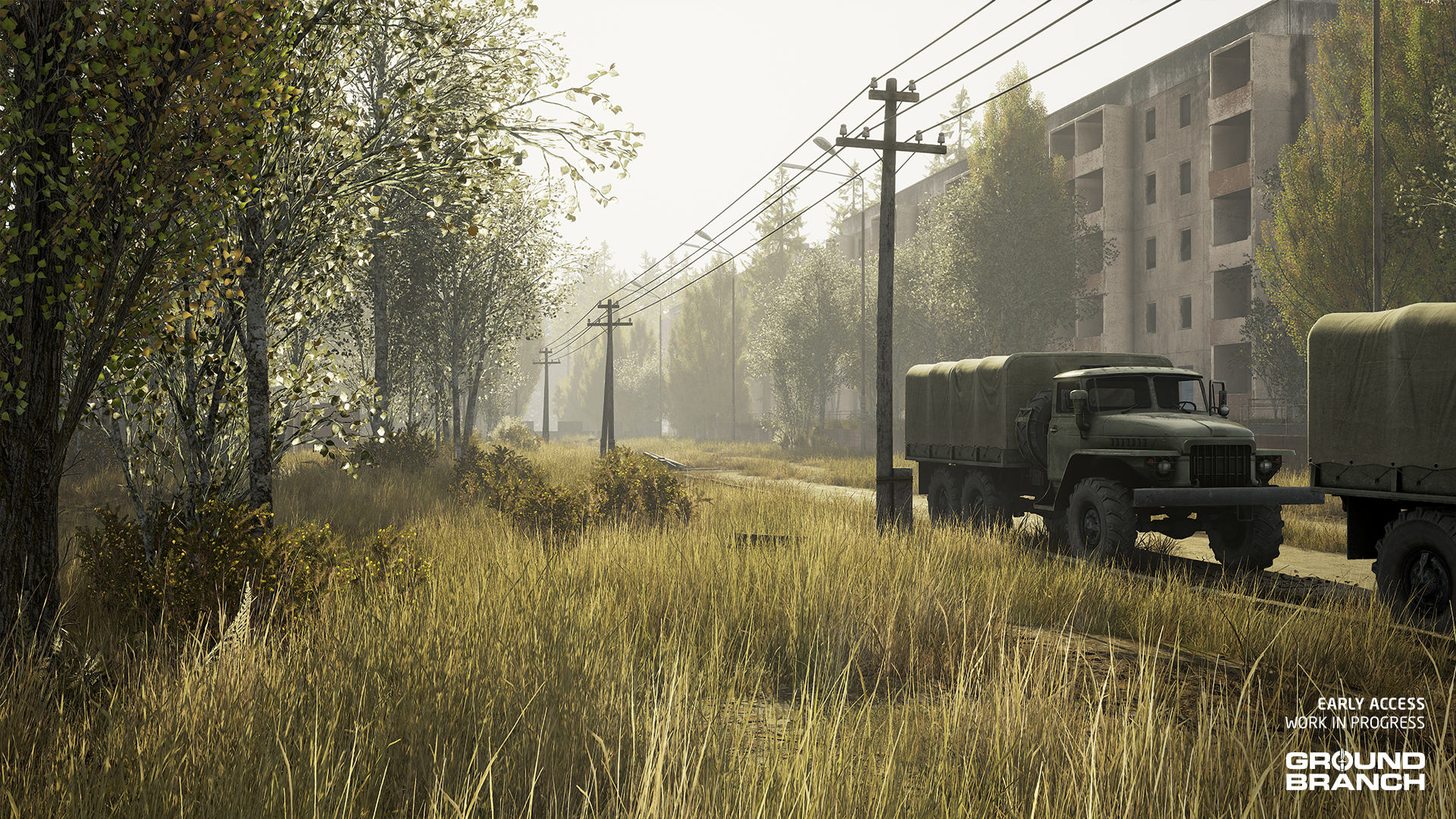
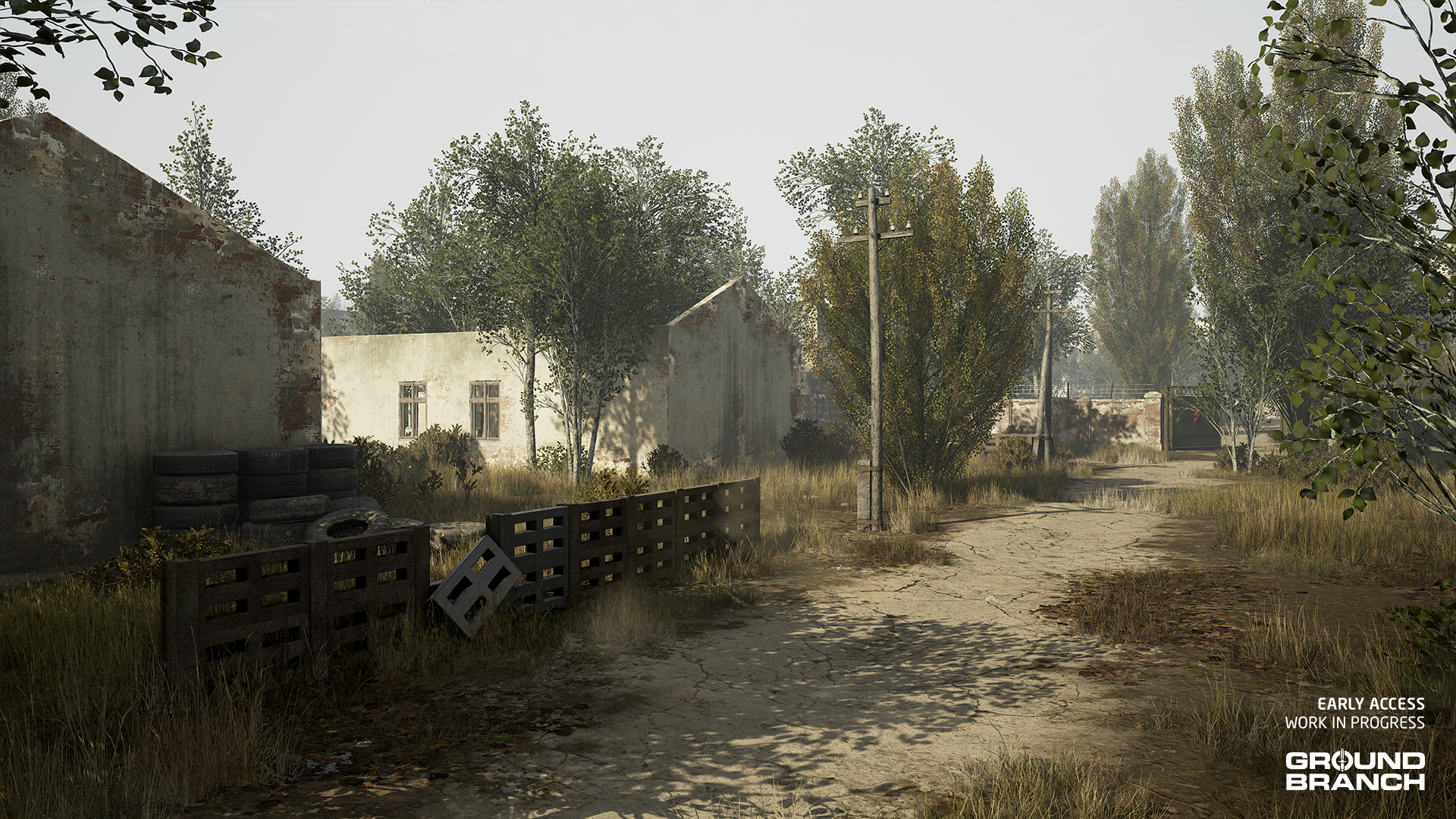
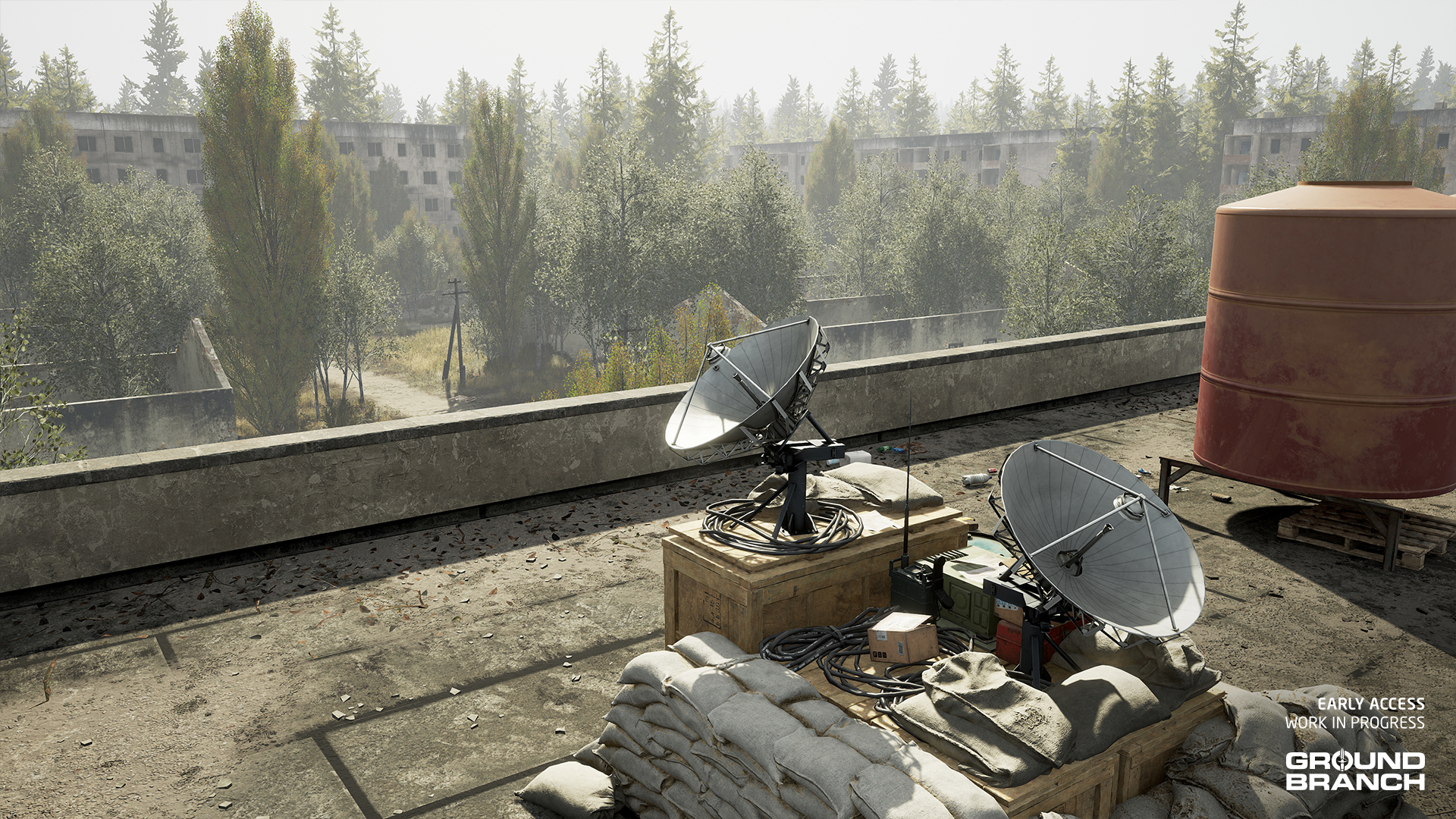
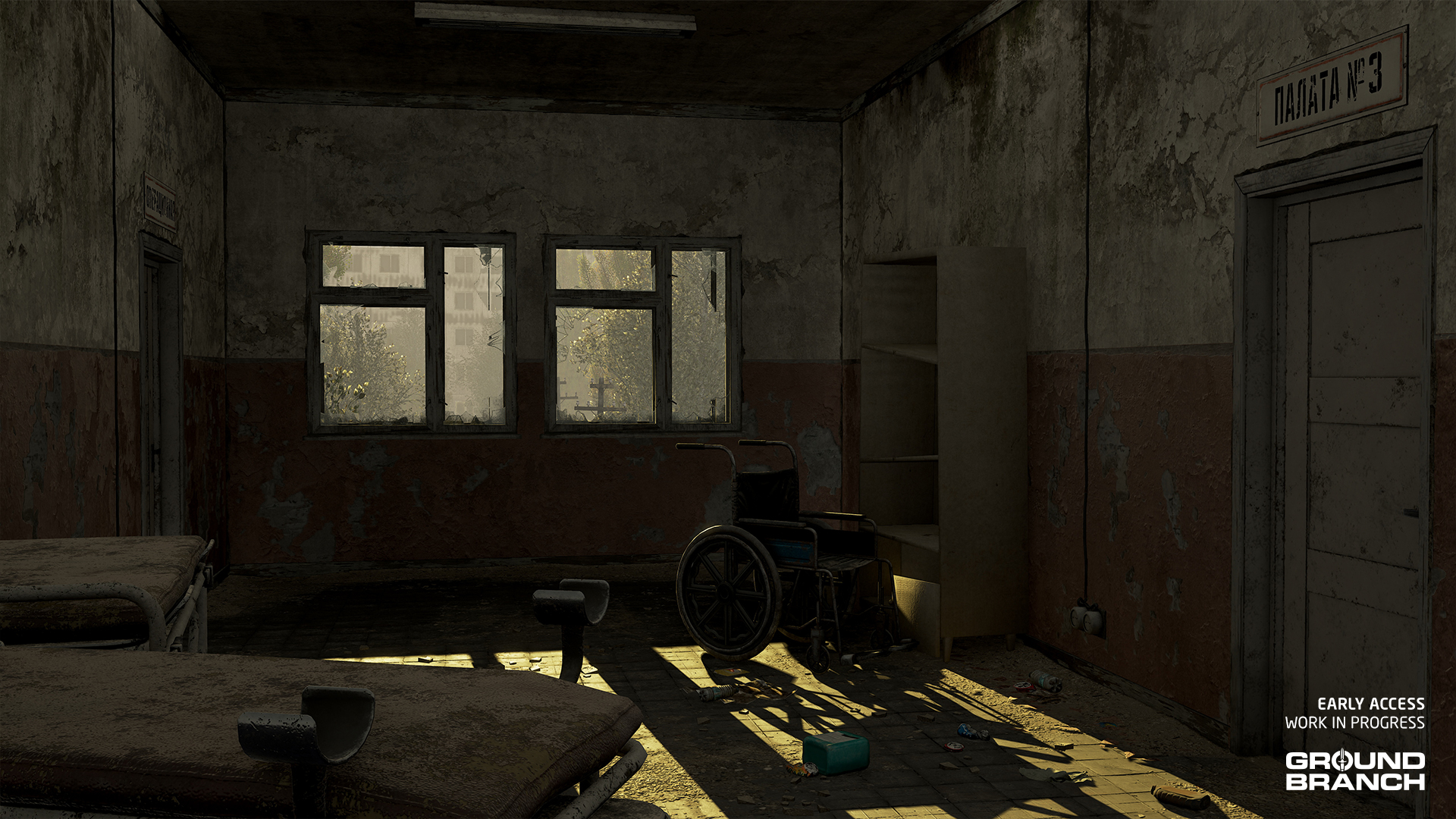
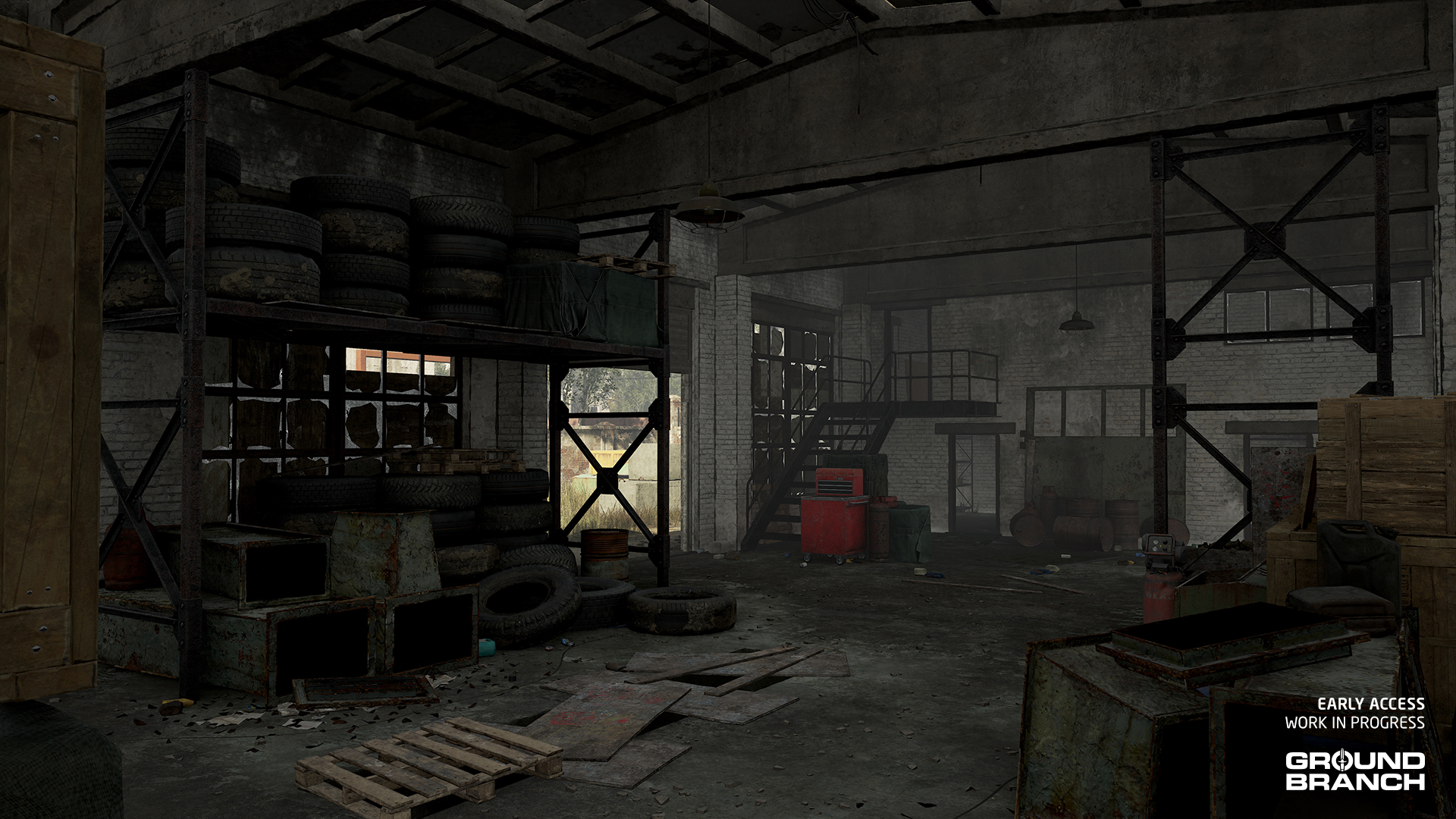
In our last Intel Report we showcased Airbase, a full remake of the 747 map, now set in Libya. This week we’re revealing Hospital, a complete rework of CQB favorite Rundown that is being helmed by level artist Elliot.
📋 A derelict Soviet-era hospital just over the Russian border now serves as a command center for PMCs.
The design philosophy behind the Rundown update was all about improving the close-quarters battle experience, while giving players a more organic and intuitive structure to fight through. To achieve that, we’ve opened up the exterior a bit to create more space and angles from which players can approach the central building — which has itself been transformed from an abandoned school into a deactivated hospital.
The first step in that transformation was moving away from the overused asset pack that so many games rely on for Soviet-style structures, so we built our own from the ground up. The surroundings now better reflect the campaign’s location and tie into the story far more cohesively than before.
The basement has been expanded into a fully fleshed-out play space, complete with multiple entry and exit points. Up top, the roof has been reworked into a viable defensive position, giving teams a solid foothold to hold and fight from. To help players keep their bearings, each floor now features a consistent wall paint scheme that makes it easier to tell what level you’re on. Elliot also introduced a clear visual distinction between the front and back of the building, making callouts and communication much more effective.
We’ve also given the garage some love — it now includes a playable second and third level, complete with windows that offer firing angles to defend the structure or provide overwatch for teammates pushing toward the hospital.
💡 Creek is also receiving an overhaul that we'll showcase in a future Intel Report (there's a small sneak peek further below!).
New enemy character assets
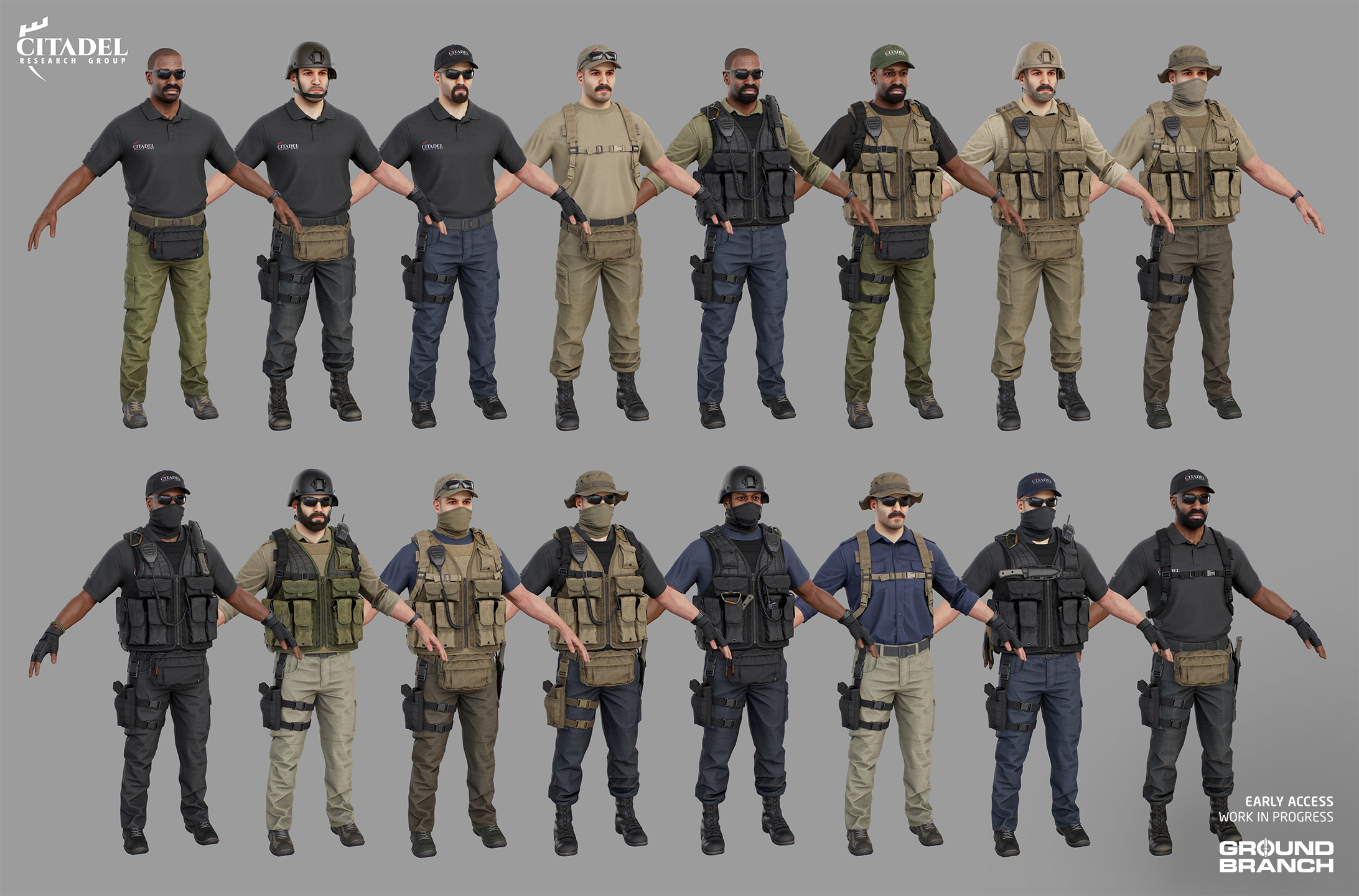
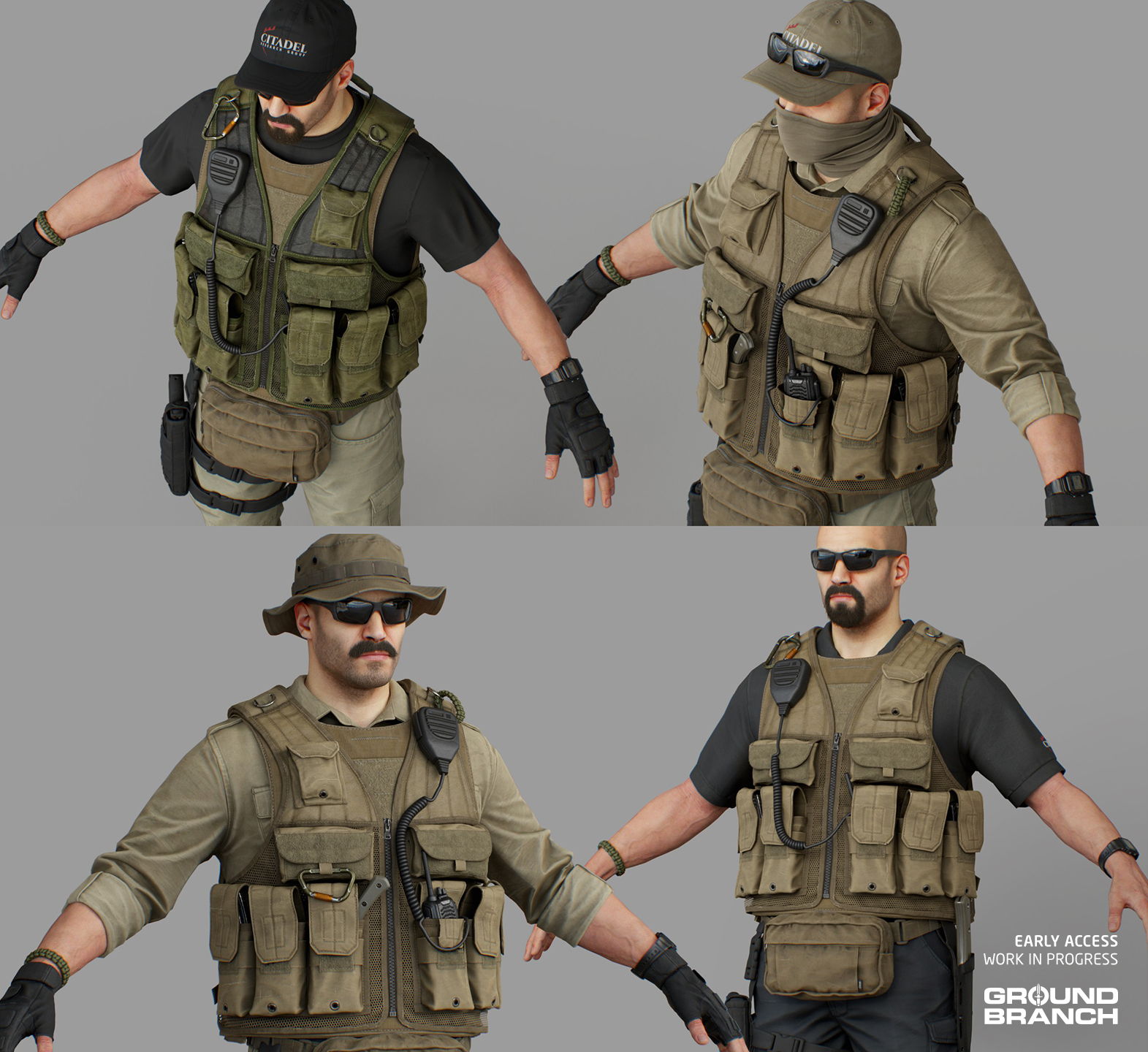
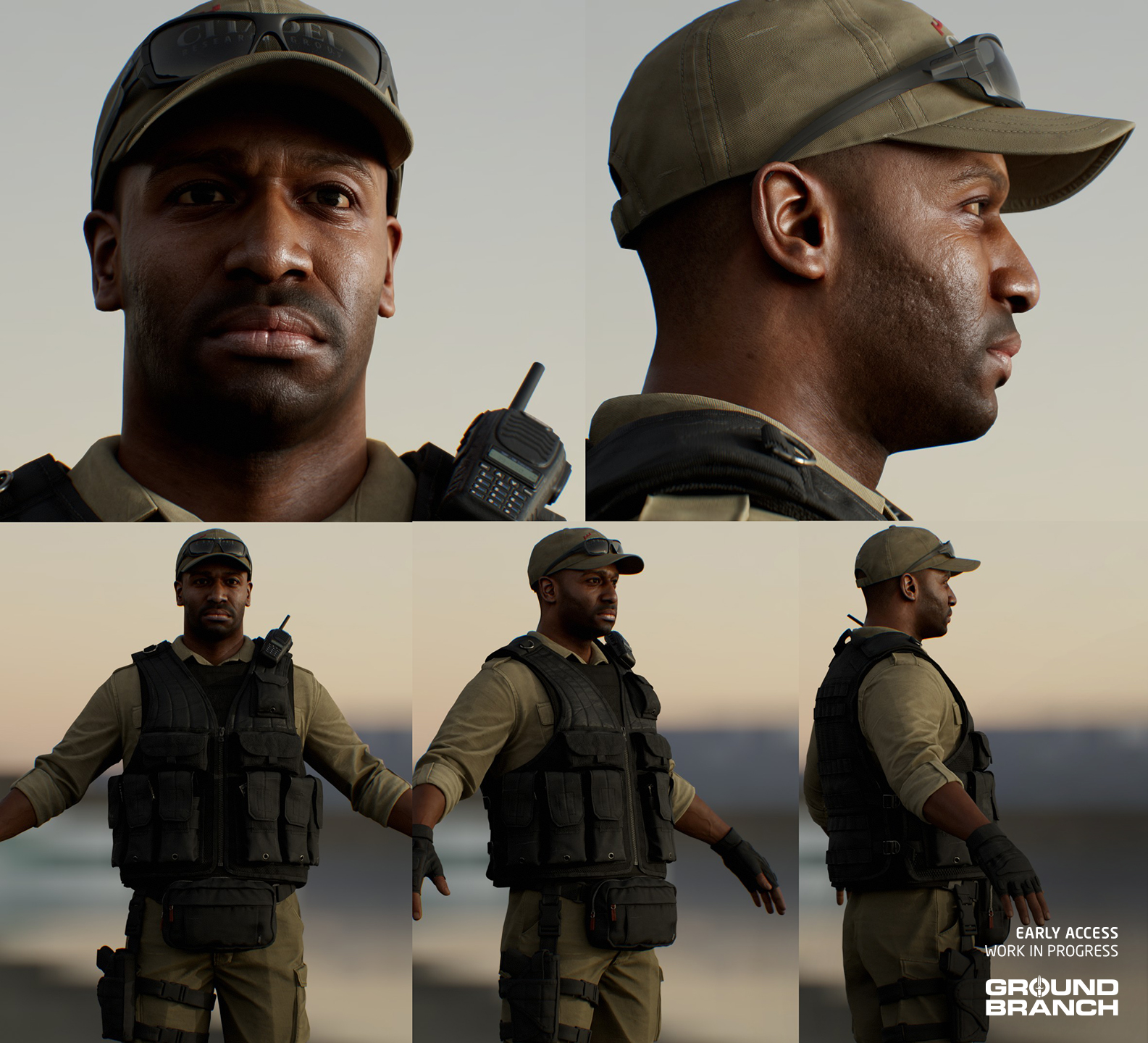
Another set of character assets that Pau has been working on more recently is a Western PMC faction, which will be known in the story as Citadel Research Group.
📋 Citadel Research Group is a risk management company that specializes in maritime security in and around the Arabian Sea and Persian Gulf. We will learn more about them in Operations mode.
As explained in Intel Report #029, Pau has been creating character assets for the enemy mobs over the last year (see the full post here for more details and previews). Much like the MENA faction from our last report, these assets can be mixed-and-matched to create more variety.
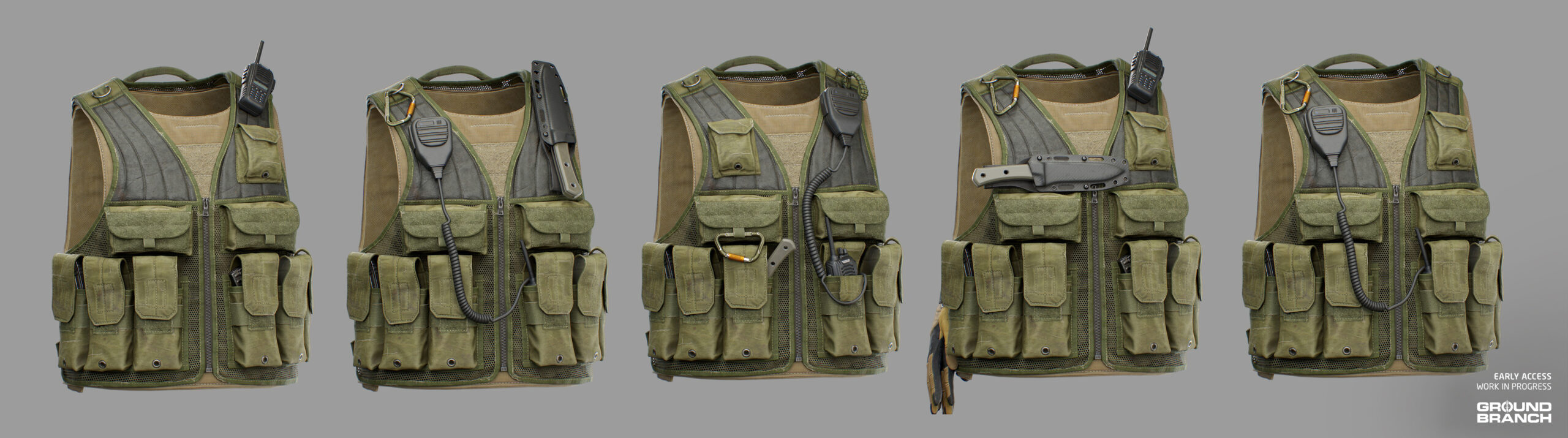
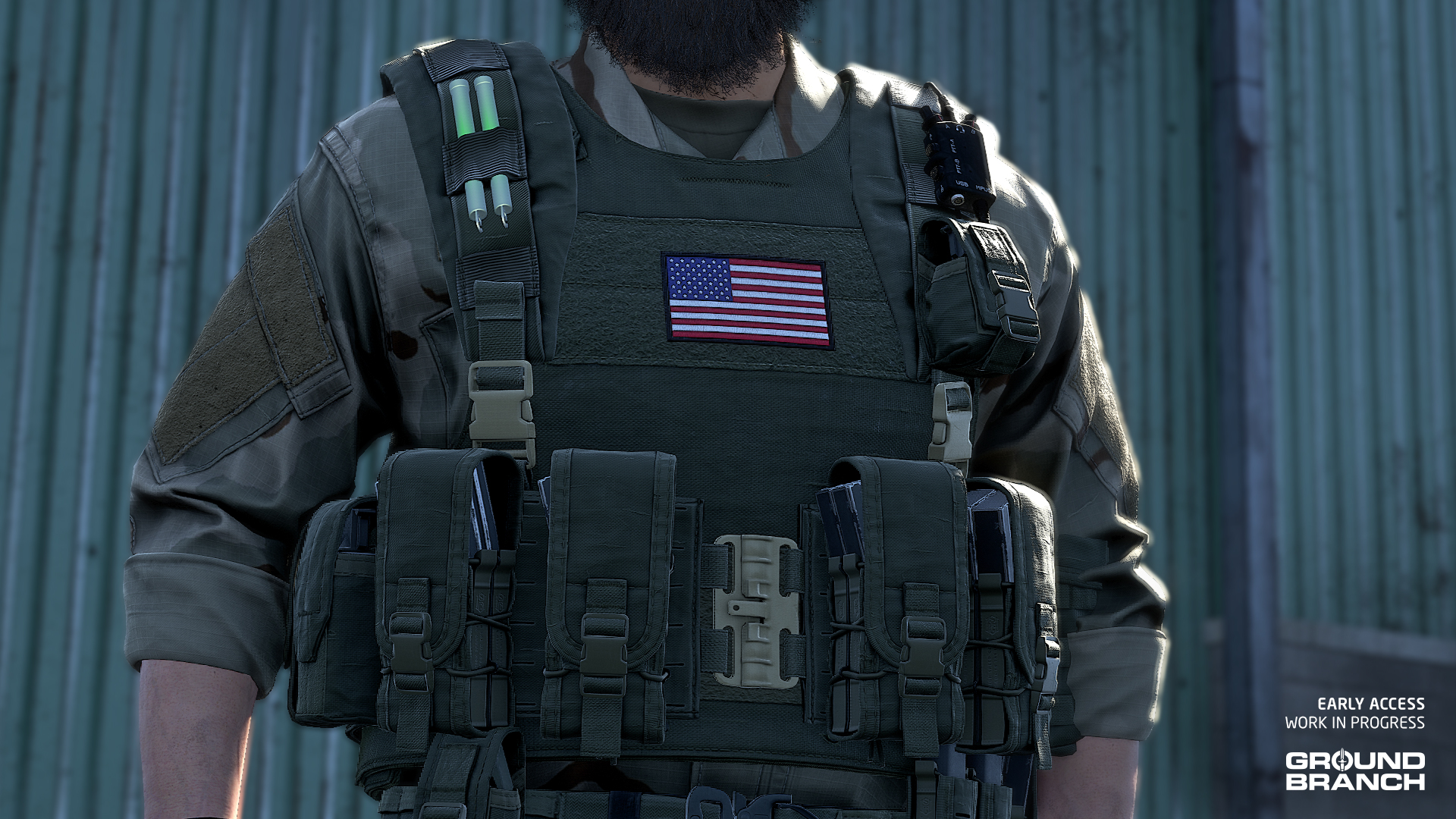
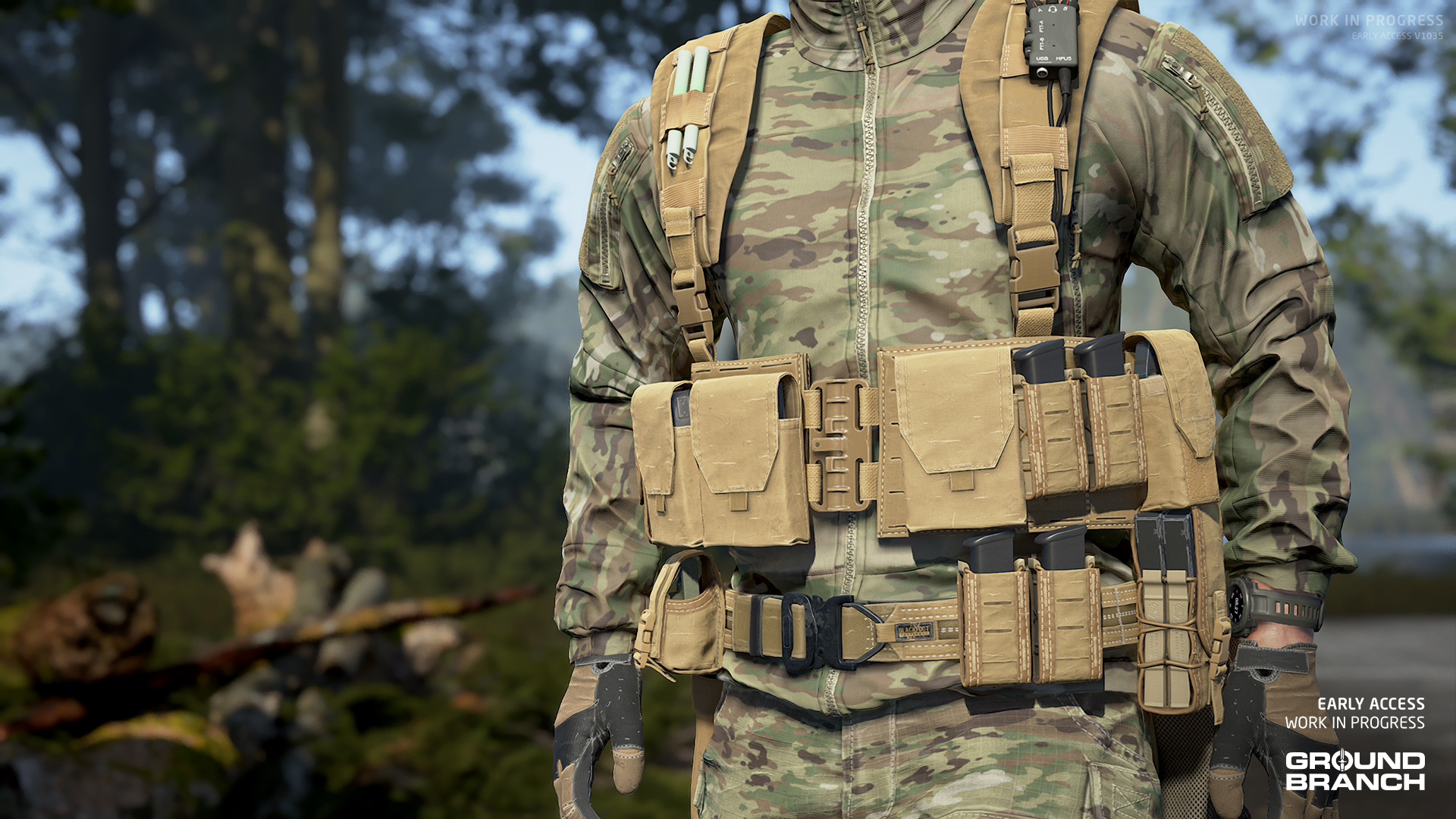
For these assets, we have also created a number of accessories that can be used to add visual interest to loadouts, like the carabiner, radio PTT and knife seen above.
💡 One idea we have for the future (post-V1036) is allowing players to add these types of small accessories as cosmetics to customize their platforms (helmets and vests).
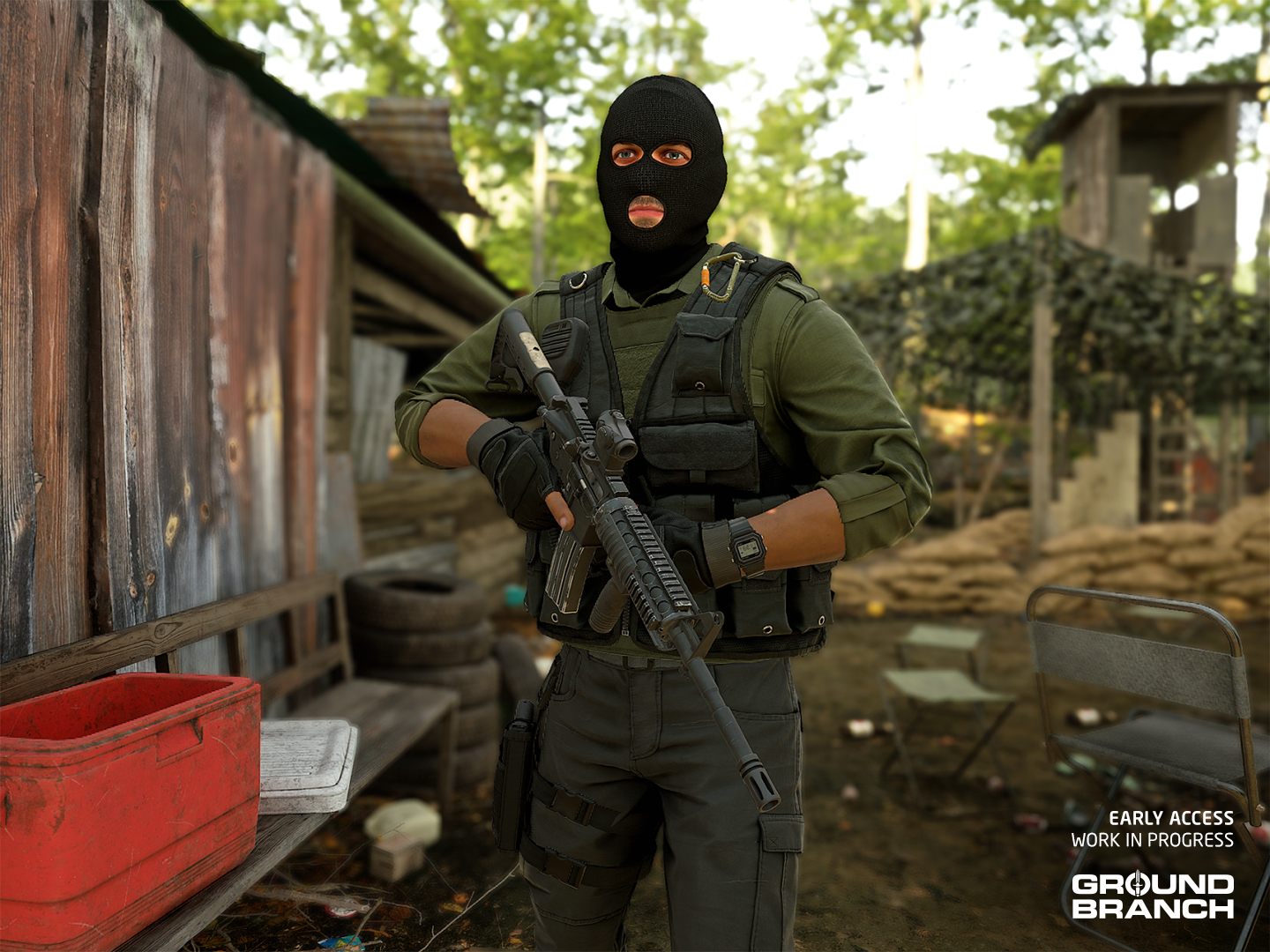
Since a handful of these assets are unspecific (as in unmarked with the “Citadel” logo), they are also being used to compose a more generic militia faction that will be replacing the old “Riot” assets in non-campaign maps like City, Creek and Small Town. Here’s an example on the overhauled Creek map:
More customization
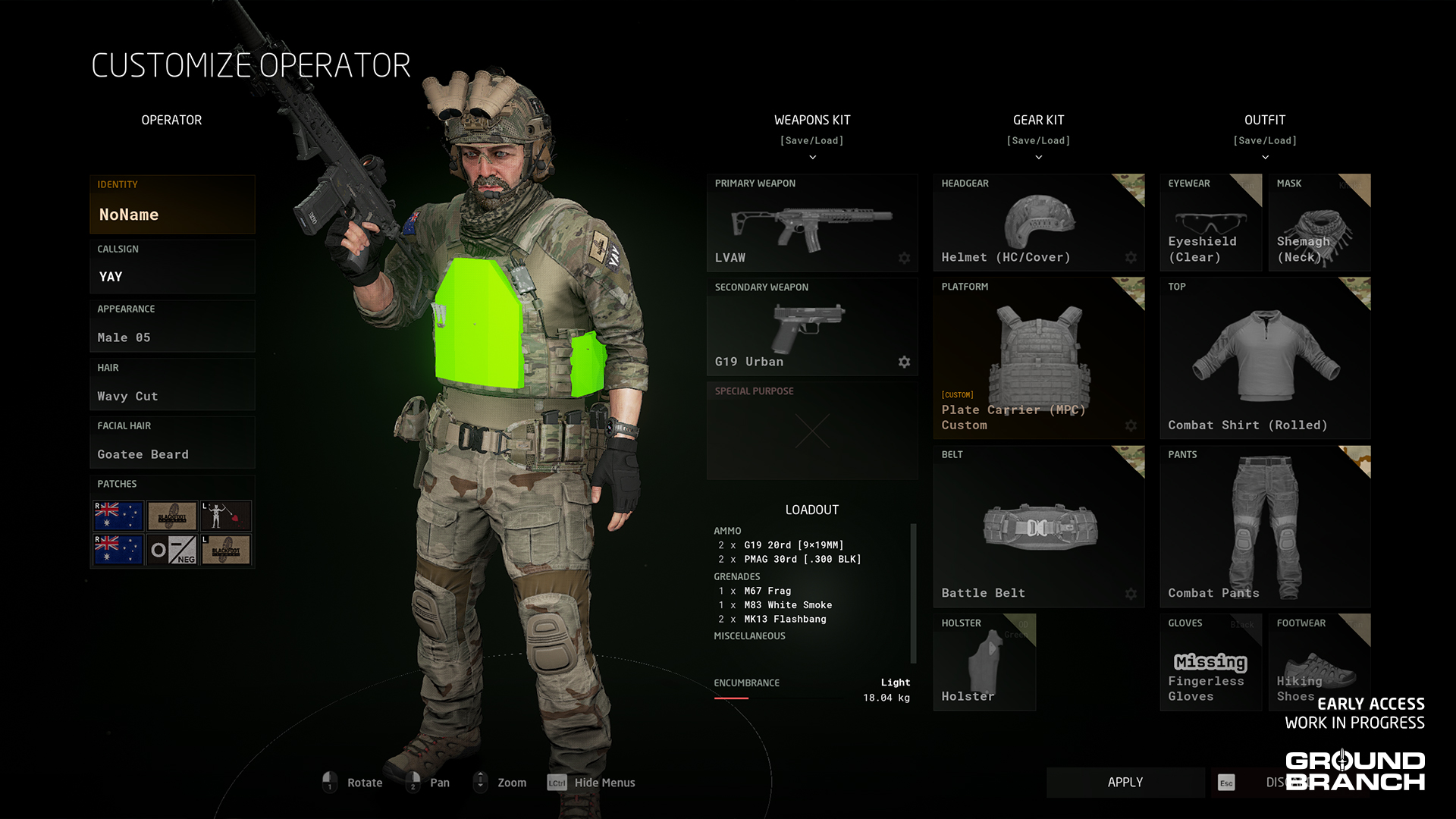
Though our next release is far from focused on cosmetics, character customization is always welcome in GROUND BRANCH and V1036 will be sure to deliver quite a few new items to the menu, ranging from character appearance to outfit variants.
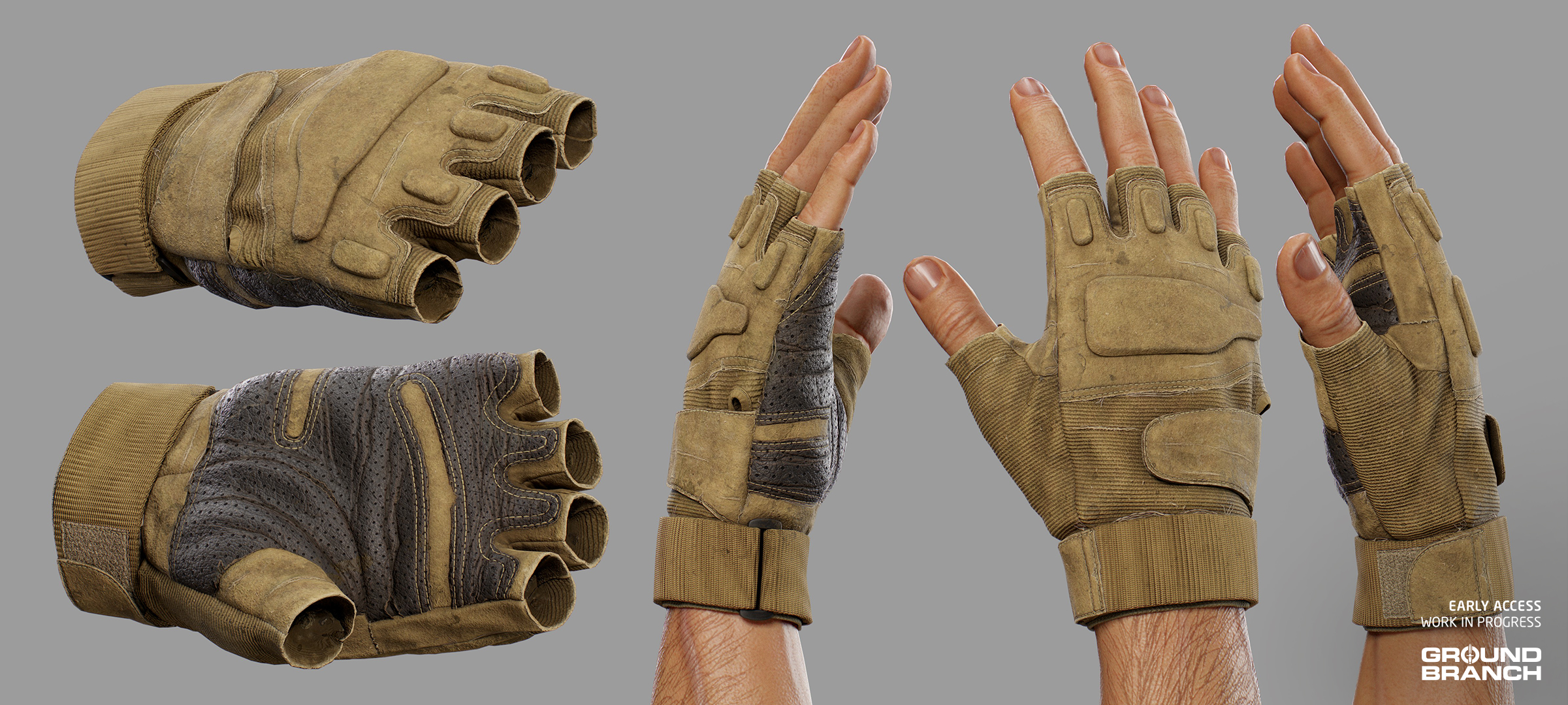
Without getting into specifics too much (we like to keep a healthy level of suspense), we’ll be adding new hair and facial hair styles, kneepad variants for most pants, a new shirt type, a drop-leg holster, running shoes, fingerless gloves, and the neck gaiter, among other things. These conceptual shots by Rangda showcase some of the new cosmetics (and a few additions that aren’t purely cosmetic) in a sensual — but still classy — fashion:
💡 GROUND BRANCH V1036 will feature more than enough new weapons and attachments to keep the armory interesting as well. Stay tuned!
This has been Intel Report #030!
As always, thanks for making it to the end of the post and keeping up with GROUND BRANCH. We hope you enjoyed this dev blog, and we’ll have another one for you soon enough.
We’ll go back to getting this thing done now. Until next time!
We’re back with our Intel Reports, this time as we make our way to GROUND BRANCH V1036.
On the road to our next major release we’ll be trying to do these dev blogs more often, as our schedules permit. We don’t want to take too much time away from development, and these posts can be a lot of work. So, in order for them to happen more frequently, we’ll have to keep them a little shorter (which we assume is okay with most of you anyway).
With that out of the way, let’s get right into it.
Pau Peñalver officially joins the team
We’re happy to finally announce that artist Pau Peñalver, who has been blessing our Intel Reports for years with his amazing character art, has been officially integrated into the GB dev team!
What started as a freelance contract to build our clothing, equipment, and model skins has evolved into a full-time role. He is now focused on updating our campaign and enemy assets and polishing new player content.
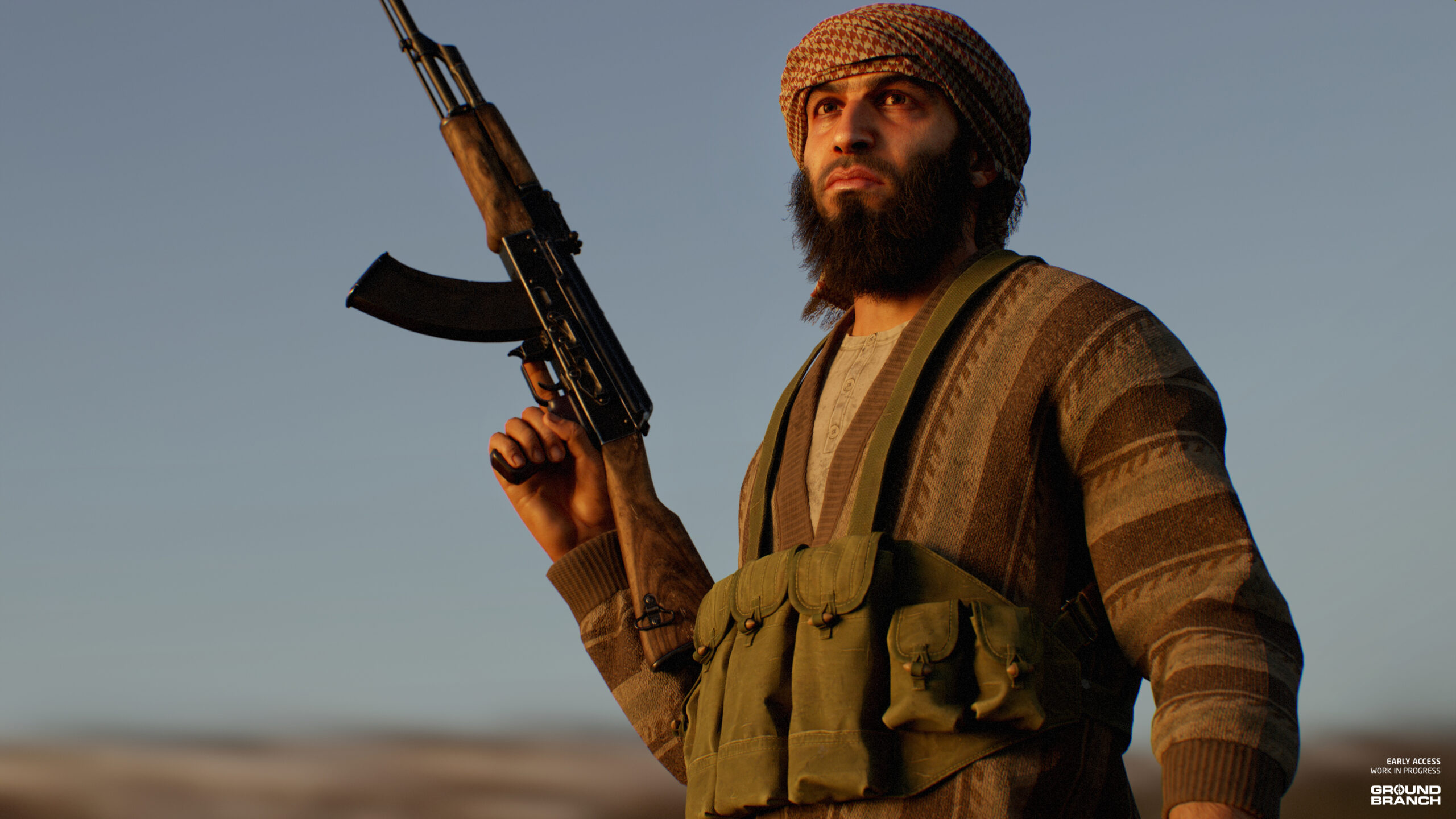
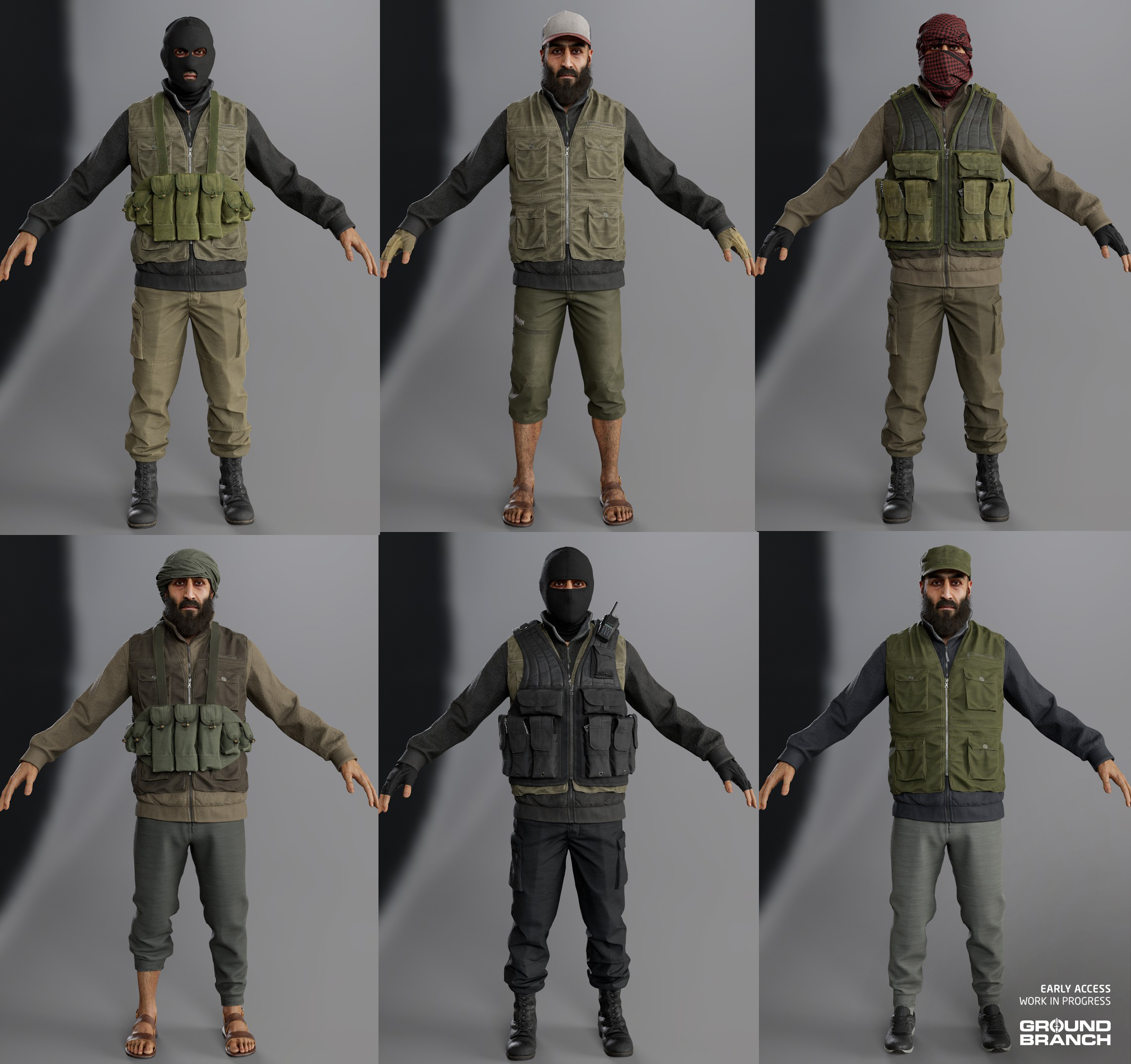
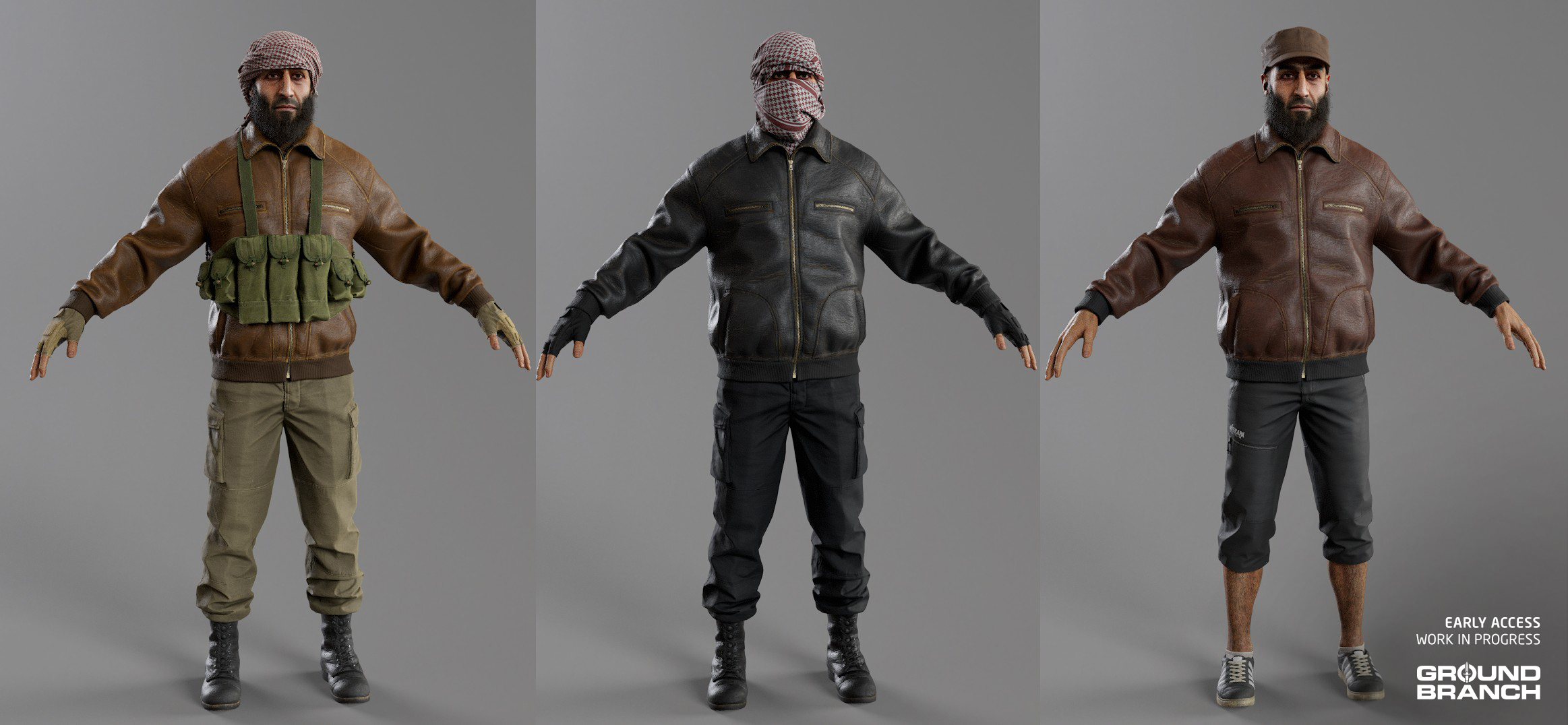
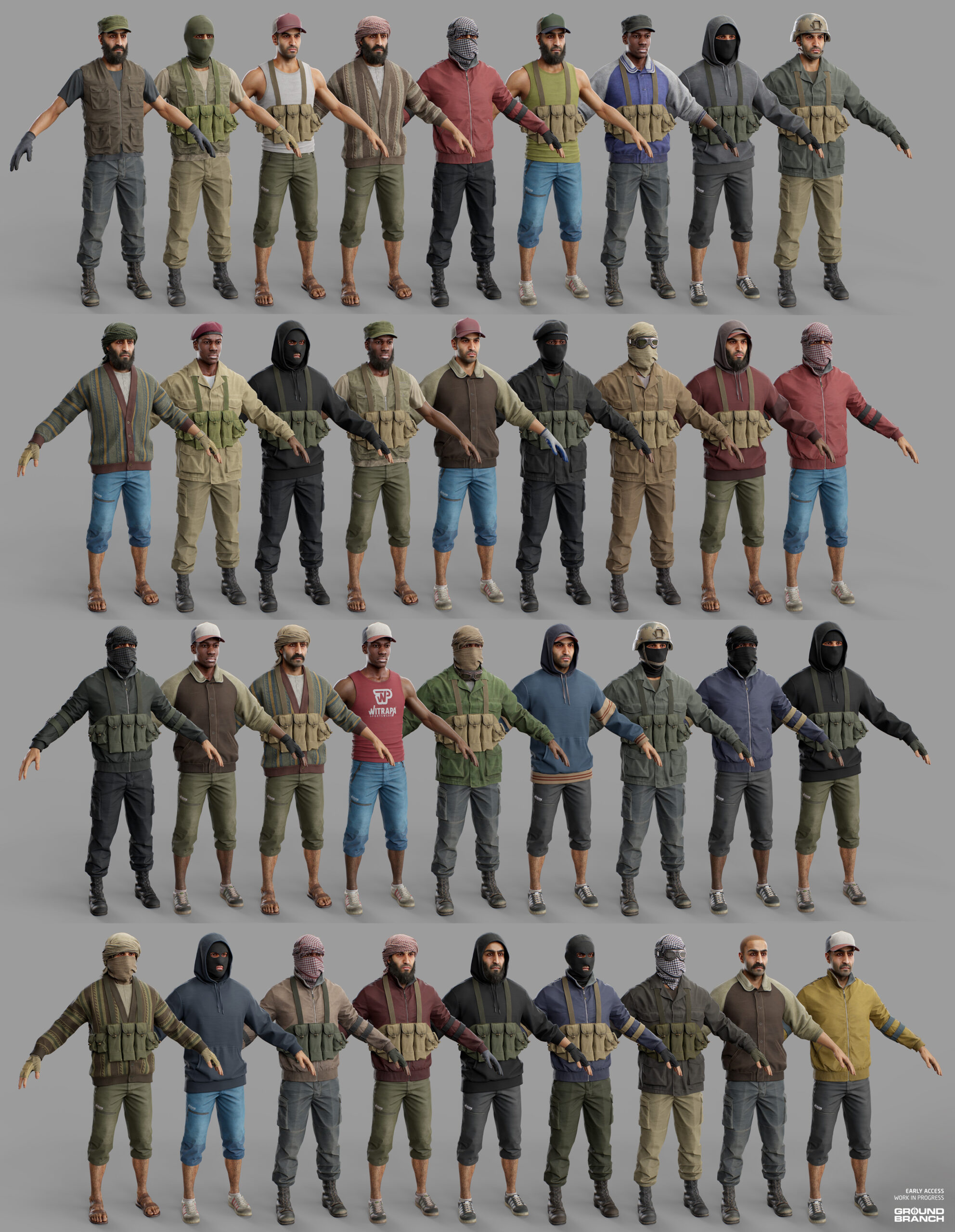
Pau has spent the best part of last year creating dozens of character assets for an in-game faction we’re dubbing MENA (Middle East and North Africa) for now. Though these assets were primarily created with our future Libya hotspot in mind, they will likely be used for multiple different factions in GROUND BRANCH’s campaigns as they’re versatile militia-themed assets.
🛑 WARNING: Pau renders
Keep in mind these renders by Pau use some very nice processing and far better lighting than our engine and systems can handle in real-time.
💡 Some of the MENA character assets have also been adapted for player use in V1036. These include the Fingerless Gloves (a couple images below) and Running Shoes (second image, bottom-right).
Though not as modular as player characters — both to simplify our workflow and maintain performance (more parts = more textures to load) — these new enemy assets are still very modular, allowing us to easily set different colors to different areas, as well as mix-and-match parts (heads, upper bodies and lower bodies, plus optional accessories like headgear and vests) to create a good degree of mob variety.
💡 Pau has since moved on to the US PMC faction, which we'll showcase in a future report.
New maps incoming
As the first developers on the team to start working exclusively on V1036, our trusty environment artists Will Bullen and Elliot Burgess have been very busy with a handful of maps: some new, some remakes. We’ll be showcasing one of each kind today.
Airbase: a 747 remake
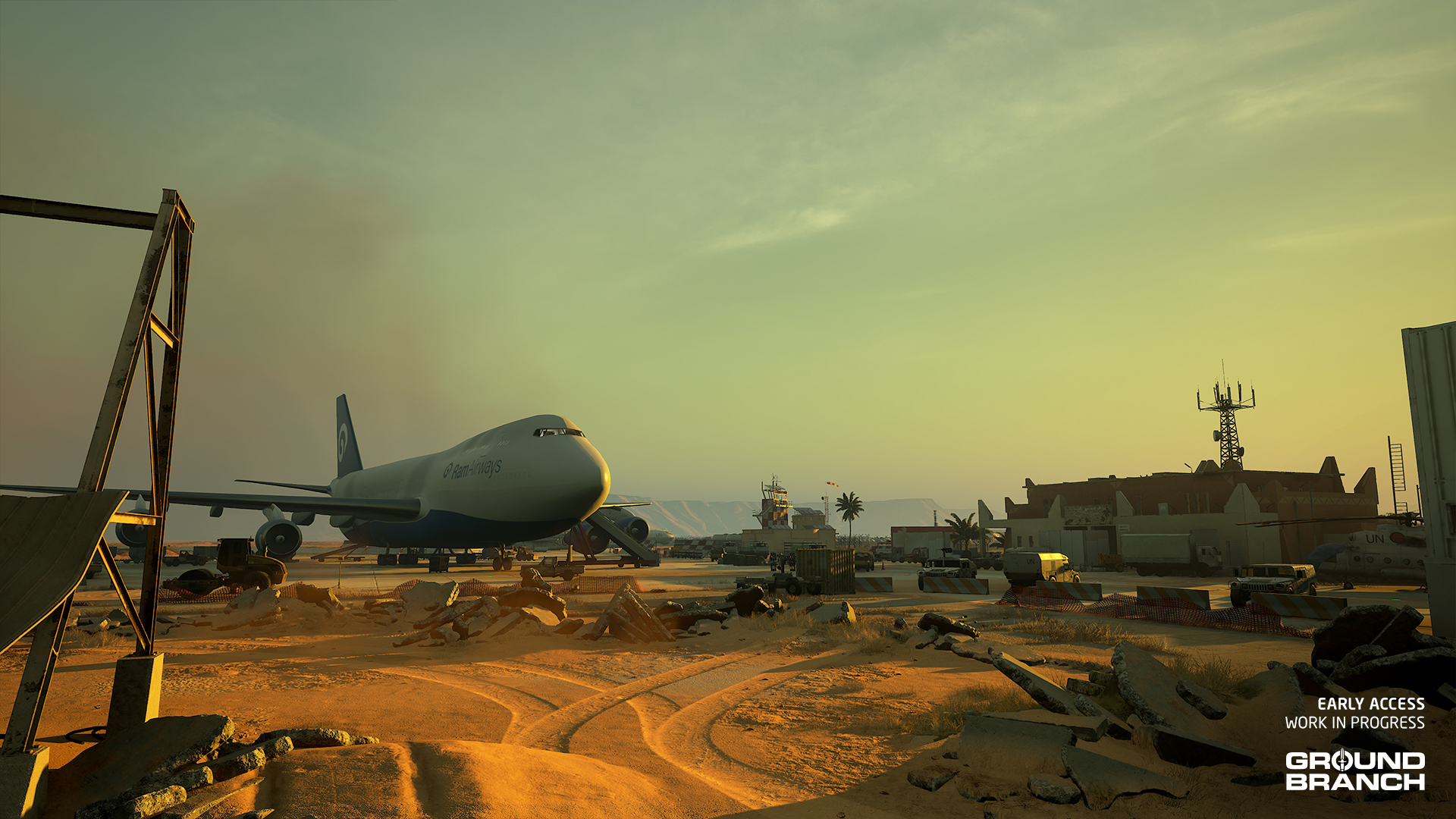
The 747 map, originally created by John (who created the classic 747 map in Rainbow Six: Rogue Spear for those of you ancient enough to remember it), has received a remake by Will and is now known as Airbase.
💡 With the exception of the airliner, this is a complete remake of the map.
Like Power Station, much of the general layout has been preserved, with landmarks being roughly in the areas you would expect. Though not technically much larger, the new map feels like a bigger environment — likely due to the more numerous and fleshed out buildings, as well as other environmental details.
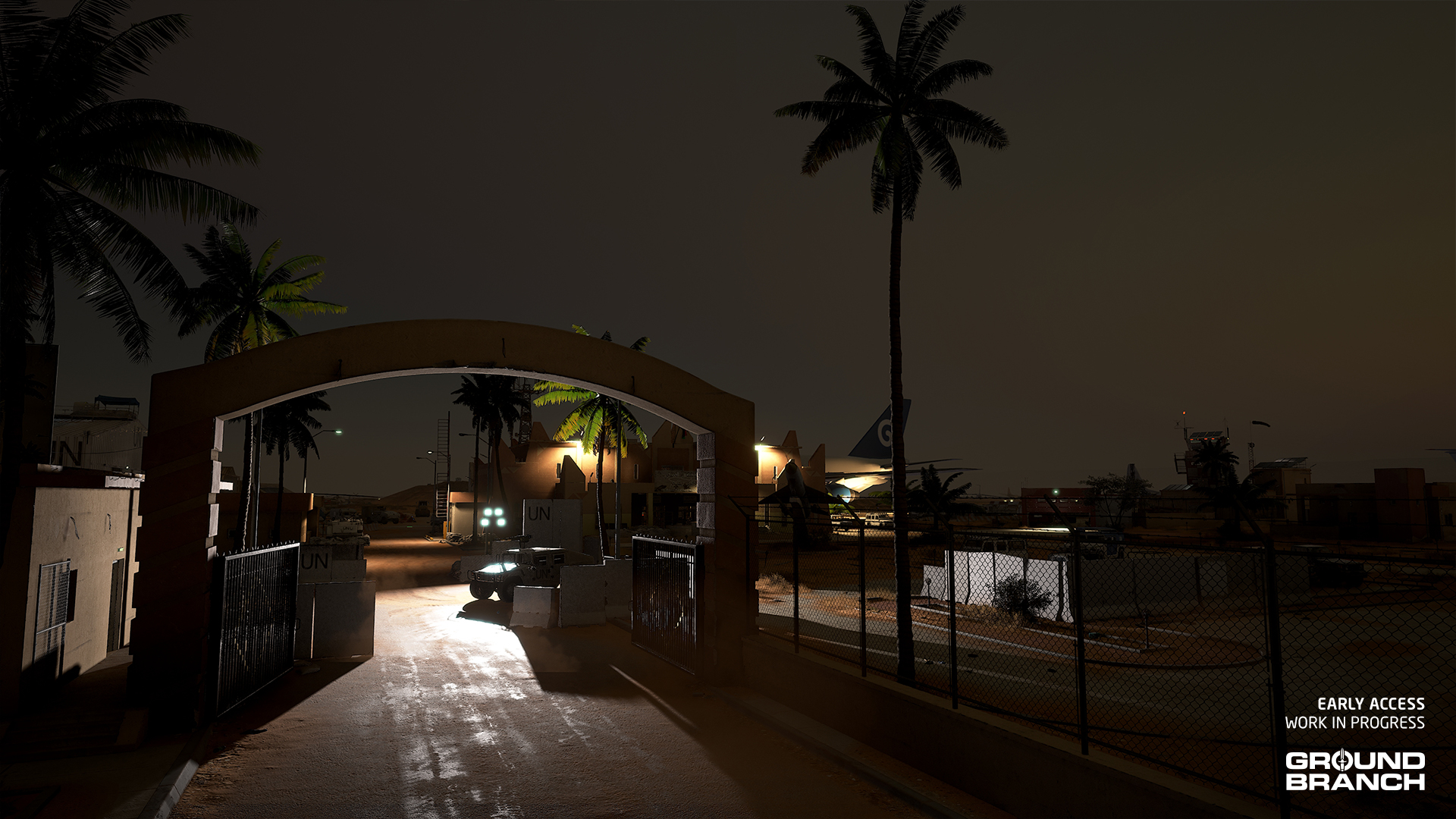
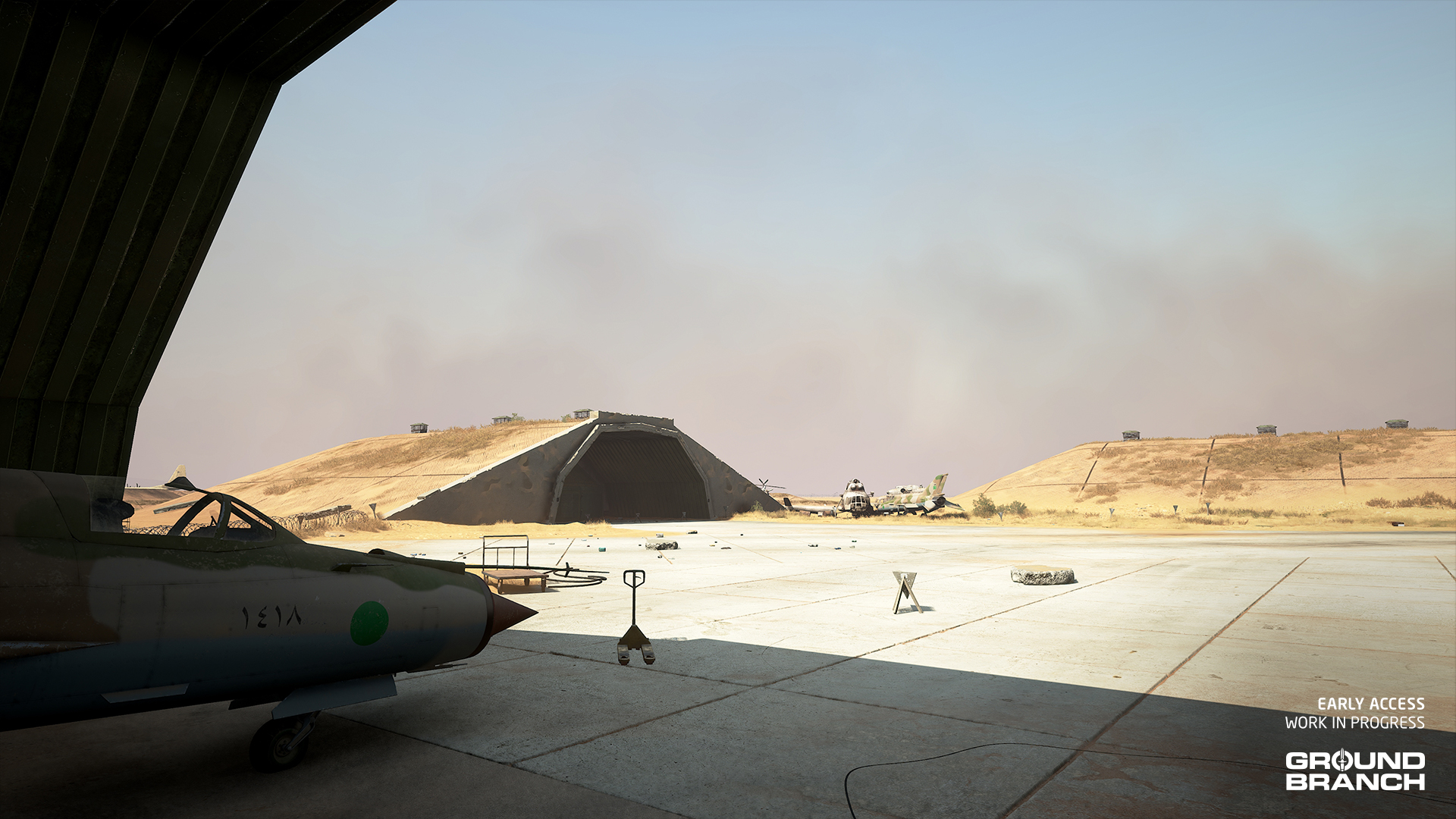
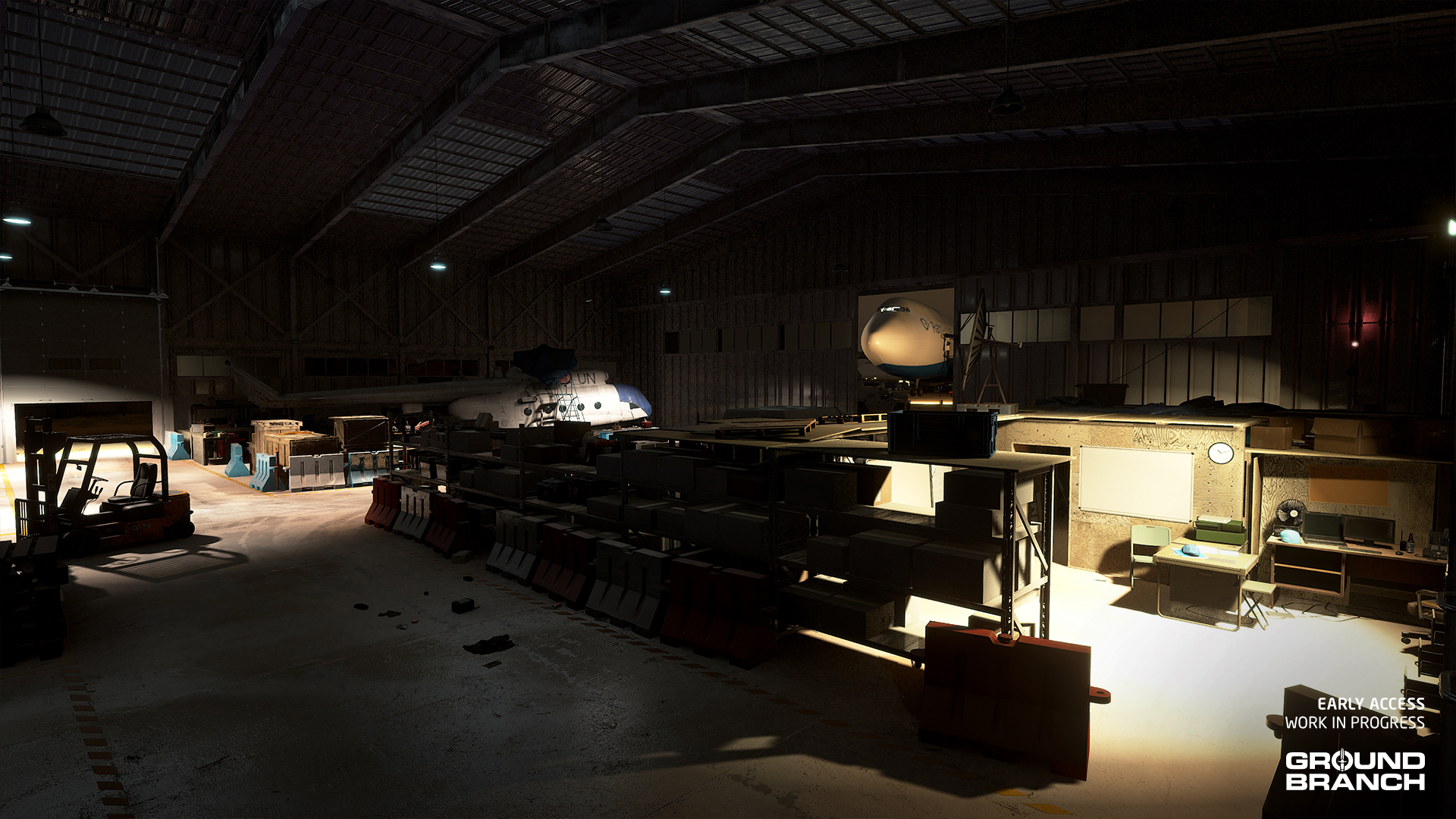
Now officially set in Libya — sharing a mission hotspot with Power Station — Airbase still portrays a small airport in the desert, but has had its boundaries slightly expanded and a considerable amount of infrastructure added to fit with our campaign mission’s story. These include a control tower, hangars, hardened aircraft shelters (HAS) and several other points of interest.
📋 Originally serving as an airbase for a former regime in a resource-rich part of southwestern Libya, this facility was subsequently converted into a small civilian airport by the UN. Following a recent breakdown of martial order, locals have since retaken control of the airfield with support from a network of insurgents.
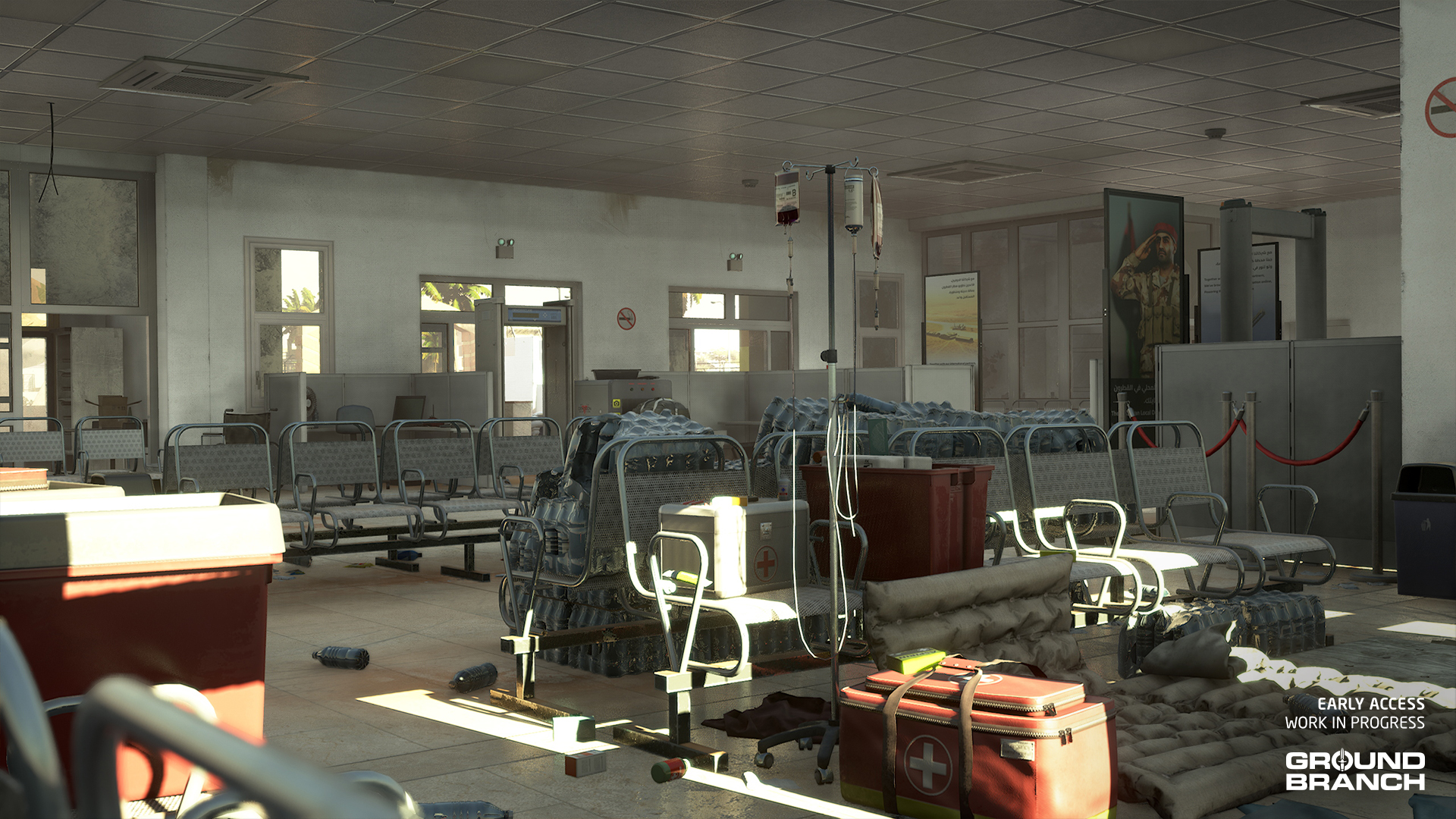
The terminal has of course also been remade and expanded. Here’s a quick look at the ground floor:
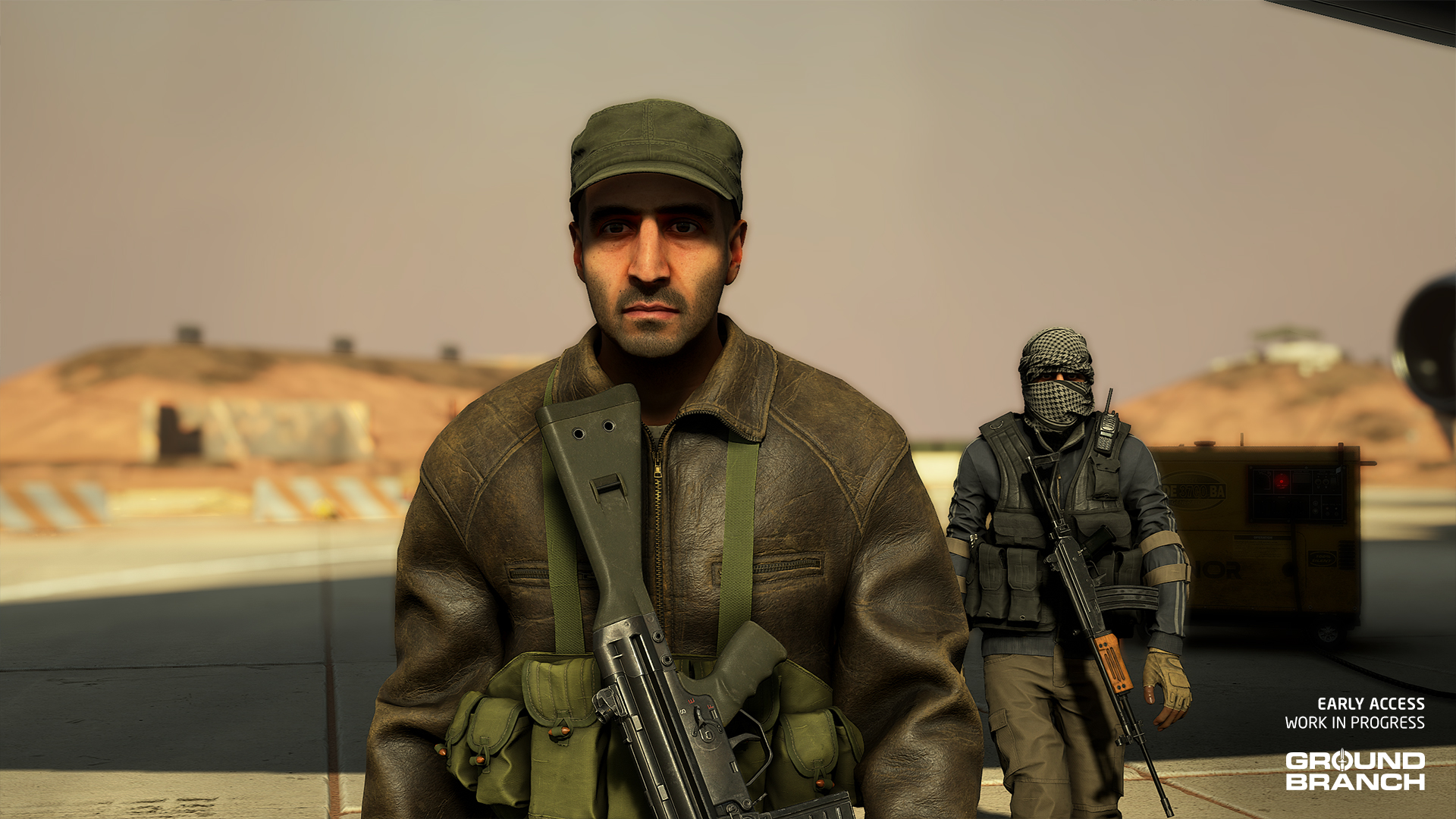
And here are some of the new MENA characters on Airbase:
New map reveal: Border
The bulk of Elliot’s time over the last year has been dedicated to a new map called Border (formerly “Checkpoint”), teased briefly in Intel Report #028.
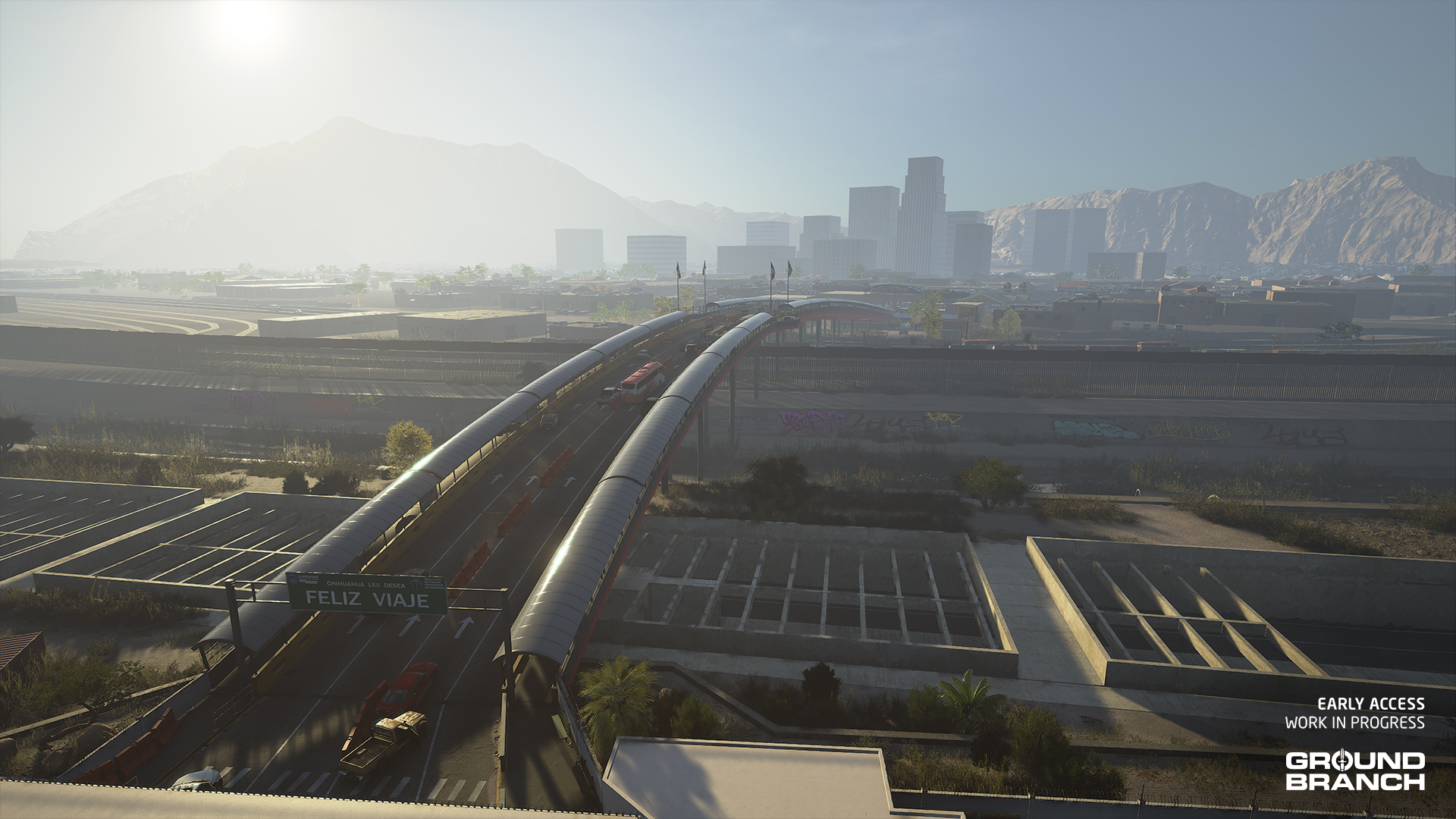
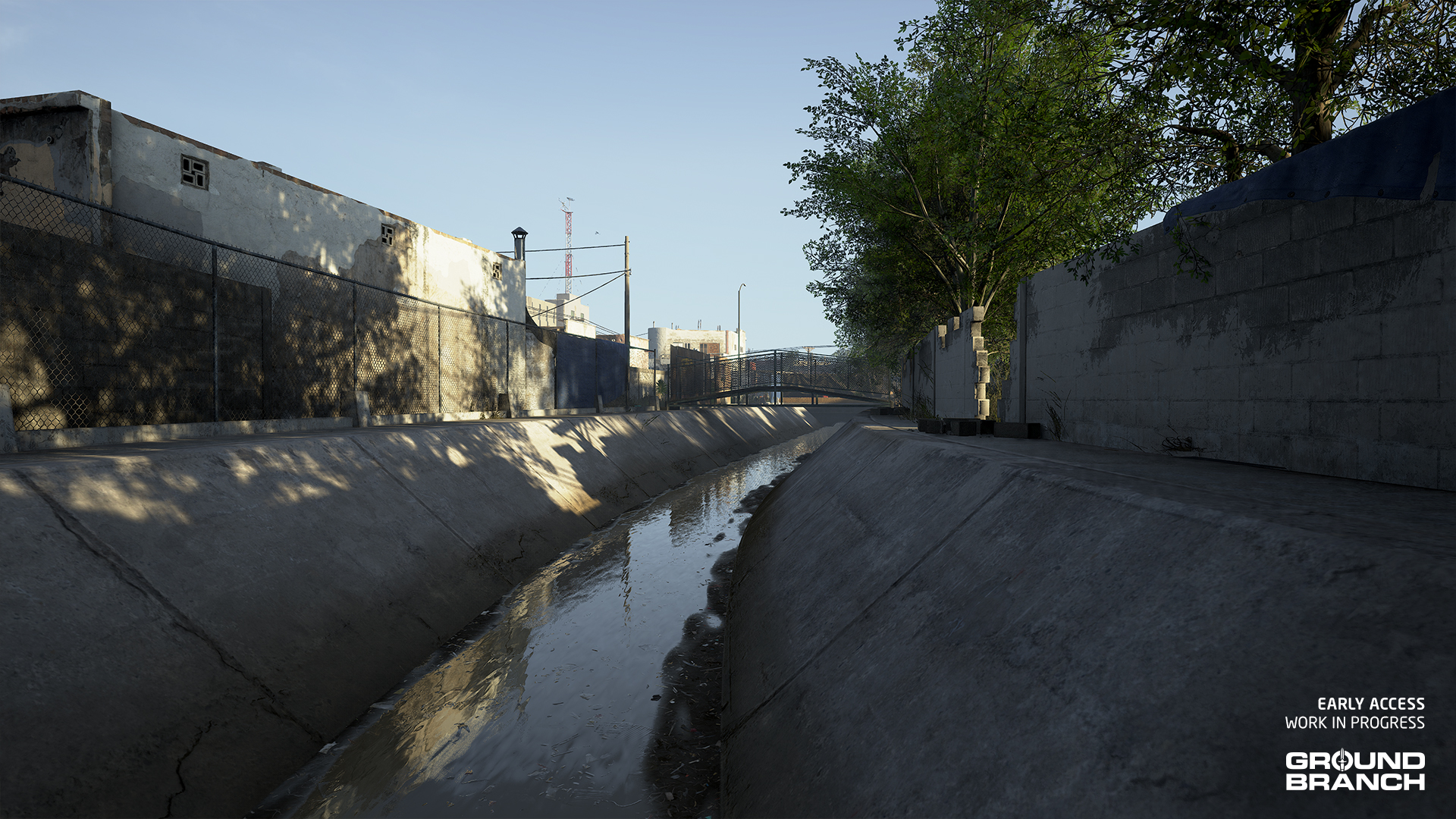
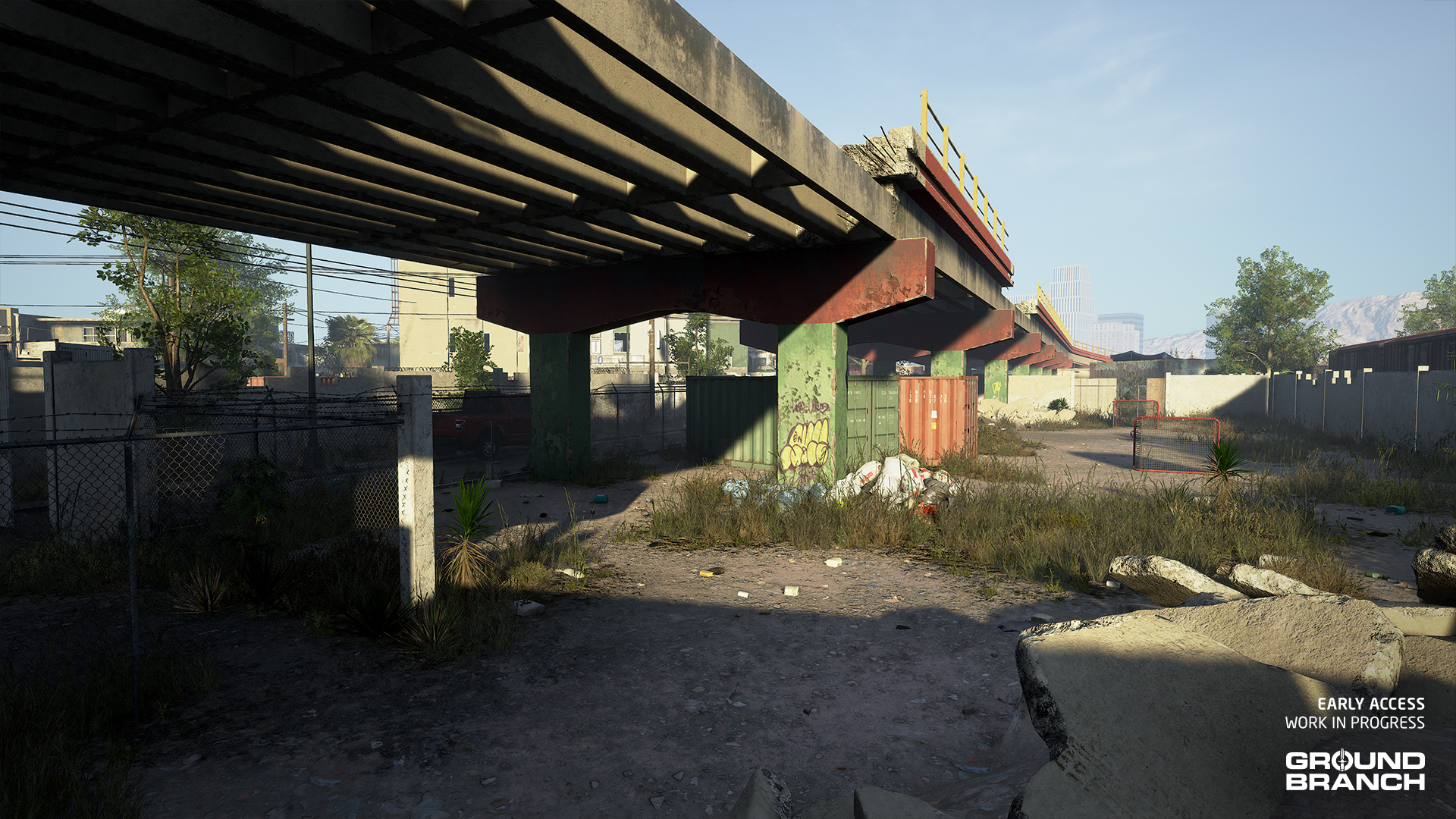
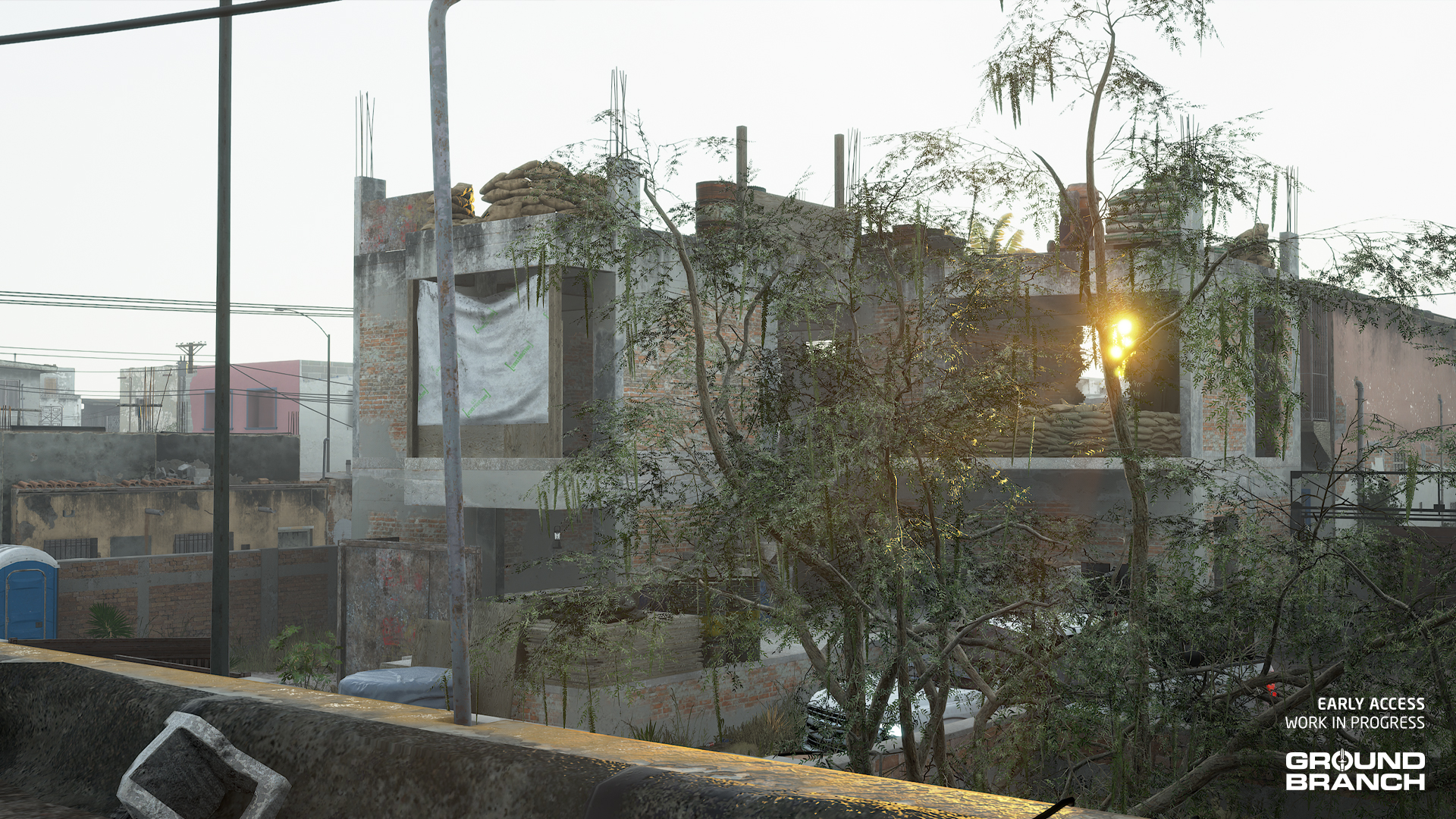
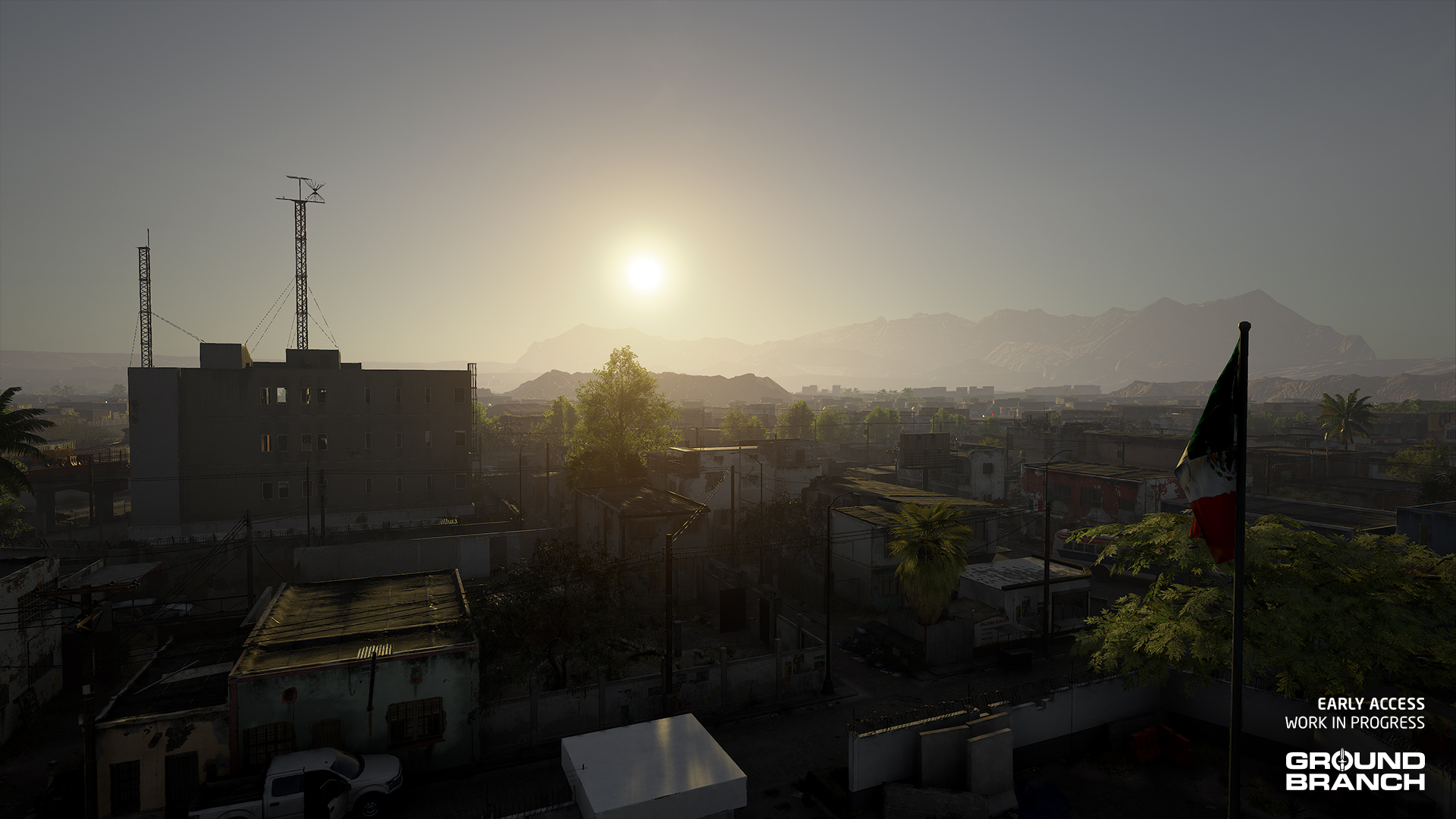
Set at (and around) a bridge checkpoint on the US–Mexico border, this new map is a pure urban hellscape filled with alleys, derelict homes and commerce, a dirty canal, a small junkyard, a partially demolished road bridge, a deactivated multi-story public telecom building — which now serves as an outpost for the cartel that controls the severely impoverished Mexican town — and a lot of abandoned vehicles.
The bridge crossing, along with a small section of the checkpoint on the US side, is part of the playable area. Most of the action will take place on the Mexican side, however, where the majority of the play area resides.
💡 As you may have guessed, the Border campaign mission will share a hotspot with Ranch.
💡 We're not ready to showcase it just yet, but V1036 will also include an update for The Farm training map, a Creek overhaul, and a remake of Rundown. Soon enough we'll have all old maps remade or updated.
Armor system
GROUND BRANCH V1036 will be introducing the much-anticipated armor system.
We’ll start with 2 tiers of armor: soft armor (such as Kevlar, the most common material in “bulletproof” vests) and ballistic plates (typically thick ceramic plates that are inserted into plate carriers, such as the JPC and MPC in-game).
🛡️ Soft armor is lighter and provides more coverage as it is the predominant material of ballistic vests, but is mostly effective against pistol calibers only.
🛡️ Ballistic plates are heavier and generally only cover vital organs, but they offer good protection against rifle rounds.
Here is a quick visualization of the ballistic plates on the MPC Plate Carrier (straight from Kris’ editor), which holds a front and a back plate, as well as side plates:
The armor system is fairly straightforward:
The damage and relative location of each shot is tracked, and radiates out like a dartboard
The point of impact is where most of the damage will be assigned; the further away from the point of impact, the less damage is assigned
Each subsequent shot is compared against the previous ones to determine the remaining effectiveness of the armor
Once a certain damage threshold is reached, the armor will fail and the bullet will pass through, wounding the target character
To sum it up: more shots that are closer together are more likely to defeat armor.
💡 Needless to say, caliber and ballistics will all play a role in how easily the armor is defeated as well.
🪖 Helmets will work similarly to body armor, with some added tracing to check for bullet trajectory. Helmets don't hold very well against much, however.
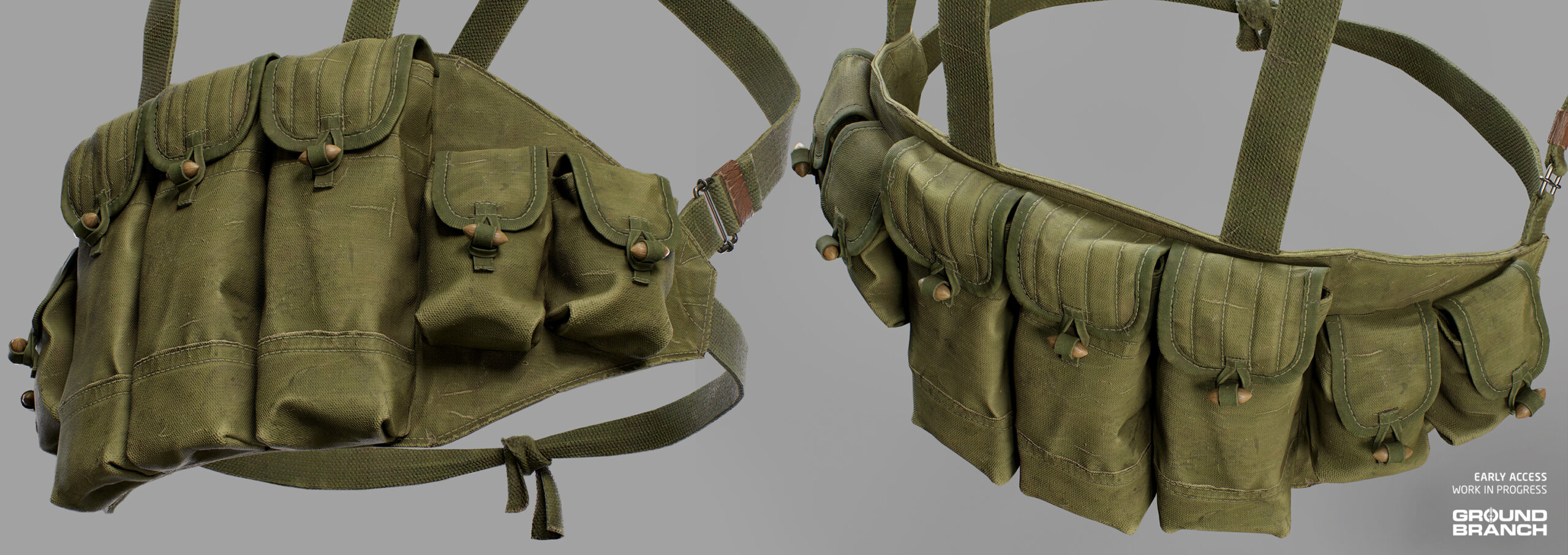
And if you’re a fan of chest rigs but don’t want to miss out on having some armor protection, we have good news — in V1036 you will be able to equip them on top of the Ballistic Vest, as seen here:
And that’s what we have for you today, folks.
This has been Intel Report #029!
Thanks for keeping up with GROUND BRANCH! We appreciate each and every one of you who take the time to read through our comms here.
As mentioned, we’ll try to get these rolling more often, so stay tuned — we’ll have more sneak peeks and news for you soon. See you then!
Last week’s patch V1035.2 released with more than a few issues, so we’re addressing as many as possible in this hotfix.
UI/UX
Restored accessibility settings for Color Blindness Mode and Replace Key Reds With (Settings › Video › Advanced › Accessibility).
Fixed front-left rails on the M110K1‘s handguard having their slots flipped, causing attachments to mount inwards.
Restored ability to edit callsign in Lone Wolf.
Removed logic for “Use Standard” callsign, which used Team Elements as reference — feature was rarely used and required Lua logic, so we opted to scrap it (at least for now).
Hooked up the F8 key shortcut to the Admin Panel again.
Updated the logic for the Hide HUD function while spectating (H key) to take into account whether the player was alive or dead and avoid an issue where the H key fails to hide HUD due to being tied to hand signals.
Various small changes to UI text, formatting and styles in Admin Panel elements (particularly Kit Restrictions and dialogs) to improve consistency and usability.
Fixed missing tooltip to Game Stats button (top Esc menu).
Added mention and tooltip for Check Watch ability in keybinds list (Settings › Controls) next to Freelook.
Gameplay and controls
Fixed issue where the Steady Aim (ADS) ability was tied to Focus Zoom (ADS). Now you can use these abilities separately again.
Fixed invalid state when picking up a shotgun shell or round that was ejected intentionally during a reload.
AI and enemies
Tweaked AI frag grenade ability: increased minimum throw range, which should reduce the frequency of grenades. (NOTE: A more complete solution is already in the works for V1036.)
Updated the smoke grenade ability to fix AI getting stuck due to an issue with the logic tree.
Updated the distance threshold for detection on bots to help with them running into players or not seeing them when they should.
Updated the US PMC voice lines to not use the radio filter.
Missions, game modes and multiplayer
Fixed issue where players would leave a match in progress on a server and it would fail to end the round if no one was playing it.
Updated all Intel Retrieval missions to ensure AI will not spawn near the player spawn points.
Updated Extraction Point to always show regardless of distance.
Updated the Ops Board (Ready Room) to allow players to click to spectate again.
Changes to Hostage Rescue requirements: now you only need 2 players on Red team and 1 player on Blue team to start the round. This should reduce the headache of starting a Hostage Rescue match if the teams suddenly change balance during a countdown or during the round start.
Removed bad spawns on City (Subway) and fixed issue with missing doors on that map.
Fixed issue where the voting timeout logic was being interpreted incorrectly, leading to timeouts upwards of an hour.
After a major refactoring that required rebuilding a massive portion of GROUND BRANCH’s systems and interfaces, Patch V1035.2 is finally here!
The big refactoring
Though this update doesn’t bring in a whole lot of shiny new features (the bulk of the work involved migrating existing features from Lua language to C++ and UE4 Blueprint) it gets us one step closer to our final goal on a more solid foundation.
💡 For a more in-depth look into the Lua refactoring, check out Intel Report #027.
Though the main advantage of the refactoring is future iteration, you might notice improved stability and performance here and there in this version.
We’ll go over the main impacts, pros and cons in the following subsections.
What does this mean for modding?
Non-Lua mods will not be affected
Once updated to V1035.2, most mods (e.g. item mods) should continue to work as before.
Lua-based game modes and missions will need to be converted to Blueprint-based ones With rounds, settings and other game mode-related classes being far more modular now, it’ll be easier than how we had it setup. The Blueprint-based games modes we’ve included can be used as a base/example.
💡 WHAT ABOUT CUSTOM MAPS?
While you can convert older custom maps using the mission actor conversion tool, we’re also developing a proper map editor for future content.
For best results — and full compatibility going forward — we recommend building new maps with proper actors and assets once the new Map SDK is available.
Streamlining mods
Modding has been simplified in V1035.2.
Gone are the days of moving and dragging mods from your available list into your loaded server mods in order to make them appear. Now, if you have a mod, it will be hosted on your listen server and your players will be able to see it.
Dedicated servers have been simplified as well. For now, you will simply load the Mod IDs into the mods.txt file for the server.
💡 We are also working on a UI solution that will replace the old setup for admins who prefer to load them via the in-game menu.
Operations mode temporarily disabled
Though the “Silent Reach” campaign mission demo (accessible via the Operations menu) succeeded in giving players an idea of what a full-fledged GROUND BRANCH mission will look like, it was put together with considerable haste using a mix of Lua and hard-coding; this meant that the Lua logic would require migrating, while the hard-coded portion needed to be redone as part of a more expandable system.
In order to avoid delaying patch V1035.2 even further, we have made the difficult decision to temporarily disable the Operations mode while we create an expandable system for future campaign missions. Rest assured that the overall concept and much of the UI will be maintained — we hope to have an improved demo mission available again soon!
No more rubberbanding — online stability has been restored!
A massive achievement in this version has been online stability: the networking feels solid once again, with the widespread rubberbanding issue (that was present for the past few releases) having been fixed. Even with high pings (+300 ms), we’ve encountered no online issues after about 6 weeks of testing.
💡 Dedicated servers no longer need to be restarted after a few hours to recover online performance — huge relief!
We’re hopeful this win will be getting online numbers back up a bit, since the rubberbanding was a massive source of frustration.
Speaking of online problems…
Removed physics from doors
Doors have been a long-standing issue when playing online, due to how difficult it is to ensure that their position/status correctly replicates across clients. Physics simulation in games is (in)famously unreliable, and when the online component is added the issue becomes even worse.
After some debate, we decided to replace the physics-based implementation with an intermediate solution that is akin to the old Rainbow Six: Raven Shield mechanic. It is more rigid, but it fixes the problem of doors desyncing while playing online.
Doors no longer have a fluid-looking opening and closing motion — this will be addressed in the future with animations.
Doors will no longer desync: an open door will stay open and a closed door will stay closed. No more guesswork when approaching a door online.
In addition, doors now have a weight we can assign per door type. While we haven’t gone through and updated every door, you will notice the gate on Compound “feels” heavier than before. This will also be updated throughout the next few patches to better represent our doors materials.
Lastly, AI have had a pass on how they navigate doors. Initial tests with squads of 4 AI going through a door are good, and we will use this same logic to improve navigation through double doors, as well as for friendly AI in the future.
🐞 If you "lose" the door prompt while gradually opening/closing a door, you have to release and hold your Interact key again before resuming the action.
Return of the AI grenades (with an upgrade)
The enemy AI can throw frag grenades again, so be on the lookout!
AI grenades now have a more calculated frag grenade logic in place: they will check if the player is in cover before throwing a grenade to flush them out. They also make checks to verify that the arc of the grenade won’t hit any ceilings or blockers in its trajectory.
💡 We'll of course continue to improve the grenade ability as we go, but in the meantime this added logic makes it a more interesting mechanic to deal with in firefights.
Hostage Rescue (PvP) is back!
After being temporarily pulled due to logic issues we did not have the resources to fix at the time, the Hostage Rescue PvP game mode returns to GROUND BRANCH!
💡 We had to rebuild Hostage Rescue from the ground up for V1035.2. This means some of the systems may be a bit different than before. Please have a try and give us your feedback.
Here are the rules:
To start the mode, there must be at minimum 5 players on a server and at least 1 more player on the RED than the BLUE side. (Currently, BLUE team are always the defenders and RED team are always the attackers. This will be updated and improved in V1036.)
A random player of the attacking RED team has been taken hostage in one of the map’s buildings. The hostage player is hooded and cuffed, limiting their vision and movement — they are unable to interact with map objects such as doors or items, and are restricted to walking (no running/sprinting).
The target building is selected by the defenders BLUE team by choosing where to spawn, and defenders are restricted to within that building unless the hostage escapes it.
Defenders can lead the hostage around the building or simply hold them in place by holding the Interact key (default F). While being led, the hostage will be intimidated and unable to speak. (This represents a simplification of the previous iteration, where intimidation was a separate action done by pointing a weapon at the hostage.) Note that it takes about 1 second for the leading/freeing to begin. This is a change from the immediate grab mechanics from before.
Attackers can select any insertion point (including multiple if they decide to split the team) and will have to find the building where the hostage is being held — possibly with the assistance of the hostage making some noise with the Talk (VOIP) key (default V). Attackers must then successfully breach the building and rescue the hostage. If the hostage has their cuffs released by the attackers, they will regain a full range of movement and team communication (i.e. radio and text chat).
If a hostage picks up a weapon once released, they become a valid target for defenders, who can then win the round by killing the armed hostage.
Win conditions
ATTACKERS — To win the round, at least one attacker must escort the hostage to any of the available extraction points. Alternatively, attackers will win if the defending team is eliminated.
DEFENDERS — To win the round, the defending team must eliminate all attackers, survive the assault until the time runs out, or kill a hostage that has picked up a weapon.
With the rare exception of a released and armed hostage (mentioned above), any team that kills the hostage will instantly lose the match. Careful with those frags!
Fox Hunt is now a standalone mode
Fox Hunt was a sub-game mode for DTAS (Dynamic Take and Secure) that was previously playable when not enough players were present for a DTAS round to begin (although it could also be forced on). With the refactoring, it made sense to make it its own separate mode.
💡 Building Assault (a sub-game mode of Hostage Rescue) is gone temporarily — it will return in the future as a whole new standalone mode with unique mechanics.
Kit Restrictions are available again
Although the refactoring didn’t allow us to rebuild kit restrictions the way we wanted them just yet, you can once again apply skin restrictions per team (Red and Blue) by going into Admin Panel › Kit Restrictions.
The system is pretty straightforward:
Drag a skin from the Available Skins list onto either team to allow that skin to be used.
To remove it, simply drag it off the team.
Click Apply in the bottom-right to accept the changes.
Click Clear to revert to default restrictions.
💡 Please note that the map needs to be reloaded or changed for the new restrictions to take effect.
🐞 When first enabling or disabling skin restrictions, lighting will change to a bright, blue-ish hue. Simply changing the map in the Admin Panel fixes the issue. This will be addressed shortly in a hotfix.
💡 Kit restrictions will be far more versatile in the future, allowing categories and specific items to be restricted rather than only skins.
Miscellaneous UI changes
Due to much of the UI being rebuilt thanks to the big refactoring, we’ve taken the opportunity to give a few areas a small update.
Updated Ops Board visuals
The Ops Board in the Ready Room remains largely the same, but you may notice changes to the color scheme, iconography and container layout, among other things.
Here are the changes, as seen in the video:
The new colors should help visually group up related elements: red is used for objective-related elements, green for insertion/extraction points, and yellow is reserved for mission parameters.
Mission parameters are more tidily laid out in boxes, and we’ve added a big clock icon to the insertion time (TOD) to make that military time format a little clearer without losing the flavor.
Search locations (Intel Retrieval) will now display the name of the location when hovered. The list of locations on the left-hand side is now also a separate color from objectives, uses a separate font (the same used for the hover text on the map), and adds a little looking glass icon to each item.
The extraction point icon uses a slightly different animation and color, and now also displays text (“EXTRACTION”) when hovered.
The button to refresh locations now has a dynamic description label next to it, which updates when clicked.
Time-of-day (TOD) selection
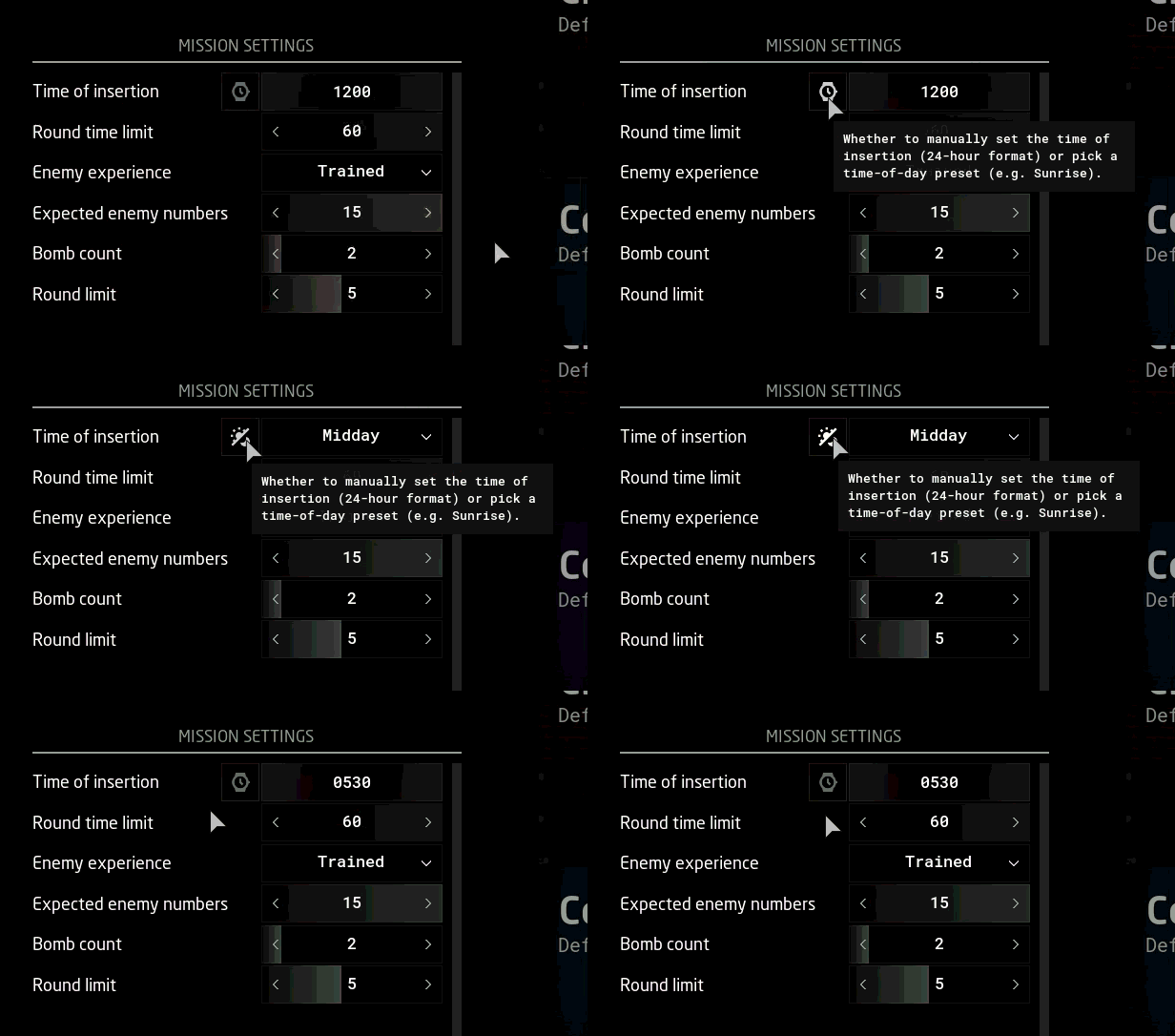
When setting up a game you will notice a change in time-of-day (time of insertion) parameter.
Whereas previously you would pick a time from a drop-down menu with preset times (e.g. Pre-Dawn, Midday etc.), you can now alternate between that method or manually setting the time (e.g. 0000, 0600, 1200 etc.) by clicking the button next to it, as shown in the GIF above. The button’s icon alternates between showing a watch face (for manual time) or a day/night cycle (for preset times).
💡 The preset times are useful because our sky system accounts for latitude and time of the year. Since the sun angle at a given time vares considerably depending on a map's location and time of the year, the preset labels help players spawn in with the desired lighting conditions (rather than, for example, assuming 1830 is already dark in a given map).
🐞 Speaking of which, advanced time settings were also temporarily disabled due to the refactoring. This means the moon phase will be temporarily random.
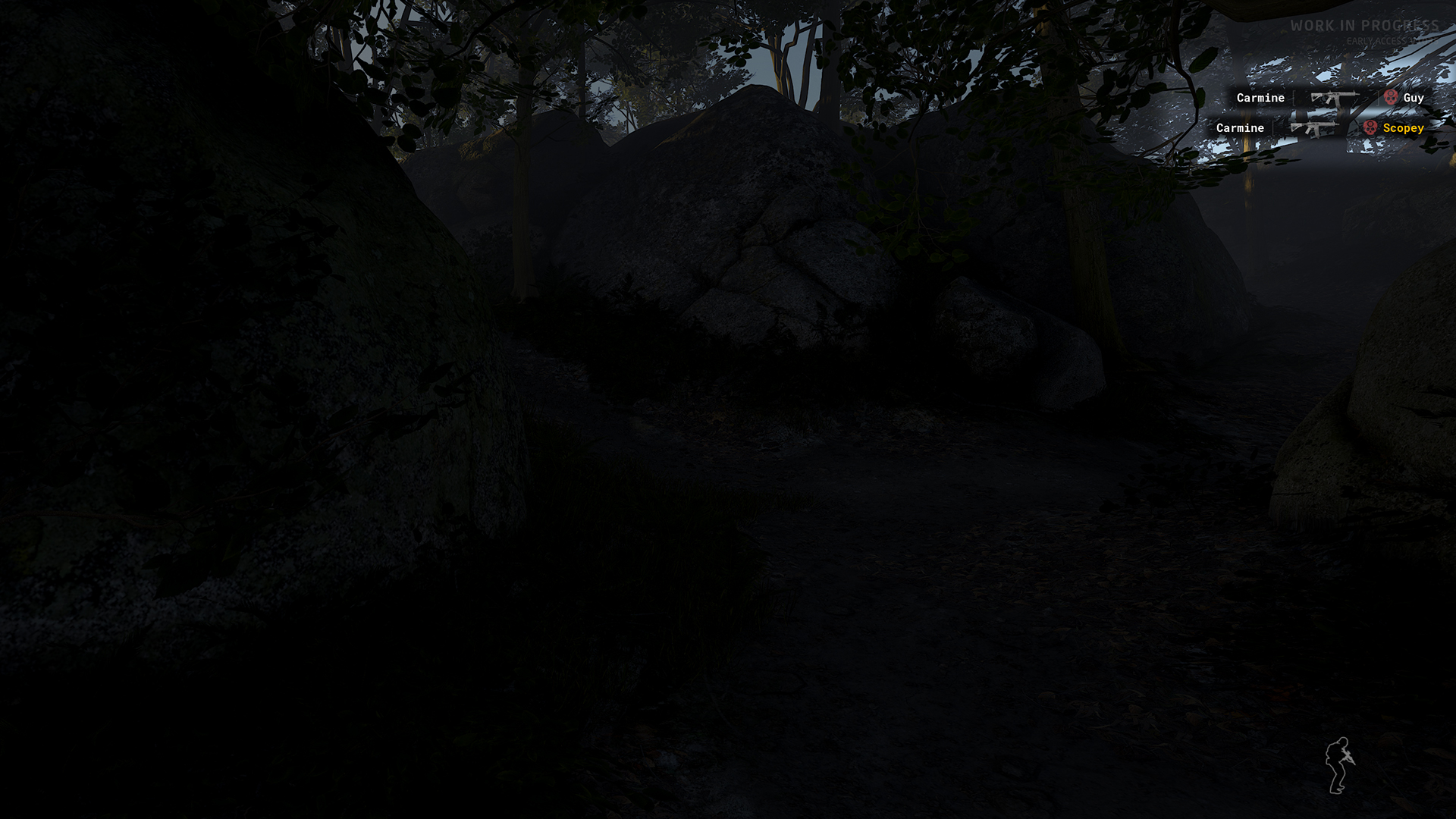
Updated kill notifications (Deathmatch and Team Deathmatch)
Deathmatch-style game modes have a new kill notification that now includes an icon of the weapon and a headshot indicator.
Kill notifications have also been moved to the top-right corner of the screen.
💡 The logic to account for grenade kills has not yet been implemented. Grenade kills are currently displayed as self-kills or forfeits (withdrawal from play area), e.g.: [💀] fatmarrow
Easier-to-click checkboxes
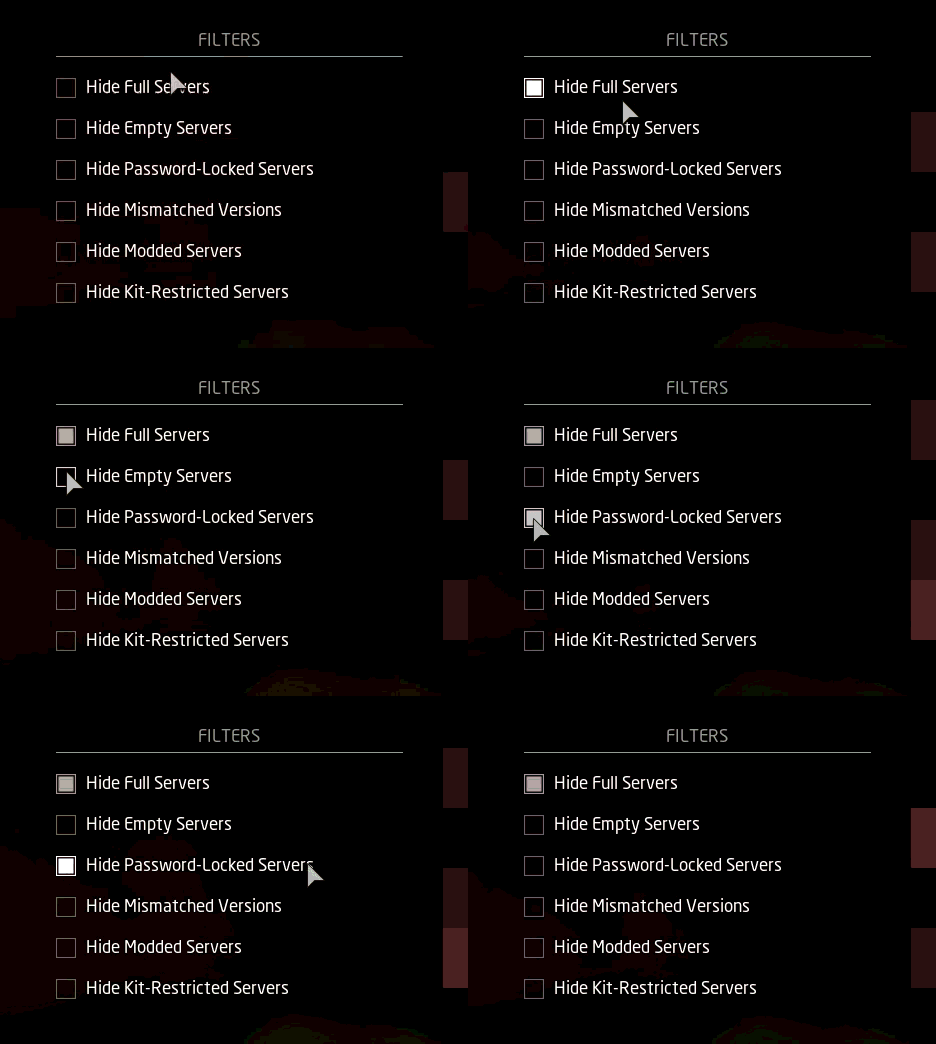
This one is pretty minor, but we’ve updated all checkboxes to have a much more generous clickable area (which includes the text next to it, so you no longer have to click the box itself).
Other UI/UX changes
The map selection screen (Lone Wolf and Host Game) has been updated slightly: the map entries have received some font formatting changes, as well as a nicer and clearer hover effect.
Ranch and Power Station have also received new map descriptions in the aforementioned screen.
Some of the copy/wording — particularly in Mission Settings/Parameters — has been updated for better clarity or to fit the layout.
You may find other minor differences in various parts of the user interface; not all of it is intentional, so let us know if you catch anything odd!
Inventory
New weapons
The following primary weapons have been added under the Assault Rifle category:
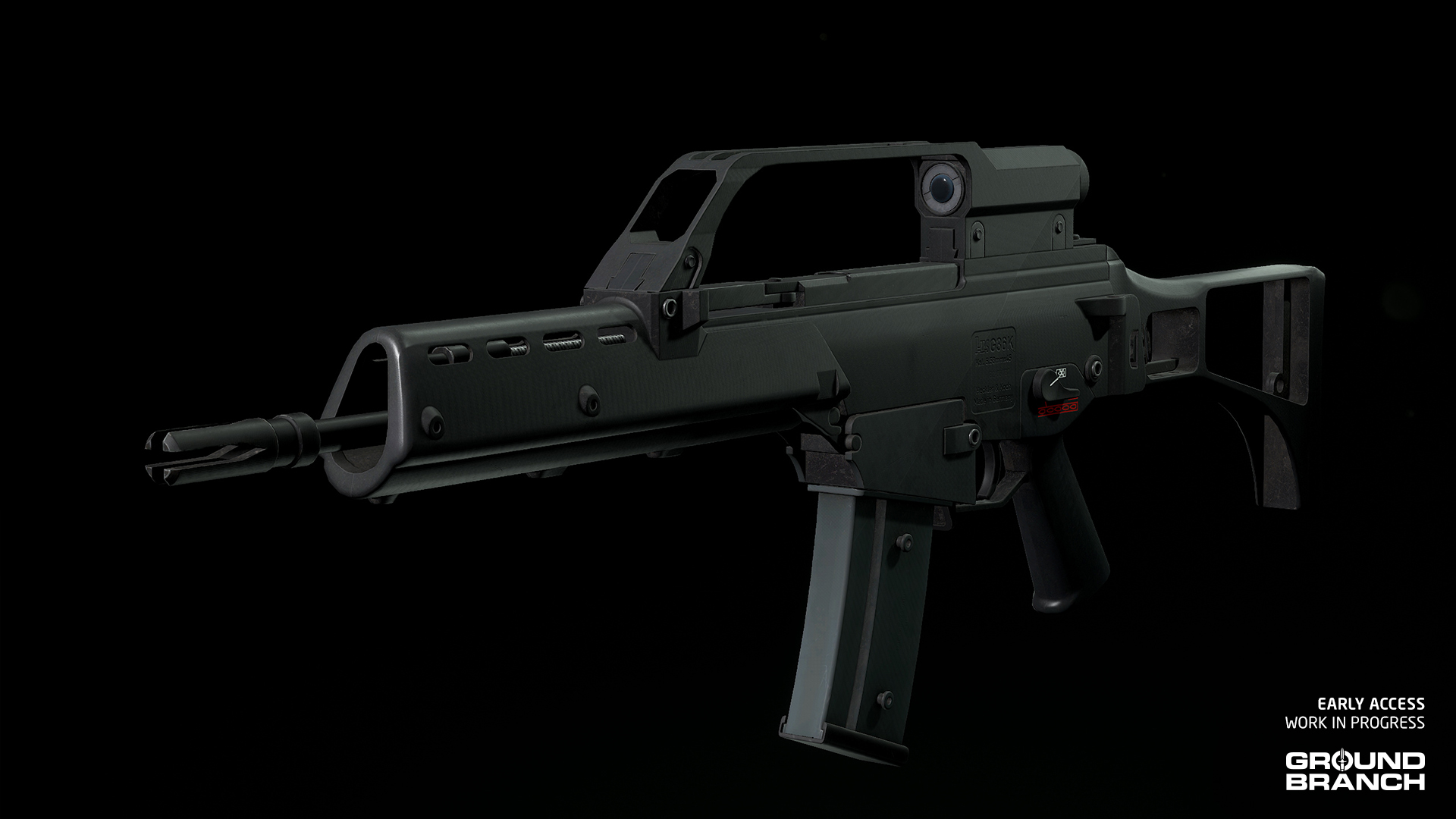
G36K
The original (“stock”) G36K joins its aftermarket version in the armory. Instead of the top accessory rail, this carbine comes with the original 3x scope built into the carry handle.
💡 The G36K's handle includes working backup iron sights for very close range engagements, which can be switched to by scrolling your Mouse Wheel while aiming down the sights.
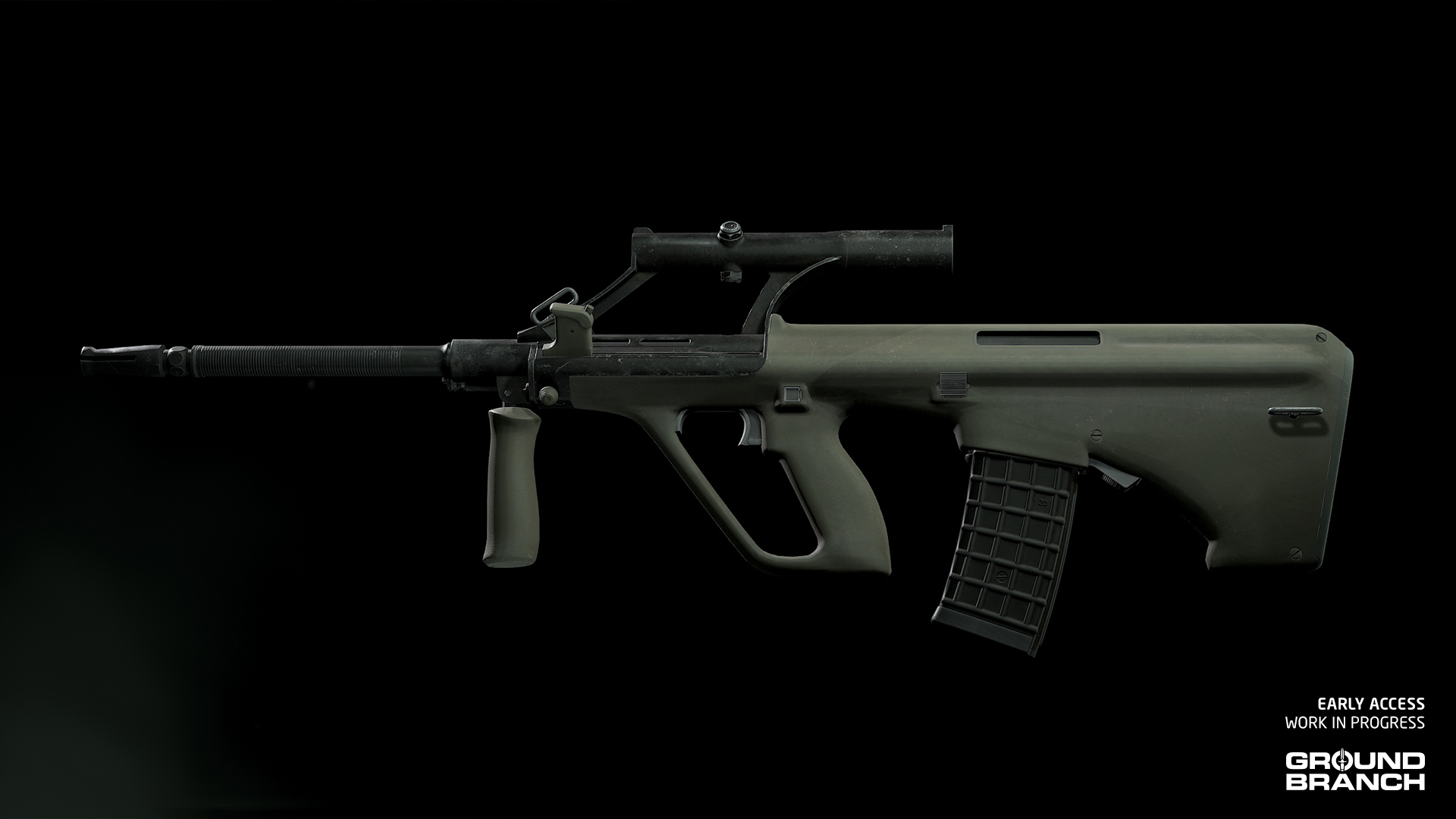
AUG A1
The OG AUG A1 also joins its modernized variant (AUG A3) with its original 20-inch barrel and built-in 1.5x scope.
💡 The AUG A1 also includes working backup iron sights atop its scope. Scroll your Mouse Wheel while aiming down the sights to switch to them.
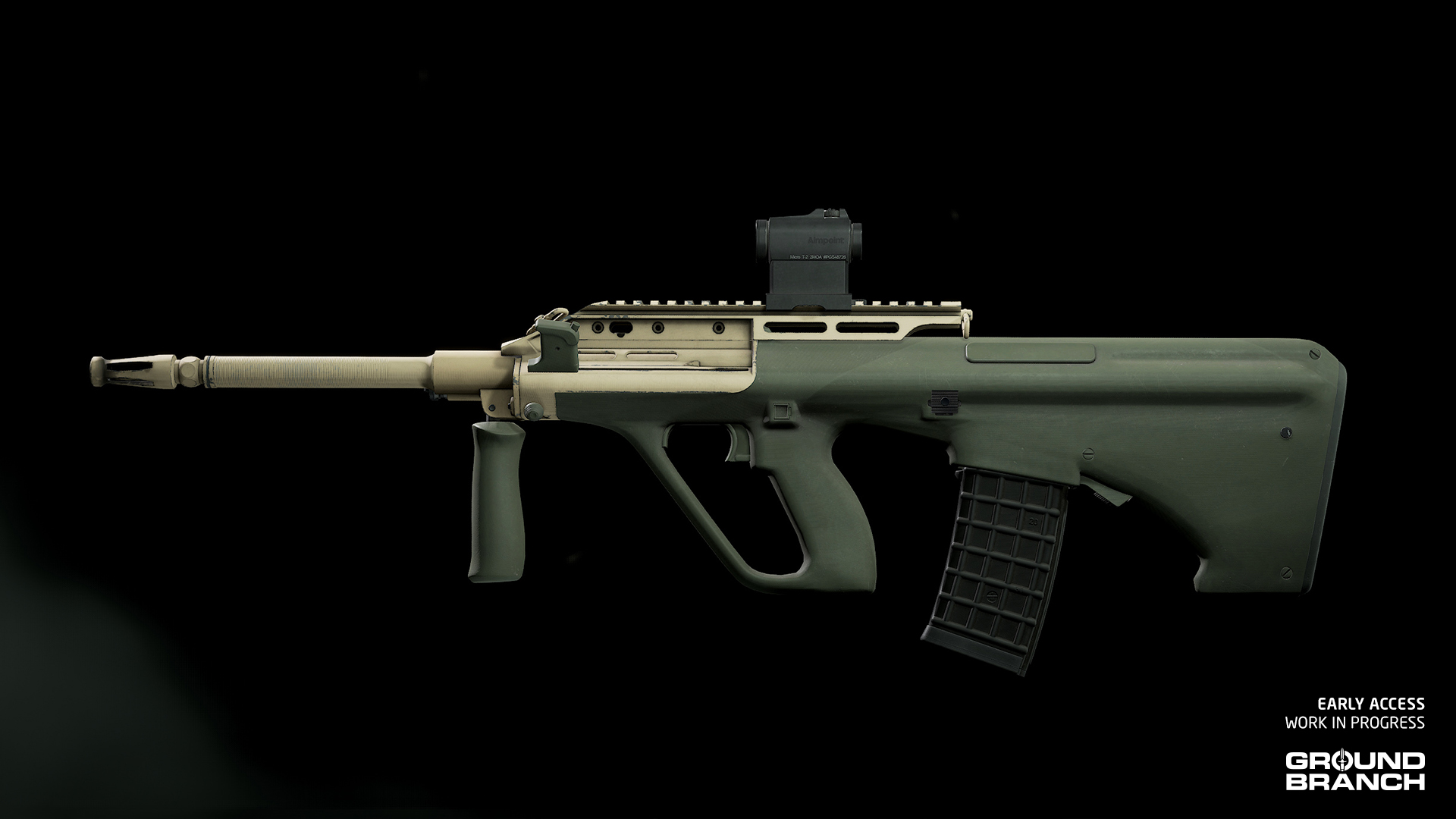
F88 SA2
Another AUG variant being added to the armory is the Australian F88 SA2. This is a more modernized version, with a top accessory rail and an interesting dual-tone (tan and green) color scheme.
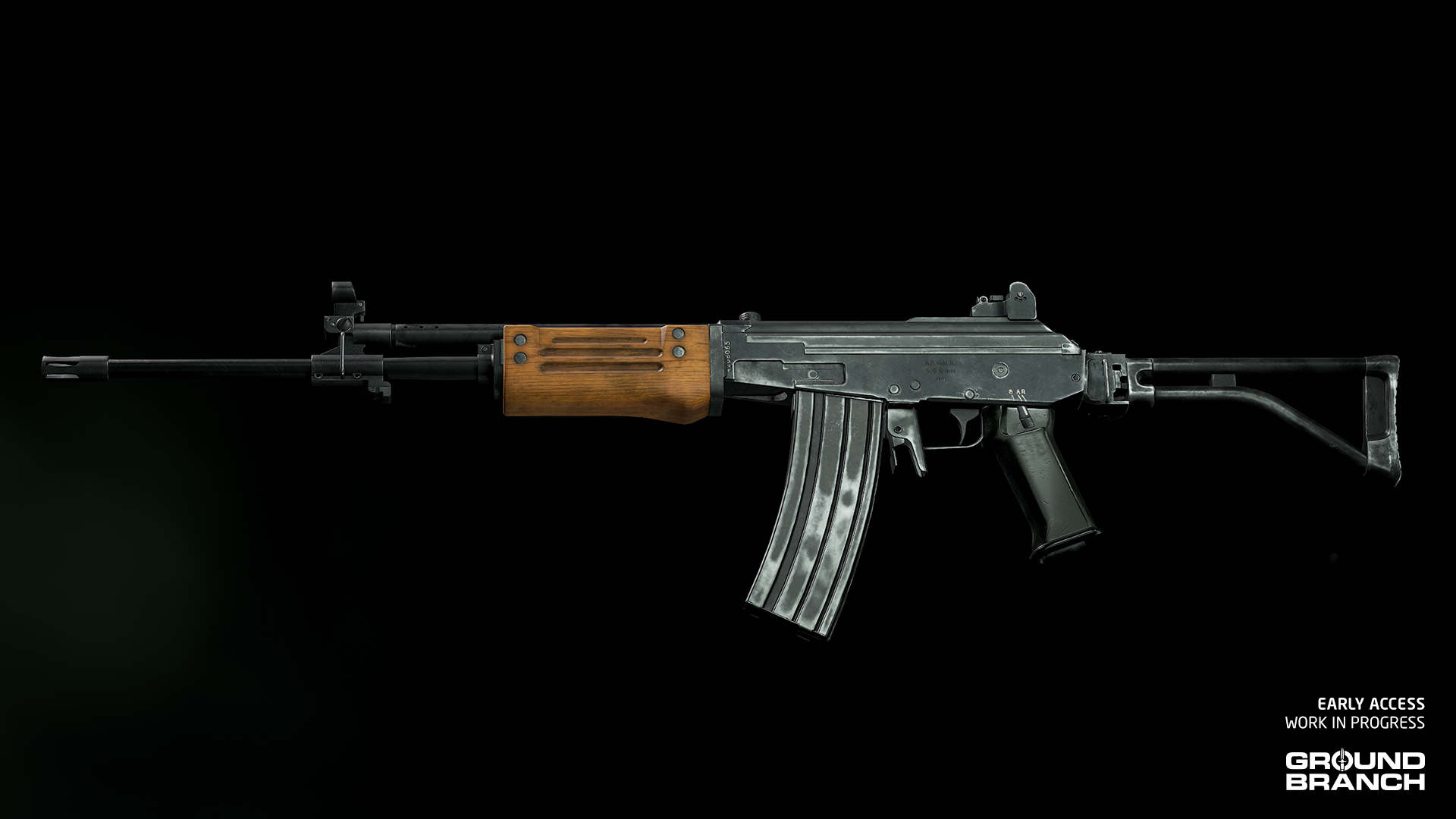
Galil AR
The Galil AR is essentially a stripped-down Galil ARM, thus making it a little lighter.
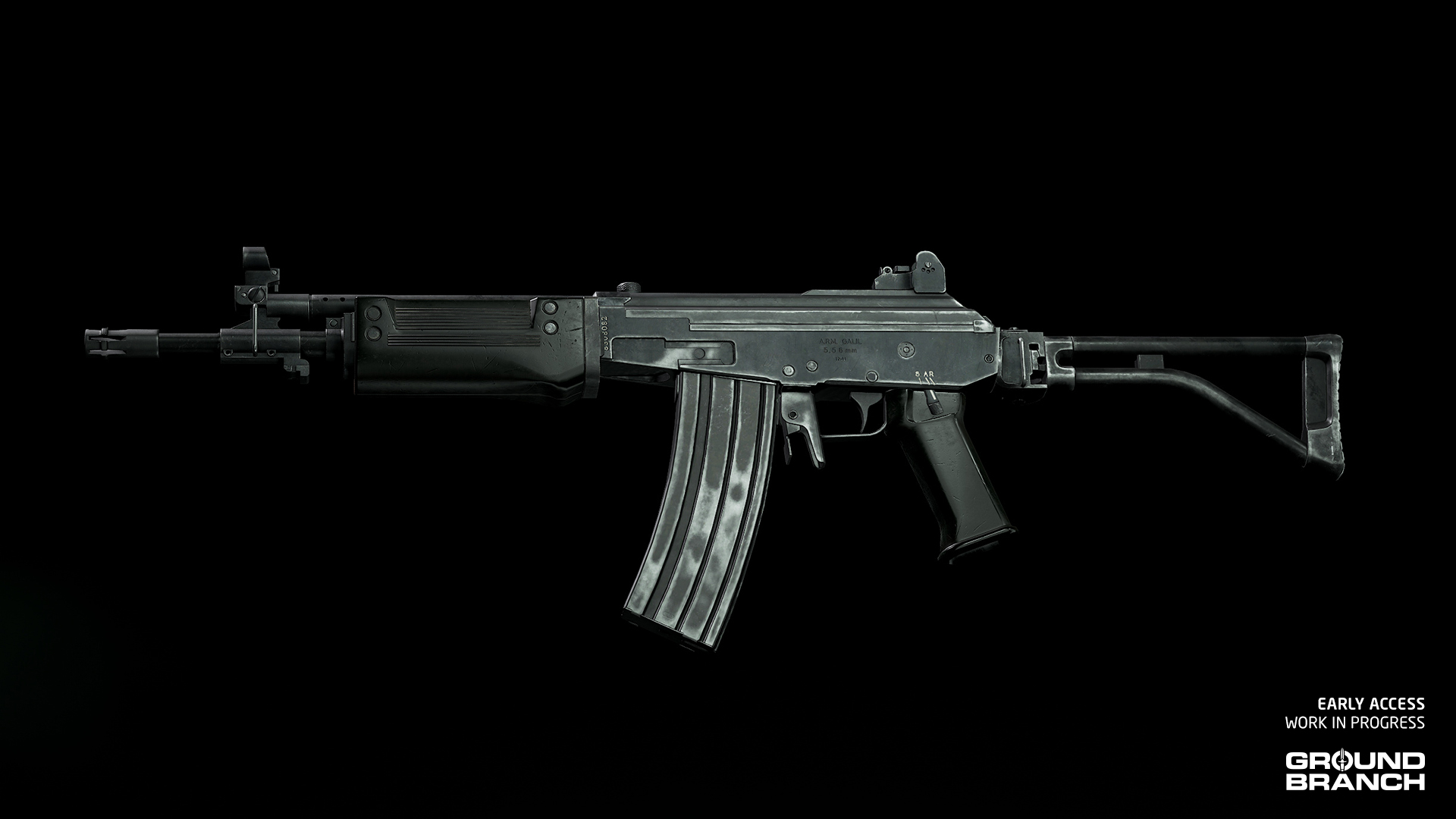
Galil SAR
The Galil SAR is a shorter and lighter Galil AR, replacing the wooden handguard with polymer.
New weapon attachments
A few new attachments are now available for weapon customization:
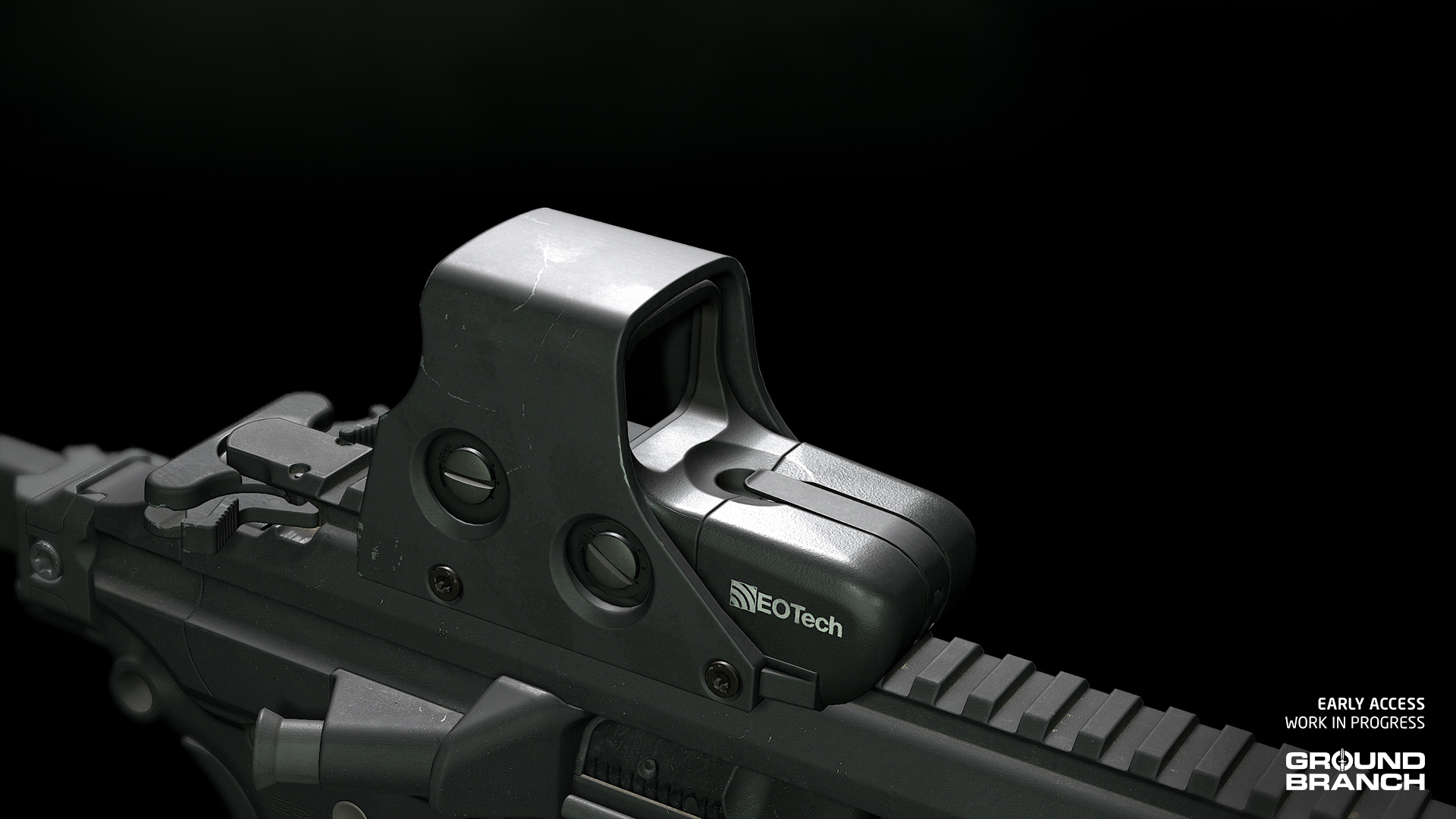
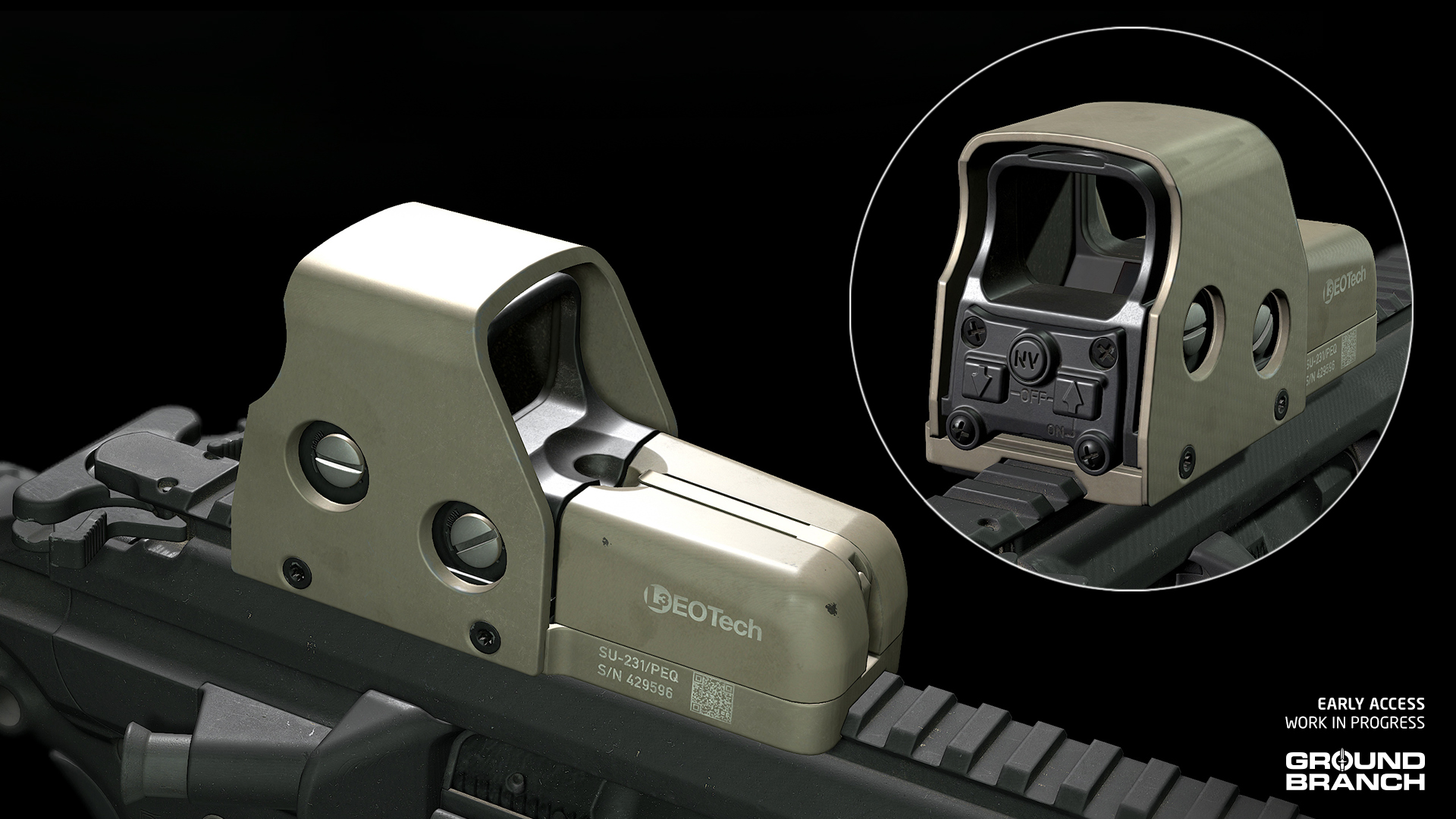
HWS 551
One of the first holo sights adopted by SOCOM in the early GWOT years, the HWS 551 holographic sight is similar in size to the more modern EXPS3.
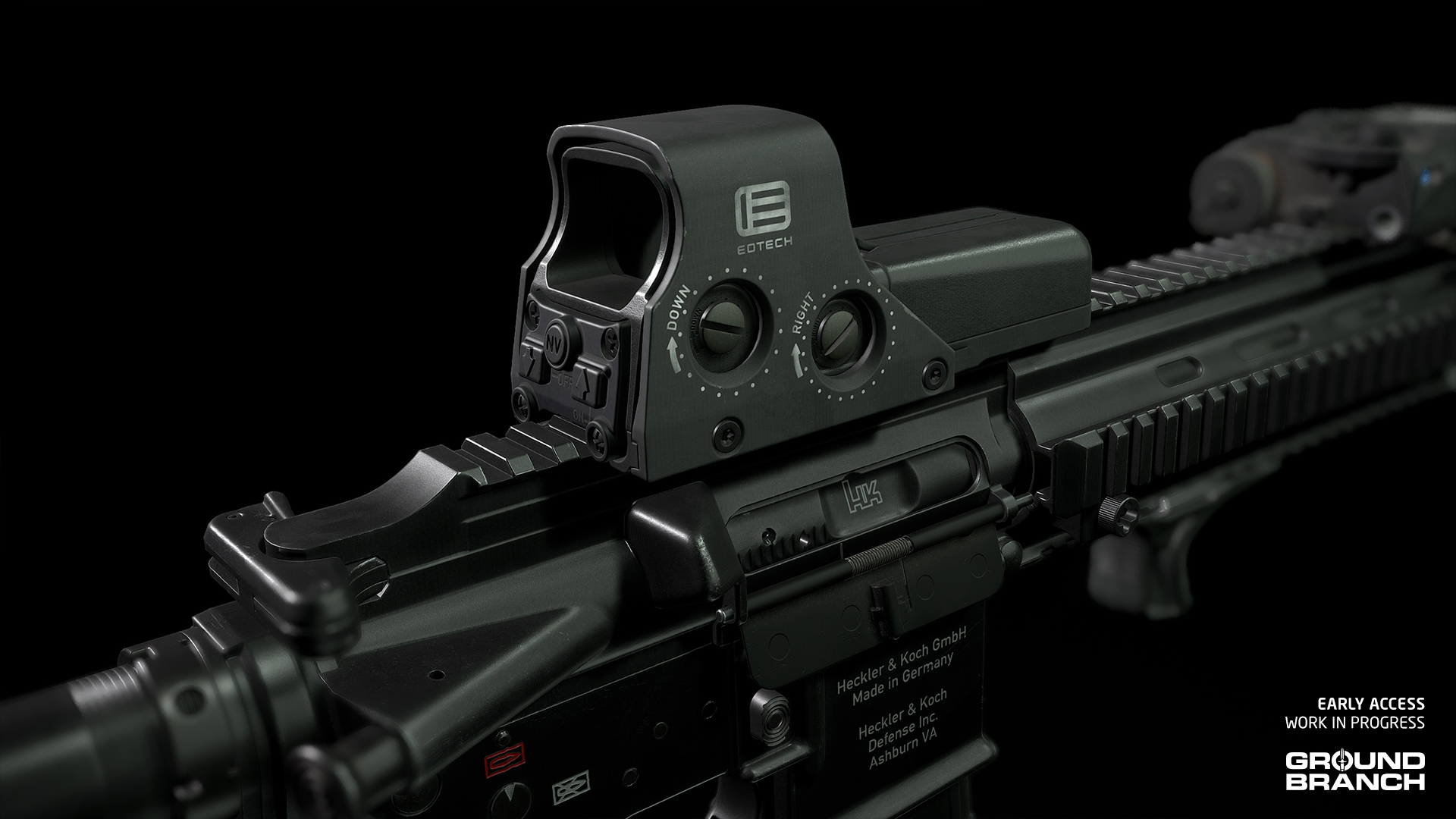
HWS 552
Though longer, this model superseded many 551s in service due to its use of the more readily available AA batteries.
AS/VSS 30rd [9×39MM]
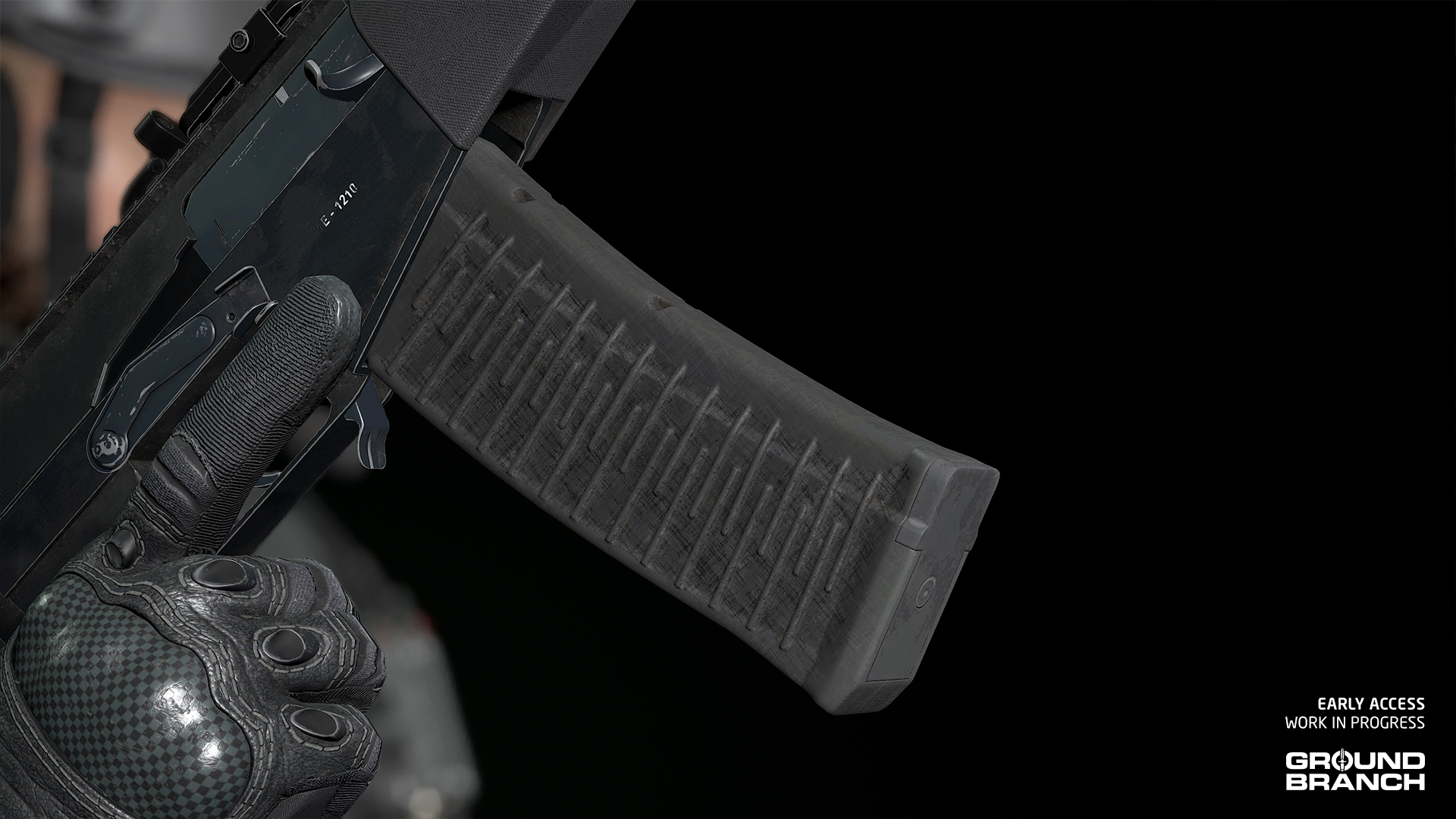
A 30-round magazine for the AS/VSS family of suppressed rifles, this new capacity was introduced alongside the ASM Val.
Updated models
These models have been revised, replaced or otherwise updated:
HWS 553
The HWS 553 has received a new and far more authentic model. It is still available in both black and FDE skins, with the FDE version now keeping the rear panel and inner optic housing in black — just like the real deal.
CTRW (formerly ASR)
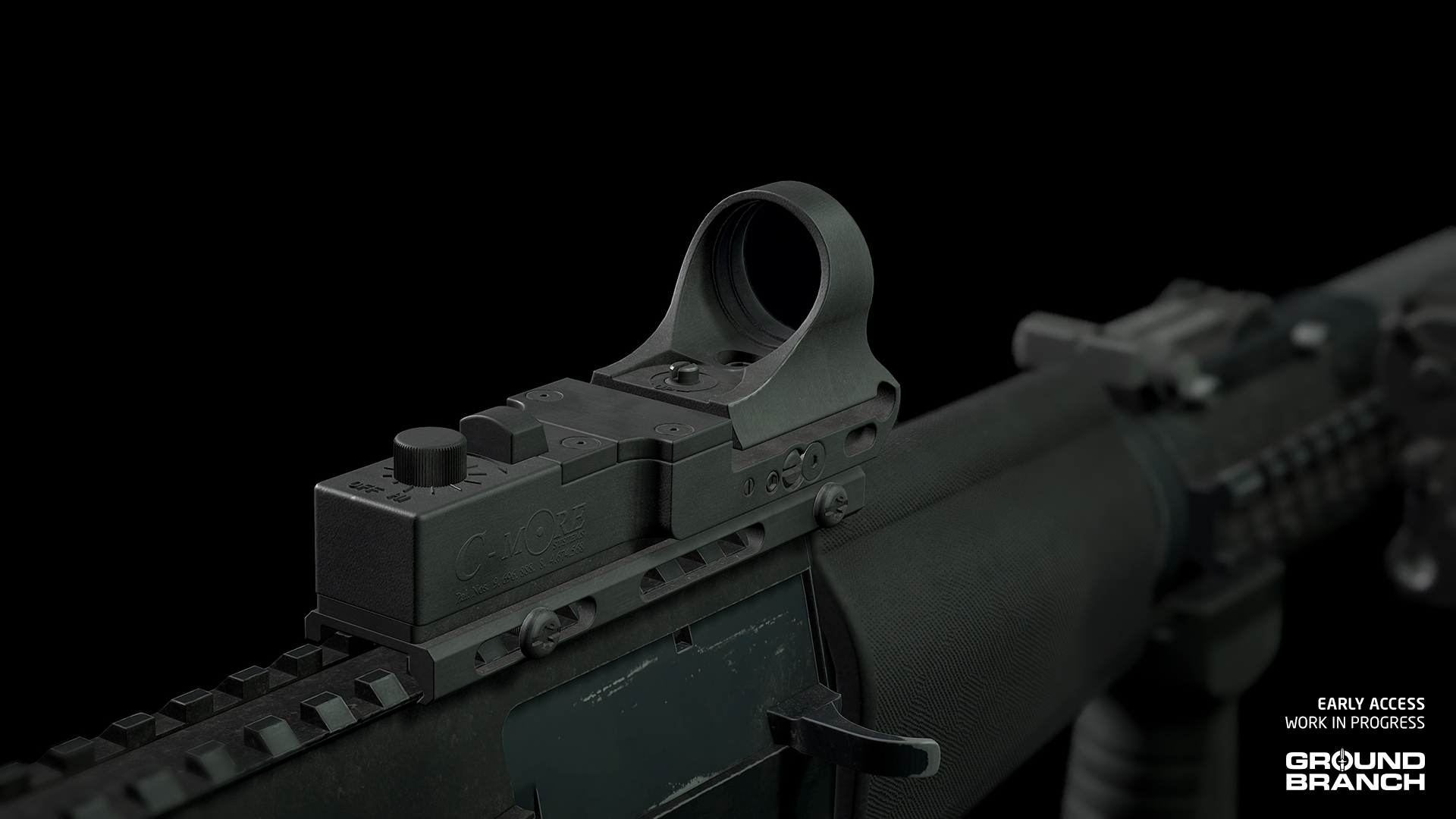
The previously labeled ASR reflex sight has received a much needed model replacement and is now listed as CTRW under your Red Dot sight category.
AN/PVS-22 UNS
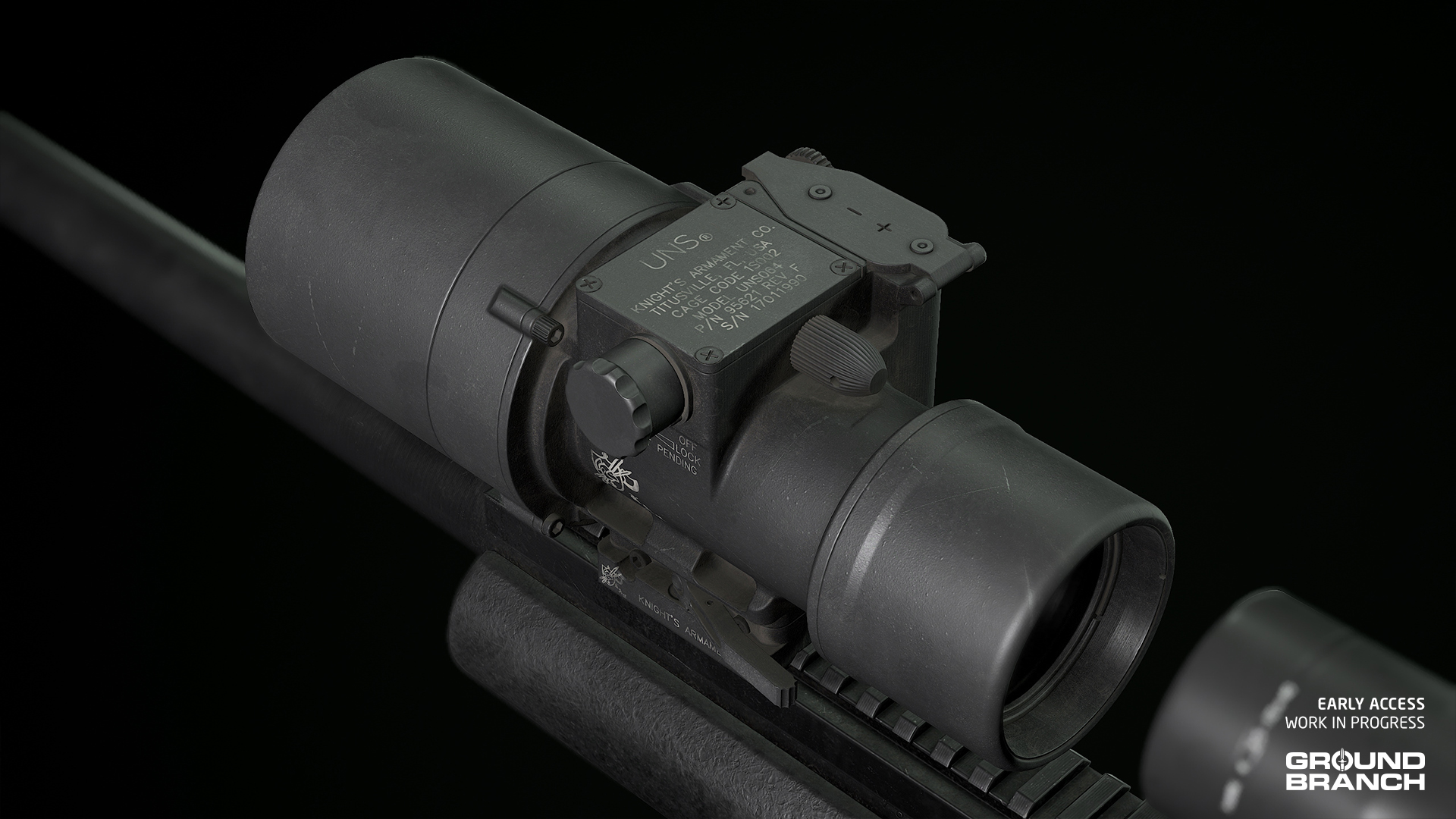
Another full model update, the new AN/PVS-22 UNS should better match the highly detailed assets it might be sitting next to during night operations.
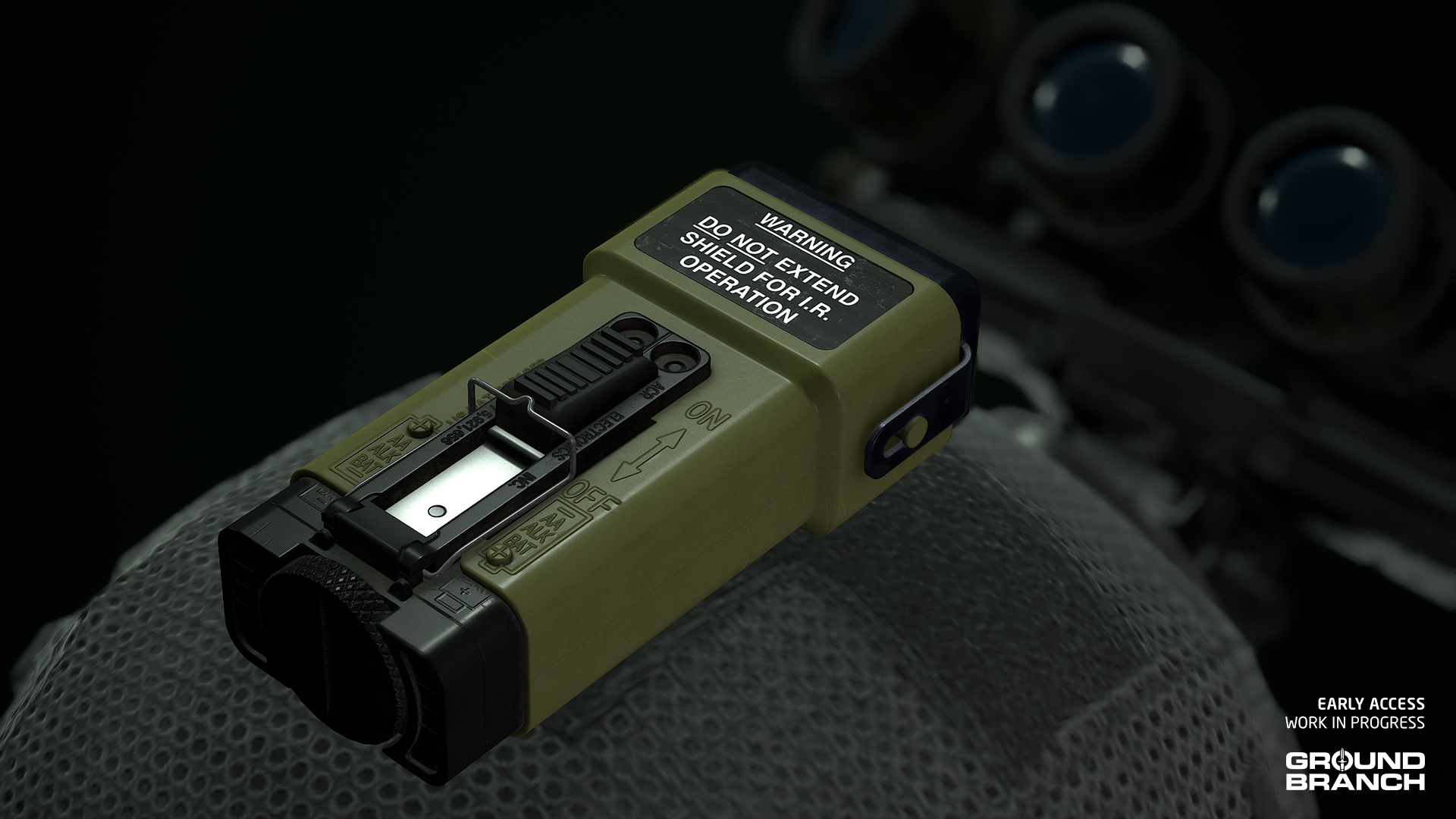
IR Strobe (MS2000)
Our old MS2000 strobe was a holdover from the distant past and has now been replaced with a more accurate and detailed model.
The partial pouch is gone, but we’ve found that it was usually velcro’d or taped to helmets.
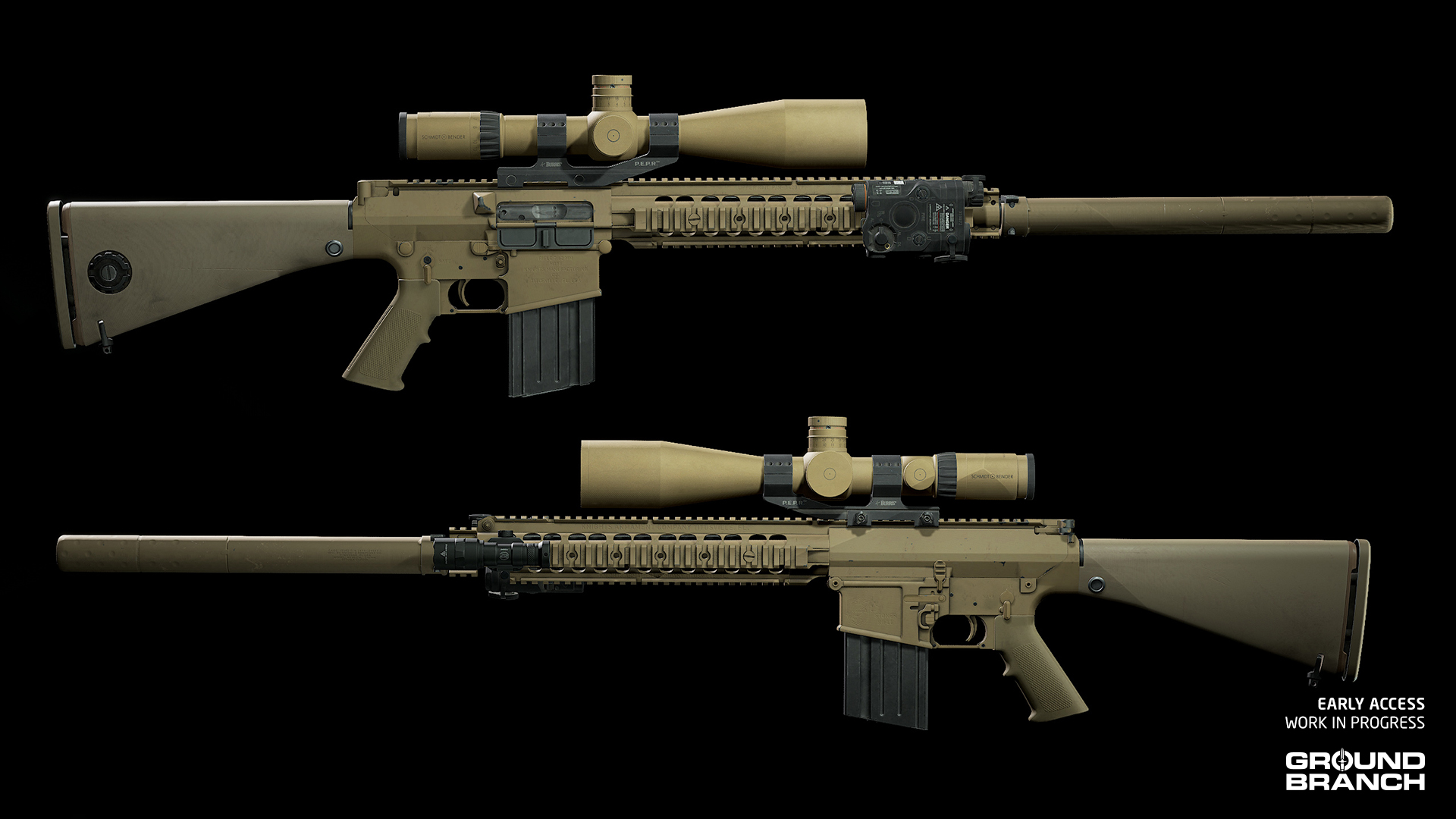
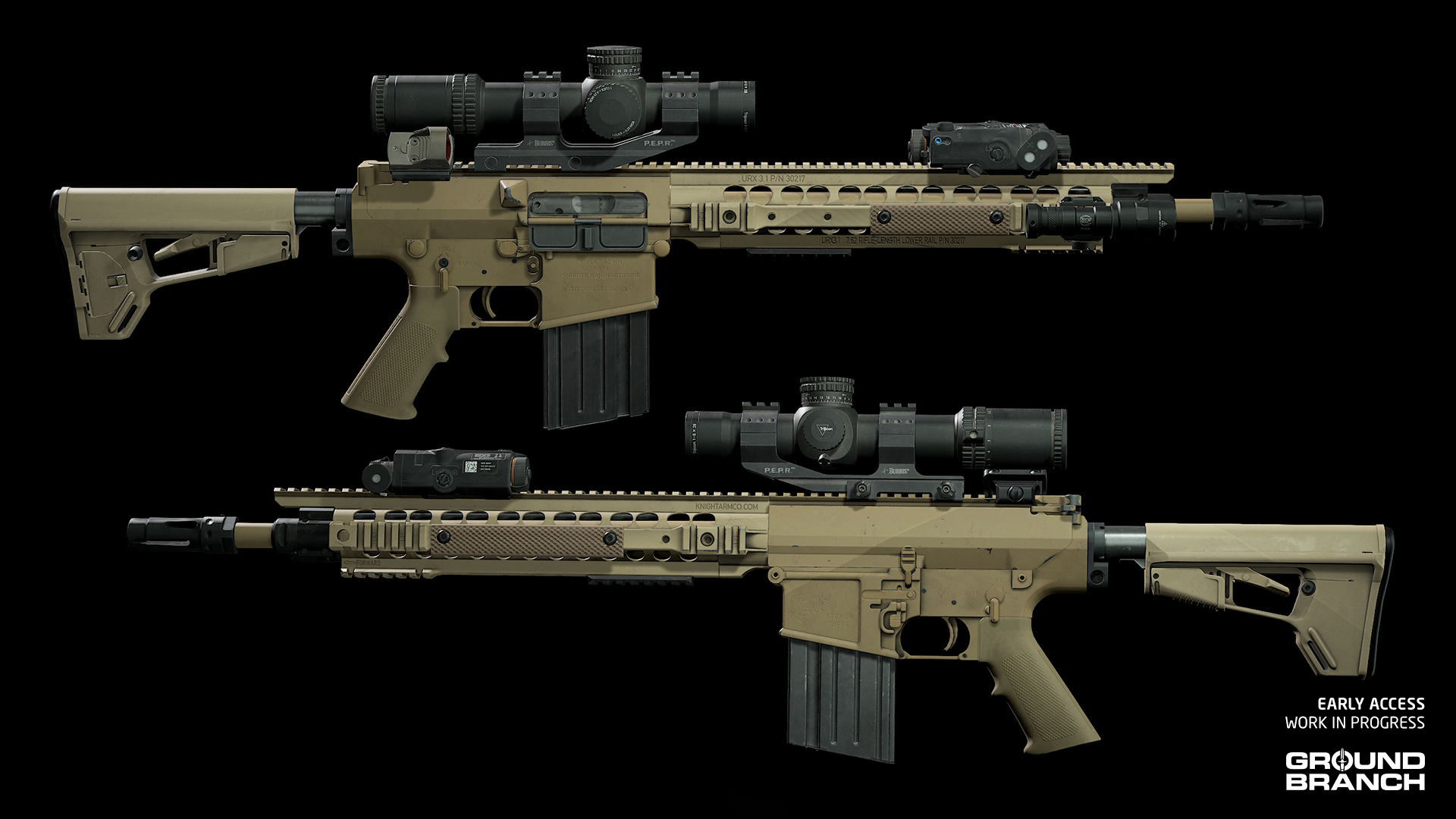
M110 and M110K1 revised
Both M110 series models have been revised to fix issues with receiver and magazine width (we realized they were slimmer than those of AR-15s), as well as inaccuracies in the handguards (such as making sure the rails’ recoil grooves were all aligned and accounted for).
💡 In particular, the M110K1's handguard has received some further design tweaks to better match our reference for adopted SOCOM specimens. As a result, there have been changes to attachment points in-game.
Cleaned up tan skins (and a handful of other skin tweaks)
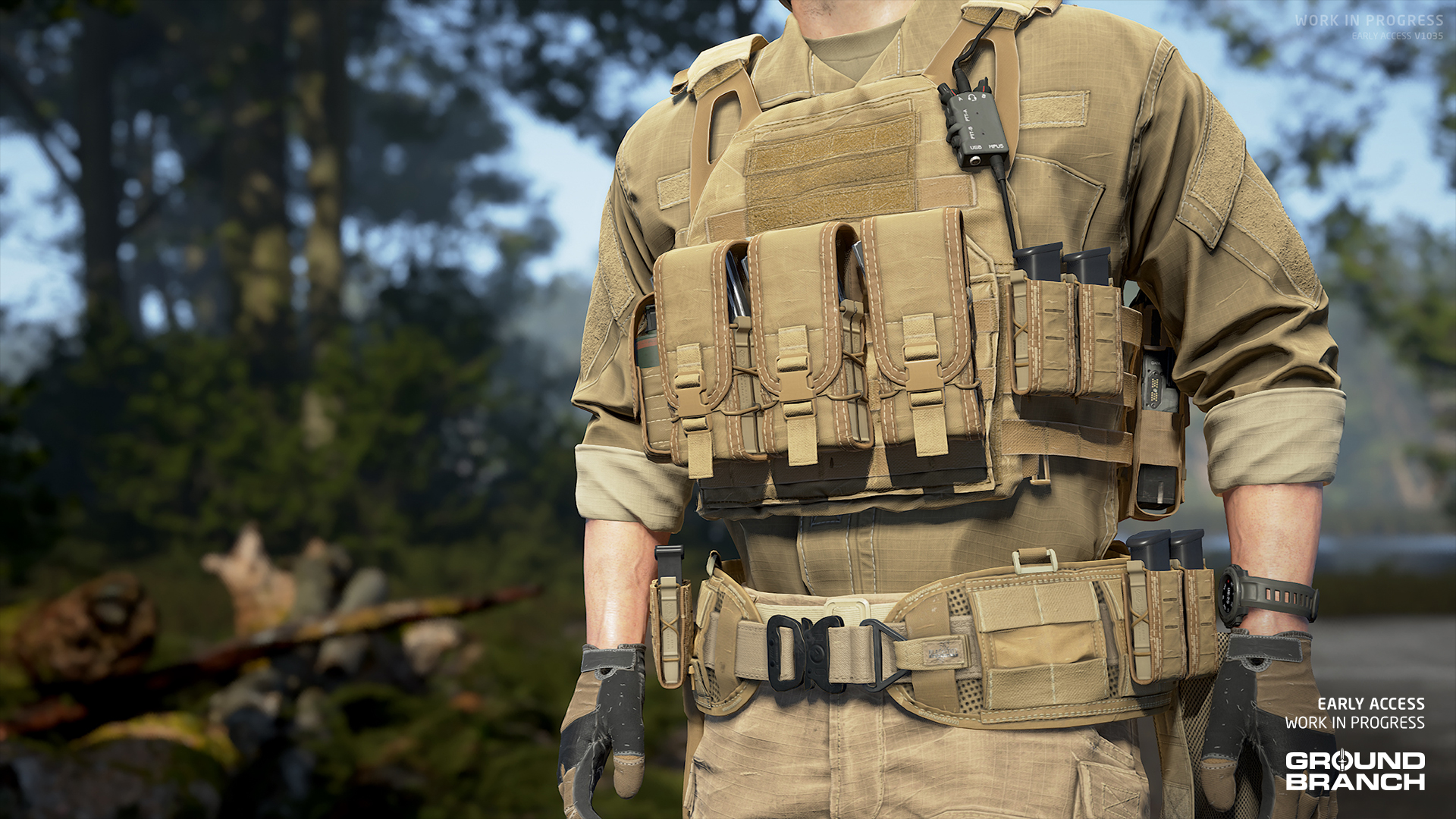
All vest platforms, belts and pouches in tan skin have been updated to better match their real-life counterparts.
Because most of the real-life items are in fact coyote brown rather than tan, the overwhelming majority of the old tan skins are now listed as Coyote Brown.
💡 The previous skins were for the most part using a generic tan look that was neither Tan 499 (one of the more common US military tan colors) nor Coyote Brown (another very common but more red-heavy tan shade).
Other skin changes
An actual Tan skin has been added for the Plate Carrier (MPC).
Tweaked the colors of buckles, MOLLE, straps, loops, buttons, stitching and other details for various platform skins to better match the reference items.
Updated various skins to correct the direction of the camo pattern and/or to break up the camo pattern where it shouldn’t be continuous (e.g. between the main body of an item and a MOLLE strap).
A few other miscellaneous tweaks (e.g. reduced saturation on Coyote Brown Tactical Pants).
💡 The current "main mix" is now "Experimental". Please give it a try and share your feedback!
We have added the American PMC enemy voice lines for our PMCs on maps Docks, Rig and Tanker.
Fixed hearing sounds from the play area while in the Customize Operator screen.
Updated attenuation on all weapons for better spatialization.
Created audio system for optimization to allow more audio on levels.
Fixed various bugs across all levels (e.g. missing audio portals).
Replaced the old concrete footsteps sound effects with a better, more natural-sounding iteration.
Changed diffraction and occlusion curves to better represent positional audio and geo impact with sounds (e.g. standing behind a tree while being shot at).
Added audio to new animations, such as the chemlight deployment.
Fix missing audio from various animations (e.g. the SpecterDR 1x/4x‘s lever throw when changing magnification).
Removed middleware components from lights for optimization — this was part of the issue with a common audio crash that was resolved.
Updated Power Station‘s audio with new room tones and sounds for the underground areas.
And that’s it for Build Update #061!
Thanks for reading these patch notes and keeping up with GROUND BRANCH’s development.
This update took real work to get across the line, and releasing it with a few temporary downgrades wasn’t a call we made lightly. Even so, we’re confident it’s a meaningful step forward: the refactor strengthens the foundation, and that stability is what lets us move faster and build bigger from here. Our team is still lean, but it’s grown considerably (see our latest dev blog for details), and that added bandwidth is already paying off.
Most importantly, this is the kind of progress that moves us closer to V1.0; not just by adding features, but by solidifying the core systems we need to take the game across the finish line. There’s still work ahead, but the direction is clear, and the runway is getting shorter.
Thank you once again, and we’ll see you next time!


 With the rare exception of a released and armed hostage (mentioned above), any team that kills the hostage will instantly lose the match. Careful with those frags!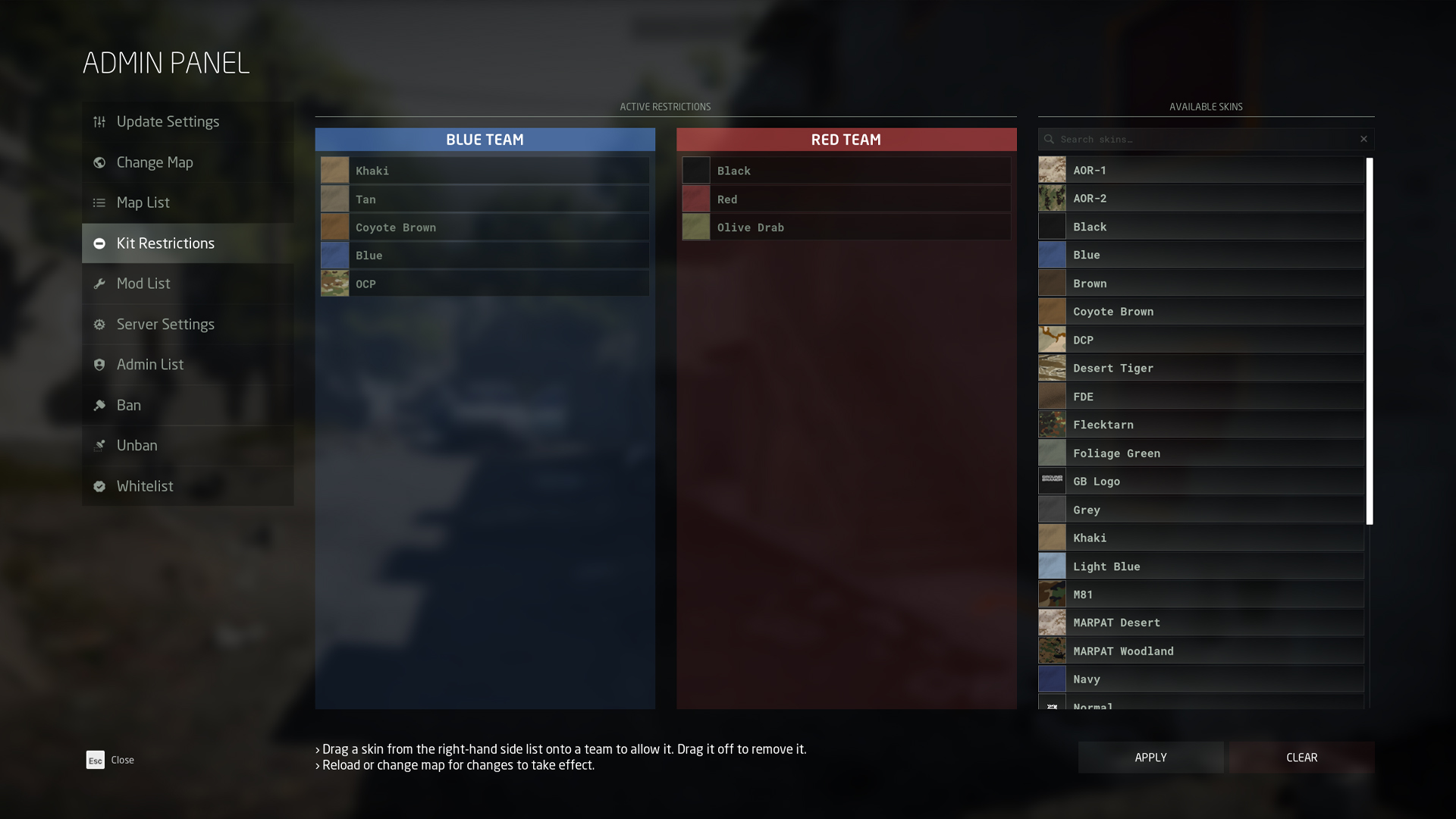





Join our
Receive our updates
Connect